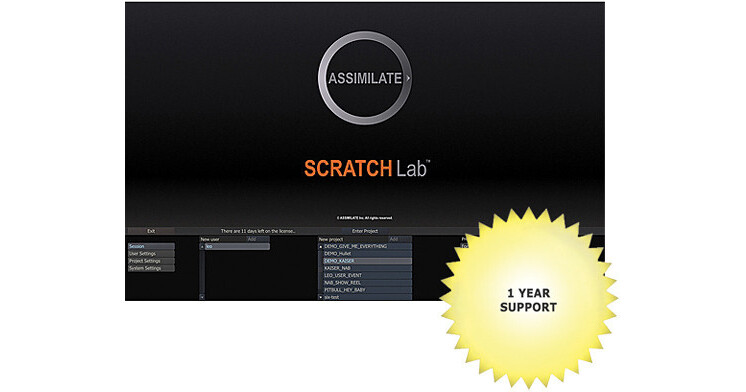
The Assimilate SCRATCH Lab for Mac is an acquisition, dailies, and conform program for on-set, primary level color correction. SCRATCH Lab differs from the full-featured SCRATCH in that the latter is also a post-production finishing program. (The footage from SCRATCH Lab must be output to an NLE and from the NLE to a finishing program).
SCRATCH Lab is a scalable dailies system, designed to flexibly load media and successfully manage large numbers of shots, versions, and plates. Lab supports XML, HTML, and SQL for integration with virtually all databases and compositing systems like Nuke and After Effects. Lab is optimized for DPX, OpenEXR, and RAW formats and is fast enough to play back 5K in real time. The program is compatible with many desktop control panels, including the relatively affordable Tangent Devices Element panels.
One year of phone and email technical support is included.
SCRATCH Lab's unique CONstruct view allows you to seamlessly manage an unlimited number of previous versions and plates from a shot on a single timeline. This unparalleled level of shot management saves huge amounts of time in review, while instant "what if's" keep the creative process flowing smoothly. Lab's Dual View mode provides immediate switching between 3D and stereo/3D playback.
SCRATCH Lab's XML support means you can smoothly integrate with even the most complex media database to automatically associate the media and load it into the required slots and layers in the CONstruct. This takes the guesswork out of loading thousands of media clips per day regardless of format, CODEC or resolution.
- Fully ACES compliant
- REDCODE RAW.r3d including monochrome footage
- Support for multiple RED Rocket cards with DRX control
- ARRI RAW including new Assimilate custom ARRI fast Debayer -- built for significant speed while still preserving color accuracy
- Sony F5, F55, F65 including 6K and 8K
- Sony MPEG-2 .MP4, .MOV and XAVC HD/4K .MXF
- Phantom
- SI2K
- Panasonic P2/MXF and AVCHD
- Canon C500, C300, 5D, 7D
- Blackmagic Design Cinema DNG
- GoPro
- Aaton Penelope
- Ikonoscop
- QuickTime
- DPX
- Over 50 additional formats
- Extend SCRATCH Lab with powerful OFX plug-ins such as Sapphire, BeautyBox, NeatVideo, and many more
- Seamlessly integrate with Avid Interplay and Isis via the ProductionLink plug-in from DiaQuest
- Automate with scripts to maximize productivity
- Integrate Lab via XML with other tools in your workflow such as Nuke, Shotgun, or After Effects
- Real-time, resolution independent playback to all stereoscopic delivery systems: Side-by-Side, Over/Under, Line Interleave, Checkerboard, and Anaglyph
- Check and adjust stereo with dedicated link and convergence controls
- Immediately review decisions in stereo
- Panasonic stereo camera support includes auto de-muxing of stereo streams
- Real-time, non-destructive primary grading
- Heads-up color grading interface and support for Avid Artist Color panel series or all Tangent panels, including the Element
- Source-side adjustments for mixed color space workflows
- Match and auto grading
- Integrated Histogram, Waveform, Vectorscope and Color Curve views
- Group shots, copy/paste color grades and reference libraries
- Key frames and animation curves
- Import and save 1D and 3D LUTs based on primary color grades
- Broadcast wave support
- Automatically sync to timecode or slate
- Interactive Waveform for sync
- Interactive audio scrub
- Mix-and-match RED.r3d files with ARRI RAW or Phantom (or any other media format recognized by SCRATCH Lab), even Canon DSLR, within the same resolution-independent timeline
- Dual-View, Half-Mix and Side-by-Side comparison options
- Quick Keys for moving through a timeline
- AAF import and MXF integration
- FCP XML import
- DNxHD and ProRes Read and Write
- Export TIFF with timecode and metadata
- Import and export ALE
- Shot log metadata import
- Metadata search
- Stereoscopic versioning
- CDL support
- Output to multiple file formats such as DPX, DNxHD, ProRes, Tiff, JPG, QuickTime and more
- Quick visual sync of audio to Waveform or by timecode
- Multilayer timeline
- Sync timecode from multiple cameras (including stereo) with a unique "Match Timecode" function
- Stack cameras into a single slot, then automatically sync the timecode of all cameras to one of them
- Generate dailies by automatically naming clips based on any metadata field, including camroll, scene and take
- Create flash burns either at the top and tail of a clip, or throughout its duration
- Capture scene and take metadata automatically from broadcast wave audio files
- Automatically generate new timecode for cameras like the Phantom, Canon 5D/7D, and GoPro, and easily increment the timecode with each slot and even skip by user-defined intervals
- Populate Avid AAF files with extended metadata, avoiding the double pass to access that ALE files required, effectively removing the need for separate ALEs
- Avid DNxHD and DNxHD MXF
- QuickTime (MPEG4, TIFF, JPEG, etc.)
- ProRes 422 and 444
- DPX
- OpenEXR
- 16 bit TIFF
- Real-time tools for frame-rate conversion, image-resolution scaling and frame-accuracy to monitors, projectors and tape decks using both DVI and SDI interfaces
- Create deliverables in different resolutions, image formats and framing, all from a single source and output multiple targets simultaneously
- Queue and manage outputs for unattended batch processing
- Export metadata in a variety of formats, even add notes to shots and include them in XML or MXF files