Promote Systems Promote Control Bulb Ramping/Bulb HDR Assistant Kit
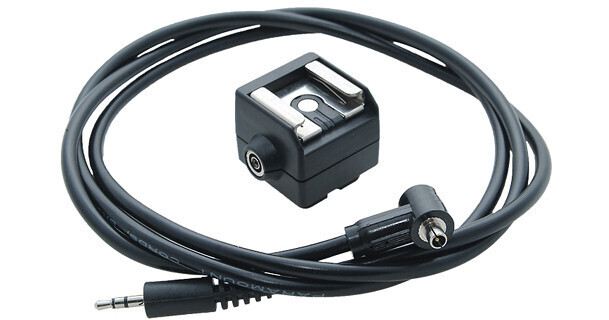
- Accessory Kit for Promote Control
- Create Time-Lapse Sequences
- Create Enhanced HDR Photographs
- Easy to Connect and Use
The Promote Control Bulb Ramping/Bulb HDR Assistant Kit is an assistive accessory to the Promote Control advanced camera remote control which is sold separately and compatible with Canon and Nikon DSLRs.
A camera specific shutter cable is also a necessary and separate purchase, however the set-up to create smooth time-lapse and HDR photos is simple. The shutter cable connects to the shutter port on both your camera and the Promote Control and the Bulb Assistant Cable connects to the flash synchronization port on your camera. If your camera does not have a flash sync port, use the included Bulb Assistant hot shoe adapter. The other end of the Bulb Assistant Cable is connected to the Promote Control Remote sensor port.
Establish a starting exposure by doing a few test shots then set the parameters on the Promote Control. Parameters include how fast exposures are changed, how long between shots and how many total shots. Once that information is entered into the Promote Control you are ready to shoot. Switch the camera back to Bulb mode and begin.
The Assistant Kit contains the Bulb Assistant Cable and Bulb Assistant hot shoe adapter.