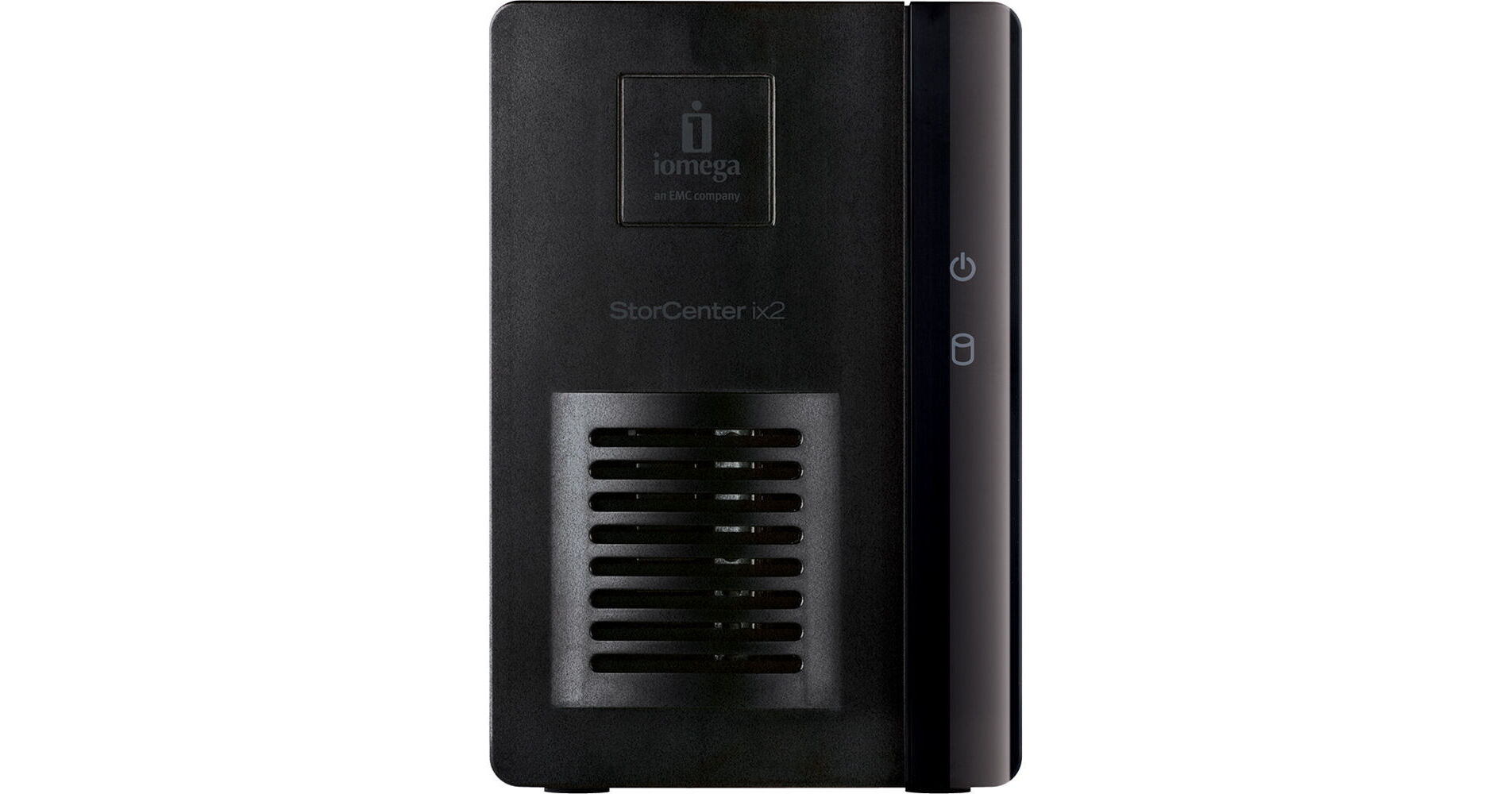
The StorCenter ix2 4TB Network Storage from Iomega is a versatile 2 bay network storage drive good for small businesses, home office, or advanced home networks. With features like simple content sharing, active directory support, expandability, an integrated application manager, and data organization access you can monitor and maintain all of the data going through your drive.
With content sharing you can access files from any networked Windows, Apple or Linux computer making it simple to access your important files from virtually anywhere. Iomega's Personal Cloud Feature helps to streamline the sharing process by allowing you to create guest lists giving your guests access to read and write files and folders to the network drive. Active Directory Support makes it possible to use the StorCenter ix2 to control domain users and groups in a client member setup. Add storage capacity via the integrated USB port making it simple to connect USB drives directly to the StorCenter ix2. If the preinstalled software isn't sufficient, you can install third party applications via the application manager.
With the StorCenter ix2, data organization is easy; you can organize folders and files to appear in one directory tree on a single Iomega StorCenter System.
User friendly web-based management interface
Web Interface accessible in 16 supported languages
Easily share content with friends and family outside of your home using the exclusive Iomega Personal Cloud feature. Invited guests will have access to read and write to files and folders on your network drive. No need to email file attachments.
Iomega Link iOS application- Iomega Link gives you a direct link to your StorCenter device via your iPhone, iPod Touch or iPad. You have the ability to upload, download, browse and stream content on your Iomega network storage devices using Iomega Link mobile app. (download app from iTunes)
Built-in photo slide-show sharing feature- easily select and share your digital pictures on the web.
File distribution made easy- Drop files into a designated distribution folder, and all of those on the distribution list automatically get an email with either the files attached, or a link to download the files.
Define your Copy Job to copy/synchronize files to and from connected drives and/or any other shared storage on your network.
Schedule jobs to run on a predetermined schedule.
Built in support for up to 5 UPnP (universal plug and play) network cameras by Axis, Bosch, and Panasonic to capture and store video without the need of a dedicated PC support for high-definition and configurable resolution and frame rate settings.
Downloadable Axis Video Hosting Solution (AVHS) for local to hosted cloud video storage and management.
Downloadable MindTree SecureMind VSMS software. One camera license included, additional licenses available for purchase.
Multimedia:
Built in Audio Video Media Server - UPnP DLNA Certified-Provides the ability to stream photos, audio content and videos to a variety of media devices, such as game consoles (Microsoft Xbox 360, Sony PlayStation 3), audio bridges, iTunes players, picture frames, Iomega ScreenPlay products and more.
Create shared iTunes libraries to provide a central location for your music
Social Media Sharing Made Easy- Convenient folders that automatically integrate with your social media accounts. Multiple accounts are no problem - just create another folder for each account.
Torrent Download Manager- The Iomega ix2-200 manages peer-to-peer file transfers without the need of a dedicated PC.
Digital Photography Tools:
Picture Transfer Protocol (PTP)- No touch, automatic transfer of photos from digital cameras via the USB port.
Photo resize- Automatically resize photos to a specified resolution
Watermark- Automatically add a watermark of your choosing to photos as they are re-sized
Powerful Backup Functionality:
Full system backup with Iomega QuikProtect for PC or Time Machine for Mac
Time Machine Support- Allows Apple users to easily backup any Mac computers running OS X (10.5 or later) using Time Machine.
Iomega Personal Cloud Backup- Synchronize data between personal cloud member systems and the ix2.
Public Cloud Backup- Use one of the integrated 3rd party cloud-based storage services such as Amazon S3 or MozyConnect Beta to replicate data from your ix2-200 to your public cloud account.
Cloud Disaster Recovery- Utilize two ix2 devices in different locations and the Iomega Personal Cloud function to create your own disaster recovery scheme.
EMC Atmos Cloud Connector- The Atmos Connector software lets a user backup and share data using Iomega devices as the source and Atmos cloud technology as the target. Enabled by Iomega's integrated copy job utility, customers can set up cloud folders and configure jobs to automatically copy data to any Atmos cloud
Total Data Protection:
Native Security Support- With robust username and password authorized access. Create additional users and secure their content with password protection.
User Quotas- Easily manage capacity by setting maximum limits per user
RSA BSAFE technology protects installs and upgrades.
Virtualization:
Iomega StorCenter devices are certified for Citrix XenServer 5.6, Windows Server 2003, Windows Server 2008, and Windows Server 2008 R2, VMware vSphere 5.0 which makes them the most cost-effective solution for server virtualization
•Synchronization: Users around the globe can sync files directly between computers as though they were on a local network.
•Collaboration: Easily set up a shared workspace so that local and remote users can view and edit documents (spreadsheets, presentations, and word processing documents, for example) - especially useful for helping geographically dispersed workers collaborate.
•Sharing: Sending large files can quickly choke your company's email system. And e-mailing sensitive files can raise security concerns. Iomega Personal Cloud offers functionality that makes it easy to securely copy and transfer large or confidential files.
•Security: Iomega Personal Cloud allows you to choose who has access to what data by invitation only. And, users can choose from three levels of security when sending data over a public network. At many smaller companies, locally stored files are at risk from theft, fire, software problems, and hardware failure. Cloud storage offers built in redundancy at every level: hard drive, server, and datacenter.
•Low Maintenance: Once the system is set up there is almost no maintenance. You still have to manage user accounts, but jobs like array maintenance and monitoring the health of your data storage simply go away.
•Archiving: Archiving older files to a remote StorCenter frees up space on your primary StorCenter device for day-to-day business needs. Less capacity required for primary storage saves you money.
•Backup: Keeping a redundant copy of your data in an offsite location ensures availability in the event of an unforeseen disaster. Remote backups can run in the background after business hours to eliminate network bottlenecks.