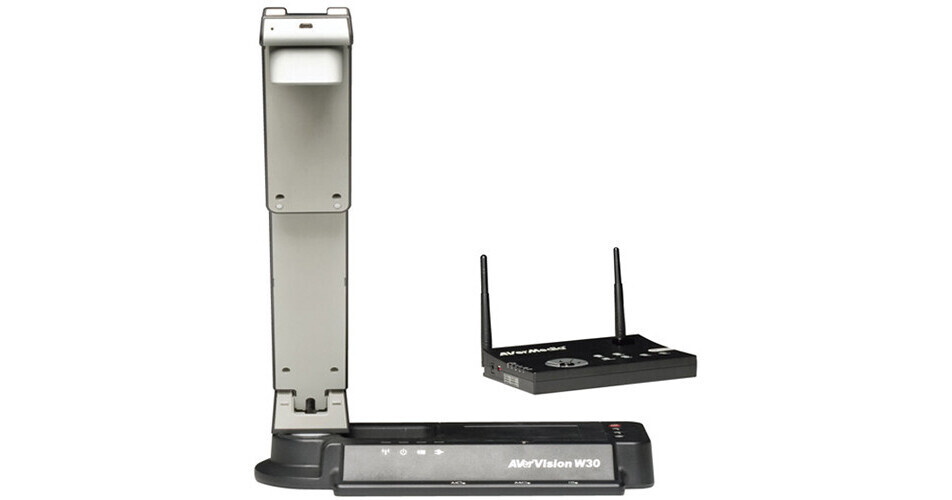
The AVerVision W30 Wireless Document Camera (NTSC) from Aver Information Inc. is capable of delivering superior image quality at 30 fps (1080p) and comes with features such as Picture-In-Picture, Split Screen, Live / RGB Split Screen, Remote Control and is compatible with interactive whiteboards.
By combining advanced technology and innovation, this document camera offers students a good learning experience. As a standalone wireless camera, it can move across the classroom without the hindrance of cables, giving teachers the ability to bring the document camera right to the students in order to encourage student-to-student interaction in group learning scenarios or spontaneously turn a student's work into the lesson's focus.
When connected to a projector (sold separately), the W30 Visualizer has the flexibility to simultaneously display images from both its high-resolution camera and a computer, or it can be combined with a second visualizer to present live images from two locations in order to compare and contrast materials. Additionally, it features dual input capability and a 45' wireless range.
This document camera is integrated with the A+ Suite software with different plug-ins. The AVerVision Flash Plug-In helps users to achieve better integration of classroom technology by allowing them to view live images from a document camera via the IWB software. By utilizing this software, teachers and students can manipulate and annotate over live images streamed from a camera using the class’s existing interactive whiteboard. With this plug-in, users have direct access to important visualizer controls, such as zoom, focus, and various image adjustments.
The A+ Plug-In for PowerPoint allows users to view and control live visualizer images as well as to access helpful presentation / teaching tools directly via Microsoft PowerPoint on a PC or Mac. Via the floating toolbox, you can access your visualizer, annotation tools, teaching tools, features like TTS (Text-To-Speech), screen capture, and screen recording while in Slide Show mode. Presentation tools like Spotlight and Visor or OCR (Optical Character Recognition) function can be accessed directly via the menu bar.
The AVerVision 4 standalone visualizer software for PC and Mac gives users access to many handy features like video recording, TTS, and annotation. Additionally, it features automatic image correction, side-by-side comparison, a personalized media library, and one-click upload to social media / file sharing sites. Moreover, the simplified design of this user interface allows users of all ages to master the software in minutes.
Visualizer Integration and Visualizer Image Capture: With the Visualizer Integration function, you can insert a live streaming image from your document camera into any PowerPoint slide show. The Visualizer Image Capture allows you to capture normal and high resolution images from your camera when working in PowerPoint. Both these functions allow you to work on PowerPoint while still maintaining control over the visualizer’s main functions, like zoom, focus, freeze, and rotate, and image adjustment tools like brightness, contrast, color, white balance, and mode selection.
Powerful OCR: Using the OCR (Optical Character Recognition) function, you can transform the text from images captured with this visualizer, photos found online, or any image that can be edited, all in a few clicks (Windows only).
TTS (Text-To-Speech): This function gives you an interesting way to bring dry text to life and enhance any presentation or English language lesson, whether the text has been taken from the visualizer using OCR or if it is something you’ve typed into a PowerPoint presentation. This function supports only English.
Fast Annotating: You can enrich your presentations by making clear, instructive annotations over PowerPoint presentation slides and / or live visualizer images. This allows you to take down notes, highlight text, draw lines, and add shapes to boost the value of any presentation slide.
Helpful Teaching Tools: With the software’s 360° protractor and ruler tools to measure real objects, your mathematics lessons can be more interactive.
Presentation Tools: You can cover selected portions of the screen with a semi-transparent or opaque shield, using the Spotlight and Visor features, which are suitable for both testing and test review scenarios.
Live Video and Audio Recording: This allows you to use the recorder function to capture live video and audio of whatever is shown onscreen, plus have the option to record the entire screen or just a selected portion of it.
Image Capturing: This offers you with the versatility to capture a still image of the entire screen, an open window, or just a particular region of the screen.
Media Library and Side-By-Side Image Comparison: Create your own media library full of recorded videos and captured images, and conduct side-by-side comparisons of the live images streaming from the visualizer and up to 5 saved images, while still having easy access to the camera’s controls and annotation tools.
One-Click Media Upload: Make the excitement of class accessible from home by quickly uploading captured images and video recordings to social media and file sharing sites.
Handy Annotation Tool: Like the MS PowerPoint Plug-In AVerVision 4, allows you to enrich your presentations by making clear, informative annotations over live visualizer images.
Live Video and Audio Recording: Turn live lessons, visits from guest lecturers, or exemplary student performances into reference materials you can use again. You can also use the video and audio recording function to prepare invigorating material before a class begins.