Video Chat with a Photography Expert - Live

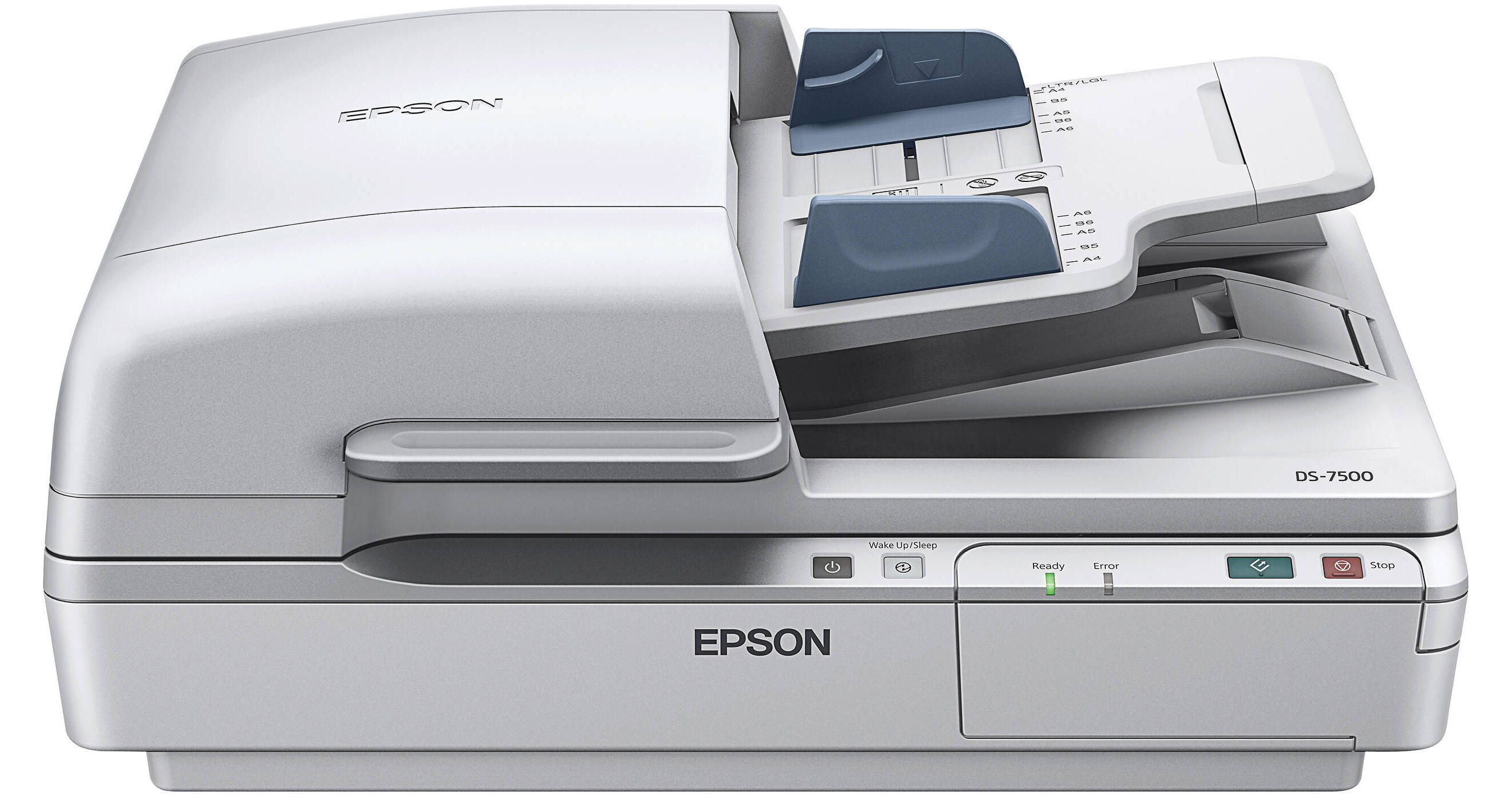
Epson WorkForce DS-7500 Document Scanner

BH #EPDS7500 • MFR #B11B205321
Print
Epson WorkForce DS-7500 Document Scanner
Key Features
  • 1200 dpi via Flatbed
  • 600 dpi via ADF
  • Up to 40 ppm 1-Sided, 80 ipm 2-Sided
  • Scan Documents up to 8.5 x 40"
The WorkForce DS-7500 Document Scanner from Epson features a 1200 dpi 4-line CCD sensor and scans up 40 ppm or 80 ipm. The 100-page duplex ADF scans 2-sided documents in 1 step and can handle page sizes as large as 8.5 x 40". The programmable 1-touch scanning buttons let you automate up to 30 scan operations.
More Details
In Stock
No Store Display
Free 2-Day Shipping
Protect Your Gear
Add a protection plan from $79.99
Ask an Expert
800-606-6969

Epson DS-7500 Overview

The WorkForce DS-7500 Document Scanner from Epson features a 1200 dpi 4-line CCD sensor and scans up 40 ppm or 80 ipm. The 100-page duplex ADF scans 2-sided documents in 1 step and can handle page sizes as large as 8.5 x 40". The programmable 1-touch scanning buttons let you automate up to 30 scan operations.

The scanner is compatible with both Windows and Mac operating systems and comes with a software suite that includes searchable PDF creation software as well as OCR software to convert scanned documents into editable text. Additionally, you can scan directly to cloud services including Evernote and Google Docs, and access your scans from any web-connected device.

Scan documents as large as 8.5 x 40.0" and as small as 4.0 x 6.0" using the ADF or up to 8.5 x 11.7" using the scanner bed
4-line CCD sensor (RGB and black)
Book spine correction eliminates distortion when scanning bound materials
Scan at up to 40 ppm (1-sided) and 80 ipm (2-sided)
Built-in 100-sheet duplexing automatic document feeder
Ultrasonic double-feed detector automatically stops the scanning process if two pages feed together so you can separate the pages and continue
The optional networking module and included Document Capture Pro software enables scanning to any PC on your local network
Scan to popular cloud services including Evernote, Google Docs, and SharePoint
Scan directly to a JPEG, PDF-A, or searchable PDF
Software suite includes Epson Scan, Document Capture Pro and ABBYY FineReader Sprint OCR
Create up to 30 one-touch user-programmable jobs
UPC: 010343886445

Epson DS-7500 Specs

Key Specs
Scanner Type
Flatbed Scanner with Automatic Document Feeder (ADF)
Scanner Maximum Resolution
1200 dpi (Optical)
Scanner Color Depth
48-Bit (External)
48-Bit (Internal)
Scanner
Type
Flatbed Scanner with Automatic Document Feeder (ADF)
Maximum Resolution
1200 dpi (Optical)
Color Depth
48-Bit (External)
48-Bit (Internal)
Grayscale Depth
16-Bit (Internal)
Light Source
LED
Duplex Scanning
Yes
Scan Speed
Simplex Speed
40 ppm in Color/Grayscale

Duplex Speed
80 ipm in Color/Grayscale
Scanner Media Handling
Scan Sizes
Not Specified by Manufacturer
Daily Duty Cycle
4000 Scans
Daily Life Expectancy
300,000 Sheets
Connectivity
Data I/O
1x USB-B 2.0 Input
OS Compatibility
Windows / macOS
General
Battery
No
Input Power
100 to 240 VAC, 50 / 60 Hz
Power Consumption
45 W (Maximum)
Operating Conditions
41 to 95°F / 5 to 35°C at 10 to 80% Humidity
Certifications
ENERGY STAR
Dimensions (W x H x D)
19.4 x 8.5 x 14.1" / 49.3 x 21.6 x 35.8 cm
Weight
22.5 lb / 10.2 kg
Packaging Info
Package Weight
27.85 lb
Box Dimensions (LxWxH)
23.2 x 19.6 x 12.9"

Epson DS-7500 Reviews

Great, Fast Scanner

By Scanups
Rated 5 out of 5
Date: 2021-06-01

This replaced a GT-2500 and the difference is night-and-day. Hopefully the feeder will last longer than a year. So far, very pleased with the speed. The software requires some getting used to. Outstanding machine.

Extraordinary Paper Inhaler

By Swelfelo
Rated 5 out of 5
Date: 2020-02-17

Scanner functions with no fuss or bother. It just inhales paper when sheet feeding multiple pages. Very solid construction

See any errors on this page?

is this scanner twain compatible?

is this scanner twain compatible?
Asked by: Harvey
I have not used that function, but according to the user manual on page 27 it says: Starting a Scan from a Scanning Program - You can start Epson Scan 2 from a TWAIN-compliant scanning program to select scan settings, scan, and open the scanned image in the program. There is a note that scanning sw is not compatible with Windows 10 S.
Answered by: R Keith
Date published: 2025-12-02

question

What is the daily duty cycle?
Asked by: Anonymous
Daily Duty Cycle is 4,000 pages per day according to Epson's specifications.
Answered by: John B.
Date published: 2018-08-28
  • y_2026, m_6, d_4, h_10CST
  • bvseo_bulk, prod_bvqa, vn_bulk_3.0.46
  • cp_1, bvpage1
  • co_hasquestionsanswers, tq_2
  • loc_en_US, sid_891151, prod, sort_[SortEntry(order=HAS_STAFF_ANSWERS, direction=DESCENDING)]
  • clientName_bhphotovideo
Whatever You Need, We've Got It