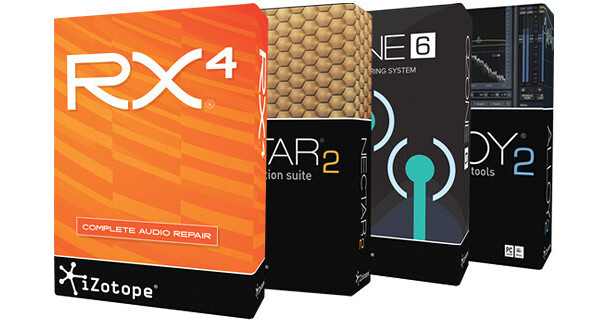


The Studio and Repair Bundle from iZotope is a collection of digital processors that includes RX 4, Nectar 2, Ozone 6, and Alloy 2 plug-ins. Together they provide the software tools for sound restoration, vocal production, mixing, and mastering applications, including dynamics, EQ, reverb, delay, spectral repair, pitch correction, dithering, and more.
RX 4 from iZotope is the latest update to their audio repair software, long considered a staple within the recording and the audio and video post processing community. The software is available as a standalone application or as a plug-in for both Mac and Windows based DAWs. From fixing common audio problems like noises, distortions and inconsistent recordings, to repairing damaged audio using Spectral Repair that intelligently identifies and clones from the surrounding audio, the software is able to transform previously unusable audio into usable material.
Since some of the tools are only available in the standalone version, RX Connect enables the use of those tools in conjunction with the user's audio or video editing software with seamless transfers and without slowing down productivity. Additional features include high quality resampling and dithering, rebuilding distorted audio, batch processing, and more. A detailed spectrum analyzer detects peaks automatically and a suite of automatic, intelligent modules reduce manual tasks in the audio production workflow.
- Dialogue Denoiser reduces unwanted background noise and electrical interference from dialogue in real-time, with zero latency
- RX Connect for streamlined round-trip workflow between the standalone version and a DAW
- Adaptive Hum Removal notches out fundamental hum frequencies that may change over time, like when recording a shot in multiple locations
- Non-destructive Clip Gain allows for easily adjusting and balancing the volume of vocals and instrumentals
- Updated UI has a flatter and cleaner look, complemented by color gradients that are more pleasing to the eyes during multiple-hour editing sessions
- Full-screen support for Mac
- Export marker regions as files
- New codec export supports (FLAC/Ogg Vorbis )
- Metadata display (see ID3 tags and broadcast WAV metadata like source Timecode, etc.)
- Time-reverse audio
- Updated timeline ruler that displays original recorded source Timecode
- Support for 24 fps Timecode
- Movable tabs
- Improved default behavior for Save, Save As, Export, and Overwrite Original File
- Turn flawed audio into usable material by removing noises, distortions, and more
- Edit audio like editing an image using precision drawing tools, such as a brush and magic wand
- Salvage unusable material by filling in audio gaps instantly with Spectral Repair
- Seamlessly integrates with audio or video editing software, both as a standalone application or plug-in
- Deliver professional-quality results with speed and efficiency, meeting compliance requirements and international broadcast standards
- High quality resampling using the SRC sample rate conversion algorithm
- Reduce bit resolution for final delivery of a project without sacrificing quality with the MBIT+ dither algorithm
- Rebuild distorted audio caused by analog and digital overload, and get through projects faster with the automatic Suggest feature
- Channel Ops module offers precise delay and phase operations
- Spectrum Analyzer delivers a detailed spectral display that detects peaks automatically
- Batch processing - chain modules, process multiple files at once, and use multiple CPUs to speed up workflow
Ozone 6 from iZotope is a major update to the Ozone line-up with an improved visual aesthetic that guides users through every stage of the mastering process. Aside from the fluid workflow, the "creative" elements of mastering are now front and center, so users can define their own sound with ease.
Two equalizers are included that combine eight bands of adjustable filters with a choice of filter shapes. Each band of dynamics is capable of three types of dynamics processing - limiting, compressing, and expanding, while an exciter module allows for dialing in the right amount of bite or warmth to a master. Precisely adjust stereo width of an audio file using the four-frequency-band Imager module.
Additional presets have been created with outcome-oriented descriptions. Dithering has been updated and includes a set of bit scopes and DC level meters. The application also function standalone, with the added enhancement of third party plug-in hosting. Trim and fade controls are provided, along with SRC (sample rate conversion) on import, plus single- and multiple-file export with the company's MBIT+ Dither.
Current purchases of Ozone 6 are eligible for a free upgrade to Ozone 7 on its release.
- Analog Hardware-modeled EQ filter shapes
- Surgical mode
- Variable EQ phase control
- Seamless bypass
- Customizable signal chain
- Module gain meters
- Transient emphasis
- Triode and dual triode exciter modes
- Stereoize control
- Variable knee compression
- Dynamics detection enhancements
- New presets
- Standalone application
- Apply processing across all bands with analog-modeled, linear-phase, and hybrid-crossover filters with adjustable bandwidth and Q (the range of frequencies that will be affected by adjustments to the band)
- Automatically set crossover frequencies based on incoming audio with Learn mode
- Adjust the dynamics of the center of your mix independently of the sides of the mix with Mid/Side Processing mode
- Add subtle, soft compression to a mix with variable knee control
- View and adjust all relevant settings for every dynamics stage of every band in one convenient location with color-coded All Bands mode
- Find the perfect compressor settings with the Gain Reduction Trace view, which plots the gain reduction of all dynamics bands on top of a scrolling waveform, and get further visualization with the Dynamic Transfer Curve and spectrum analyzer
- Detect levels evenly across all frequencies and prevent aliasing or artifacts that RMS detection can cause thanks to True Envelope Detection
- Add a variable slope high-pass or API Thrust-like Tilt filter for reducing pumping with the Detection Circuit Filter
- Choose from the circuit-modeled Triode and Dual Triode modes or the updated Retro, Tape, Warm, or Tube modes
- Apply targeted processing with simultaneous multiband and Mid/Side processing options
- View excitation by frequency with the Saturation Spectrum display and sculpt the Exciter's frequency output with a post filter
- Easily add harmonics without drastic gain changes with natural-sounding Peak Saturation
- Add depth and natural-sounding stereo width to mono or very narrow mixes without sacrificing mono compatibility with Stereoize Mode
- Add width to any frequency band without causing mono compatibility problems with Antiphase Prevention
- See the width of a mix by frequency, set crossovers, and see the effect of stereo imaging adjustments on different parts of the spectrum with Stereo Width Spectrum view
- Easily access mono and channel reverse
- Transparent limiting with multiple modes of the IRC (Intelligent Release Control) Limiter technology
- Preserve rhythmic detail while maximizing loudness with Transient Emphasis, which adds smart emphasis to transients
- Unlink stereo channels to process left and right separately with the Stereo Unlink Control
- Keep true analog levels in check with predictive True Peak Limiting
- Fine-tune the Maximizer's response to the source material with adjustable threshold/ceiling and character controls
- Get visual limiting feedback with the Gain Reduction Trace meter's scrolling waveform display
- New mastering presets
- Streamline the decision-making process with outcome-oriented descriptions
- Learn to use Ozone's features using presets as valuable teaching tools
- Smoother and more consistent mix down with new dither curves for 44.1 and 48 kHz
- Get dynamic and transparent conversions with integrated DC offset filtering, auto-blanking, and dither harmonic suppression
- Complete view of the conversion process with a set of bit scopes and DC level meters
- Integrate other plug-ins within an Ozone mastering chain with Audio Units/VST plug-in hosting
- Adjust the tops and tails of audio with Trim and Fade controls
- Instantly highlight changes and similar sections of audio with waveform segmentation overlay
- Stay organized with fully contained project folders that employ iZotope's SRC (sample rate conversion) on file import, plus single- and multiple-file export with iZotope's MBIT+ Dither
- Easily create custom signal paths through a customizable signal chain
- Audition audio with Seamless Bypass, which gain-matches bypassed audio to the Ozone processing
- View gain-staging across the mastering chain with Module Gain Meters
- Save time with a comprehensive Undo History, and quickly compare different settings with A/B tools
- Get vital visual information at every step of the mastering process.
- Each module of Ozone offers relevant metering that informs mastering decisions
Alloy 2 from iZotope might appear like a traditional channel strip, but with its six integrated processors, it delivers far more. Innovative sound sculpting tools allows for focusing on the task at hand without distraction, packaging mixing and mastering essentials in a self-contained and completely configurable plug-in.
Equalizer, Dynamics, Exciter, De-Esser, Transient Shaper and Limiter modules balance vintage emulation with digital precision, with over 250 presets that can be used as starting points, or further edited to taste. Side chaining, cross chaining, zero latency mode, comprehensive metering for visual feedback are just some of the features that cover most audio mastering, post, and mixing needs.
- Click less with the overhauled interface, redesigned and expanded to make more controls accessible
- Easily monitor and tweak the most relevant controls for all active modules in the Overview Panel
- Over 250 new presets for individual instruments, buses, utility tasks, broadcasting and podcasting, post production and more: a broad mix of start points, end points, and quick fixes to use throughout the mix process
- Gain Trace Meters monitor gain changes over time in modules that perform dynamic processing, including the Transient Shaper, Dynamics 1 and 2, De-Esser, and Limiter
- Threshold Gain Reduction Meters help set and monitor levels by juxtaposing a threshold slider with input gain meters and gain reduction meters, available in the De-Esser, Limiter, and Dynamics 1 and 2
- Side chaining support allows for controlling the dynamics module from other tracks in the mix
- Affect the whole signal or zero in on just the desired frequency range with advanced multiband side chaining
- Cross chaining allows for triggering the dynamics module with another frequency band of the same input source for unusual compression and gating effects
- Completely customize the signal routing with two dynamics stages, side chain mapping, and more
- Gain insight for setting controls with visual feedback and metering in every module, including new Gain Trace meters in the Transient Shaper, De-Esser, Limiter and Dynamics modules
- Simpler and powerful workflow tools-history list lets you go back in time, and the integrated preset editor allows for easily browsing, managing and customizing presets
- Prevents sync problems in hosts like Pro Tools SE with Zero Latency mode
- Support for Pro Tool's AAX (Avid Audio eXtension) plug-in format
- Compatible with both 32-bit and 64-bit hosts in Windows and OS X
- Choose between online authorization, offline challenge-response, or iLok authorization
- Eight-band EQ
- Recreate a classic sound reminiscent of the renowned Pultec EQ with new vintage low- and high-shelf filters
- Easily boost or cut bass and treble with freely adjustable Baxandall filters
- Aggressively eliminate unwanted frequencies with resonance-free brickwall and flat-pass filters
- Explore additional filter options like asymmetrical vintage bell, resonant shelf, sharp and resonant pass filters, and more
- Create complex and complementary EQ curves with fewer nodes
- Save time with workflow boosts, like zooming by time and/or frequency in the EQ graph
- Large spectrum overlay provides useful visual feedback
- Accentuate the attack of a mix element, or blend it back into the mix
- Make a kick drum less "boomy" or add more snap to a snare
- When on a drum bus in multiband mode, easily shape the kick drum, snare and cymbals independently
- Subtly tweak or correct a variety of other instruments, like the pick sound of a guitar or the attack/release characteristics of a piano
- Experiment with extreme attack and sustain settings for unique creative effects
- Benefit from visual cues to learn how a sound can be shaped, including the Transient Detection Indicator for visualizing where the hits, plucks, and picks are in the incoming audio signal, and a Gain Trace view
- Add harmonic flavor to a wide variety of material, including vocals, strings, guitars, drums, and more
- Emulate the subtle warmth of tube preamps, the aggressive grit of tape, the screech of a distortion, and anywhere in between
- Adjust an intuitive X/Y control to blend between different harmonic profiles, such as Tube, Tape, Retro, and Warm saturation
- Switch to multiband mode to apply color to different frequency ranges independently, including different saturation types on each band (e.g. Tube on low, Tape on high)
- Sculpt specific frequencies coming out of the module, like any high-end harshness with the Post Filter
- Narrow or widen different frequency bands with an integrated stereo width control
- See how frequencies are being affected with the Saturation meter
- Helps balance a mix by combining the best characteristics of analog and digital compressors
- Includes two independent dynamics modules, available for use anywhere in the signal chain
- Enable Vintage mode for smoother, more forgiving compression, or Digital mode for a cleaner, more surgical style
- Run both dynamics modules in parallel to boost impact while retaining dynamic subtleties
- Trigger dynamics processing from other elements of your mix with advanced side chaining capabilities, or cross chain between different frequency bands
- Use the Detection filter to determine exactly which frequencies trigger dynamics processing
- When in multiband mode, easily set every dynamics control for each frequency band in one convenient all bands view
- Dig deeper into additional dynamics options like hard or soft knee compression, RMS or peak level detection, and auto-gain compensation
- Squash "ess" sounds and other harsh hissing common to vocals and instruments
- Perfect for transparently reining in vocals, cymbals, and other high frequency problem spots
- Zero in on sibilant frequencies with a simple-to-use spectrum analyzer
- Set target frequencies quickly with the spectrum analyzer and solo control
- Use it in multiband mode to hone in and cut back on sibilant frequencies exclusively
- Use it in broadband mode as a unique alternative to standard dynamics processing, reducing gain on the entire audio signal when certain frequencies are detected
- Adjust the extent of attenuation with attack and release controls
- Makes a mix sound as full as possible
- Increases loudness on tracks and buses while controlling peak levels, ensuring that audio doesn't clip or distort when tracking or mixing
- Use it to keep a lid on your levels with as simple and efficient brickwall limiter
- Perform more forgiving, smooth limiting in the limiter's Soft mode
- Keep peaks under zero at all times in the more aggressive Hard mode
- For material with a wide stereo image, limit the left and right channels independently with the stereo unlinking option
- Zero Latency mode ensures tracks and buses stay in sync with the other tracks in the mix, even in hosts without effective latency compensation
- Get more overall loudness by optimizing the symmetry of vocal and instrument waveforms
- Over 250 presets designed to suit a broad range of mixing tasks and each equally valuable as both a starting point or an endpoint.
- Customize favorites to define a sound
- Module Preset system allows for selectively mixing and matching settings across all modules
- Jump quickly into mixing individual instruments, vocals, ensembles, and buses
- Speedily address an array of utility tasks, including ones specific to broadcasting and podcasting, post production, and more
- Load and save settings specific to individual modules with Module Presets, including 60 new presets that highlight the best uses for each mixing tool
- Six versatile mixing effects that can be used across a range of tracks and buses thanks to low CPU usage and zero latency operation
- Get quick results on tracks and buses with 250+ professional presets, each tailored to a useful purpose like "Remove Muddy Mids," "Smooth Cymbal Wash," or "Vintage Tone Stack"
- Fine tune settings when needed with extensive advanced controls
- Augment a DAW with excellent sound quality and a helpful mixing workflow
- Pick the perfect starting (or ending) point for any track or bus with 250+ professional presets
- Minimize technical distraction by combining the most useful tools for mixing into one simple, integrated interface
- Single plug-in replaces the need for other channel strips and plug-in collections
- Enjoy modern tools for mixing with forward-thinking features, interface, and visual feedback
- Add character to tracks with analog-emulated Dynamics, EQ and Exciter modules
- Add vibrant personality to drums with transient shaping, multiband processing, and parallel compression
- Make tracks pump with versatile side chaining
- Use time-saving presets as starting points for voiceovers, Foley, FX, music beds, and more
- Keep flexible EQ, dynamics and sound shaping tools integrated together in a single interface
- Improve the loudness of voiceovers with variable phase rotation
- Duck music beds with voiceovers and more with convenient side chaining features
