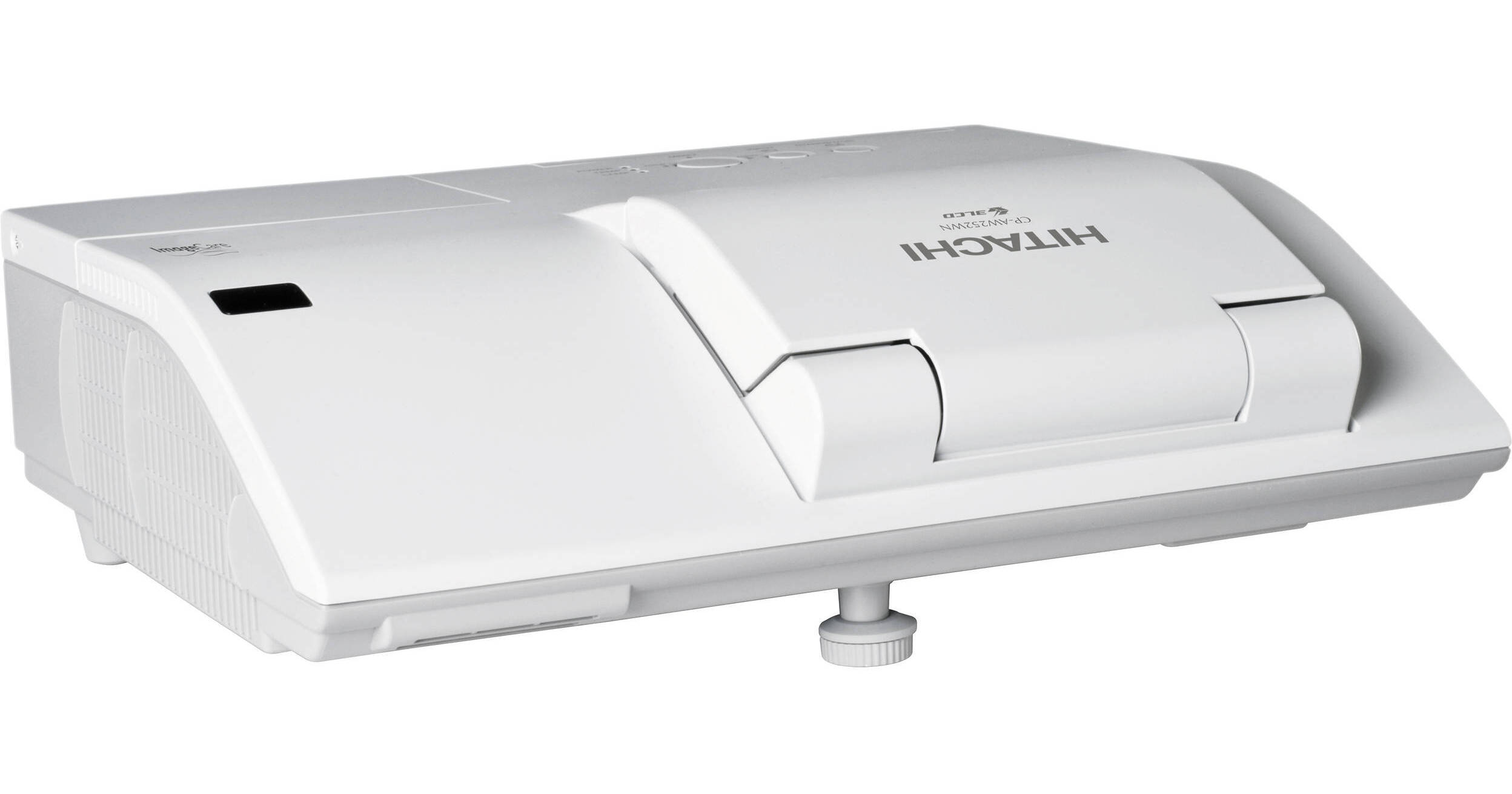
Hitachi CP-AW252WN Ultra Short Throw LCD Projector

BH #HICPAW252WN • MFR #CP-AW252WN
Print
Hitachi CP-AW252WN Ultra Short Throw LCD Projector
Key Features
  • WXGA 1280 x 800 Resolution
  • Bright 2,500 ANSI Lumens Output
  • LAN Compatible
  • Wireless Compatible
The Hitachi CP-AW252WN Ultra Short Throw Series LCD Projector is a fully-featured 2,500 lumens widescreen (WXGA) projector with a resolution of 1280 x 800 pixels. It can be attached to a local area network using an Ethernet cable or wirelessly with an optional USB adapter. Embedded networking gives you the ability to manage and control multiple projectors over your LAN (scheduling of events, centralized reporting, image transfer, and email alerts). By using a USB memory stick or other storage device, you can use the projector without a computer.

The CP-AW252WN is specifically designed to enhance the educational experience - for students and teachers. It can be used in virtually any size classroom. It also features a high contrast ratio, long lamp life and cloning function enabling you to copy settings data from one projector to others of the same model. The projector also offers a lower cost of ownership.

More Details
No Longer Available
No Store Display
Ask an Expert
800-606-6969

Hitachi CP-AW252WN Overview

The Hitachi CP-AW252WN Ultra Short Throw Series LCD Projector is a fully-featured 2,500 lumens widescreen (WXGA) projector with a resolution of 1280 x 800 pixels. It can be attached to a local area network using an Ethernet cable or wirelessly with an optional USB adapter. Embedded networking gives you the ability to manage and control multiple projectors over your LAN (scheduling of events, centralized reporting, image transfer, and email alerts). By using a USB memory stick or other storage device, you can use the projector without a computer.

The CP-AW252WN is specifically designed to enhance the educational experience - for students and teachers. It can be used in virtually any size classroom. It also features a high contrast ratio, long lamp life and cloning function enabling you to copy settings data from one projector to others of the same model. The projector also offers a lower cost of ownership.

Display via USB
Simply plug and play using the USB port instead of the 15-pin D-sub VGA cable. Also offers video and sound transfer from PC to projector.
ImageCare Technology
ImageCare is a lamp power control function that combines optimal picture performance with maximum energy savings by decreasing energy usage, improving contrast ratio and lengthening lamp life. The result is a lower total cost of ownership and decreased maintenance cost.
Projector Quick Connection iOS App
Enables users to monitor and control multiple Hitachi projectors from a single device, with access to four different pages: Projector, Contents, Control and Settings.
Perfect Fit 2
Enables the user to adjust individual corners and sides independent of one another. Perfect Fit 2 provides vertical and horizontal digital correction of either barrel or pin cushion distortions. This feature helps correct geometric and complicated distortions. Perfect Fit 2 allows the projected image to fit correctly to the screen quickly and easily.
Input Source Naming
Users can name input sources in simple language instead of factory default name.
Cloning Function
The CP-AW252WN incorporates a cloning function which enables you to copy settings data from one projector to others of the same model via USB memory.
Drawing Function Option
The optional Hitachi TB-1 wireless tablet and pen allows you to engage your audience by annotating over images shown on the projector.
Network Control, Maintenance and Security
Embedded networking gives you the ability to manage and control multiple projectors over your LAN. Features include scheduling of events, centralized reporting, image transfer and e-mail alerts for reactive and routine maintenance.
Present Content via LAN
Hitachi's suite of networking software allows you to easily send content directly from your PC to the projector via your LAN connection.
Wireless Presentation Ready
You can use a wireless network by connecting the projector to a computer using the optional USB wireless adapter part number USBWL11N. The adapter supports IEEE802.11b/g and the latest 11n.
PJMessenger
PJMessenger function allows you to send and display text messages and audio alerts on your networked projectors. It is an easy and efficient way to send announcements out to multiple units.
PC-Less Presentation
By using a USB memory stick or other storage device, you can use the projector without a computer. Menus are easy to see with a thumbnail display. Additionally there is also a slideshow and video function.
PIN Lock / MyScreen / MyText
PIN lock protection can limit projector users. MyScreen PIN lock keeps captured images on the startup screen. Users can set any name logo to MyScreen, clearly identifying ownership. MyText provides the ability to write text on the startup screen such as model name, serial number or location.
Microphone Input
A microphone can be used via the jack located on the input panel. Allows for more dynamic presentations even in standby mode.

Hitachi CP-AW252WN Specs

Key Specs
Display System
-Chip LCD
Maximum Brightness
2500 Lumens
Image Display
Display System
-Chip LCD
Supported Resolutions
640 x 480
800 x 600
1024 x 768
1280 x 800
1440 x 900
1280 x 1024
1680 x 1050
1600 x 1200
Maximum Brightness
2500 Lumens
Aspect Ratio
Native:: 16:10
Supported:: 16:9
Supported:: 4:3
Scan
Horizontal: 31.5 to 106 kHz
Vertical: 56 to 120 Hz
Lens
Projection Size
60 to 100" / 1524.00 to 2540.00 mm
Features
Ceiling Mountable
Yes
General
Expected Lamp Life
Medium Brightness: 3000 Hours
Low Brightness: 5000 Hours
Fan Noise
Medium Brightness: 34 dB
Low Brightness: 28 dB
Security
,
Power Consumption
Medium Brightness: 330 W
Dimensions (W x H x D)
13.6 x 11.9 x 3.4" / 34.5 x 30.2 x 8.6 cm
Packaging Info
Box Dimensions (LxWxH)
18.4 x 14.6 x 6.6"

Hitachi CP-AW252WN Reviews

See any errors on this page?
Whatever You Need, We've Got It