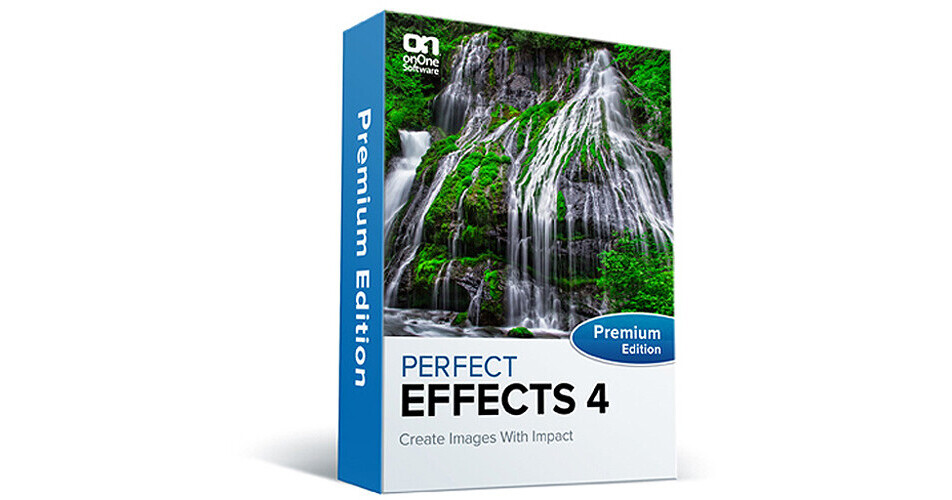
onOne Software Perfect Effects 4 Premium Edition Software (Academic / Government, CD/DVD-ROM)

BH #ONPE4PEFAG • MFR #PEFE-40003
Print
onOne Software Perfect Effects 4 Premium Edition Software (Academic / Government, CD/DVD-ROM)
Key Features
  • Enhanced Library of Effects
  • Keep Favorites Close for Fast Access
  • Paint-in Effect Brushes
  • Masking Tools
This is the CD/DVD-ROM version of Perfect Effects 4 Premium Edition Software from onOne Software. It's part of their Perfect Photo Suite 7 Premium software package and enables creative effects. An easy, fast and effective way to create images with impact, Perfect Effects 4 features an enhanced library of effects. There's also a Favorites feature that helps you keep your preferred effects close at hand for easy accessibility.
More Details
No Longer Available
No Store Display
Ask an Expert
800-606-6969

onOne Software PEFE-40003 Overview

This is the CD/DVD-ROM version of Perfect Effects 4 Premium Edition Software from onOne Software. It's part of their Perfect Photo Suite 7 Premium software package and enables creative effects. An easy, fast and effective way to create images with impact, Perfect Effects 4 features an enhanced library of effects. There's also a Favorites feature that helps you keep your preferred effects close at hand for easy accessibility.

Paint-in effect brushes assist you in solving some of the most common digital photography problems with ease. Masking Tools allow you to selectively apply any of the effects from the Effects Library to specific parts of your photo. Plus, improved Blending Modes help you better control the brightness, contrast and color of your images. There are now over a dozen more modes from which to choose.

The software can be utilized as an effective standalone tool or as a great companion to Adobe Lightroom, Photoshop, Photoshop Elements, or Apple Aperture. The software is compatible with both Windows and Mac operating systems.

This version is for academic and government use only.

An easy, fast and effective way to create images with impact. Choose from a robust library of photographic effects to add professional looks to your photos instantly, including the popular HDR and retro looks. You can also recreate the look of film and darkroom techniques, add glows, vignettes, borders, and correct common photography problems. With the ability to stack, combine and blend effects, and paint in effects to specific areas, your creative options are vast. Perfect Effects is the next generation of PhotoTools 2.6 and can be used as a standalone application or integrated directly into Adobe Lightroom, Photoshop, Photoshop Elements, or Apple Aperture
Enhanced Library of Effects
Enhance and stylize images with the robust library of professional effects included in Perfect Effects 4. With just a single click, you can add popular HDR or vintage looks to your image, recreate the look of film and darkroom techniques, and more. You can also add depth and dimension with texture effects, highlight with glows, simulate filters after the shot, and enhance detail and color. Combine, stack and blend your choice effects to create your own unique look
Browser and Keyword Search
Quickly find the effects you want to use with the updated browser and new search functionality. Use the expandable column views to instantly preview how the effect will look on your image so you can confidently create the look you want
Favorites
Save time on image editing by keeping your favorite effects, presets and extras always close at hand. Put the styles you use most often, including ones you've personally created, in your Favorites folder
Paint-in Effect Brushes
Now you'll find Basic Brushes in Perfect Effects 4. With simple brush strokes, you can paint-in effects on specific areas of your image. Solve some of your most common digital photography problems with this handy brush set. Make areas darker, lighter or warmer. Add detail, glow or more color. You can also reveal highlights and recover shadows
Masking Tools
Selectively apply any of the effects from the Effect Library to specific parts of your photo with masking controls. Use the Masking Brush to apply or remove effects to specific areas and the Masking Bug to quickly create vignettes and graduated filter looks
Perfect Brush
Achieve precise edge-detected masking with the Perfect Brush. It will smoothly apply or remove adjustments to the specific area you're working on without going "outside of the lines." Turn on the Perfect Brush when using the Paint-in Effect Basic Brushes or the Masking Brush
Improved Blending Modes
Blend effects to create impactful and stylized looks in Perfect Effects 4. By changing the Blending Modes, you can control the brightness, contrast and color of the image to dramatically alter the appearance. And, by adjusting the opacity, you can control the strength of the effect. Perfect Effects 4 now includes over a dozen more blending modes including Linear Burn, Color Dodge, Pin Light, Luminosity, and more
Borders from PhotoFrame
Seamlessly add that ideal finishing touch to your image with a collection of borders handpicked from PhotoFrame. Find a creative assortment of these design elements in your Effects Library. Stack or blend any of these frames to your image to create the look you want
Works Where You Do
Integrates seamlessly into your workflow, no matter what tools and software you use. It works as a plug-in to Photoshop and Photoshop Elements or with Lightroom or Aperture. You can also use it as a standalone application

onOne Software PEFE-40003 Specs

onOne Software PEFE-40003 Reviews

See any errors on this page?
Whatever You Need, We've Got It