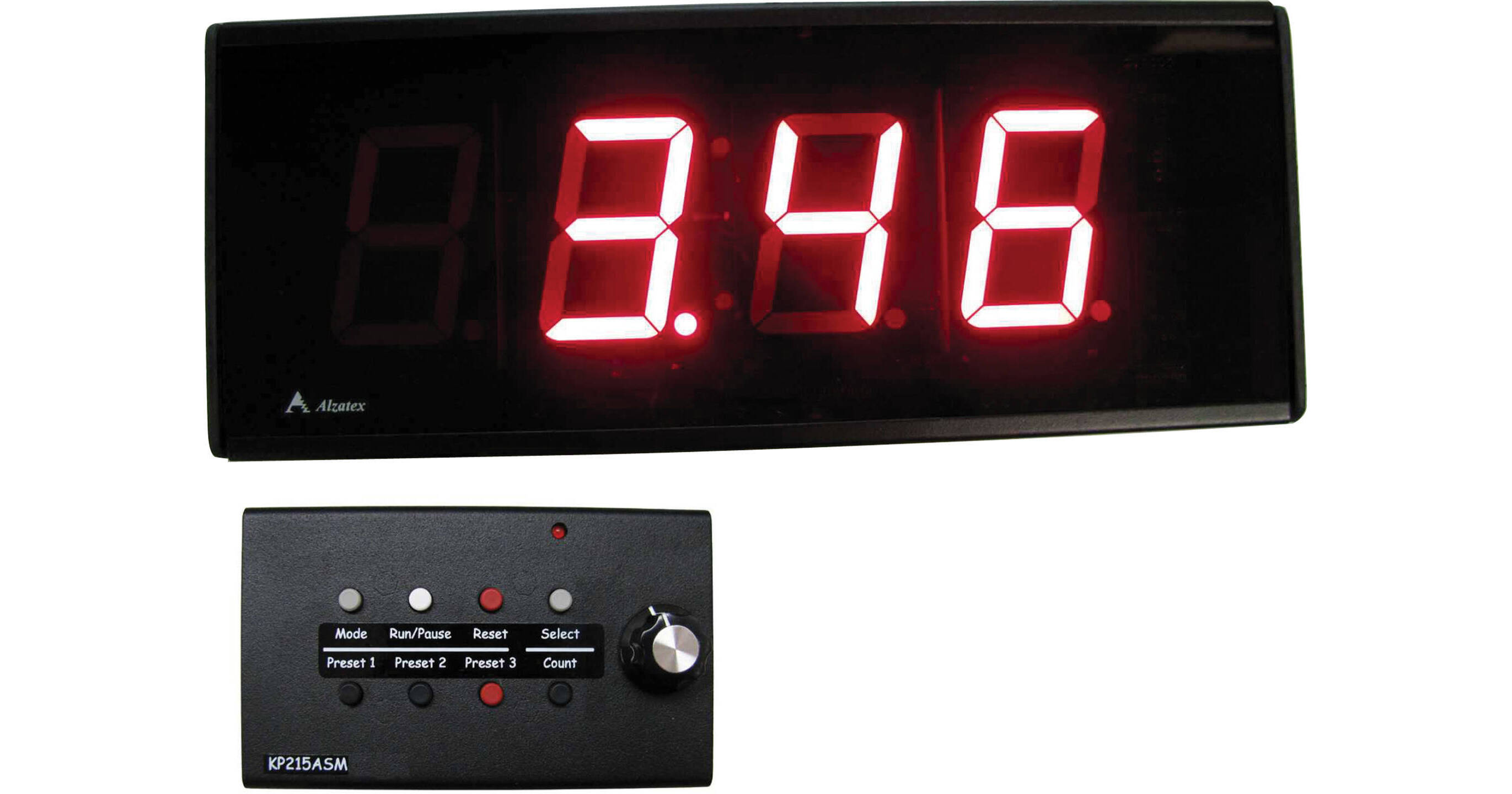
The Alzatex Inc. DSP254B_D 4-Digit Display with 2.33" High Solid Segment Digits is an electronic digital numeric display unit that is used to display time remaining, time elapsed, or time-of-day clock with 12/24 hour mode. This unit is equipped with a remote keypad and has a metal enclosure. This unit can be wall-mounted or placed on a tabletop for portable use.
Ask Our Experts800-606-6969
Hello, Log InAccount & Orders
Key Features
- Count Up & Count Down Timer
The Alzatex Inc. DSP254B_D 4-Digit Display with 2.33" High Solid Segment Digits is an electronic digital numeric display unit that is used to display time remaining, time elapsed, or time-of-day clock with 12/24 hour mode. This unit is equipped with a remote keypad and has a metal enclosure. This unit can be wall-mounted or placed on a tabletop for portable use.
More DetailsSpecial Order
Expected availability: 7-14 Business Days
This item cannot be canceled or returned.
Alzatex DSP254B_D Overview
Keypad with 8 buttons and a knob
Count up and count down timer
3 stored presets
Time-of-day clock with 12/24 hour mode
0 to 99:59 (minutes: seconds)
Applications: Timer for public meetings, production monitoring, sports events, kiosks, game shows, and trade shows, and TV and radio stations, time-of-day clock; basically any place where accurate timing is required
UPC: 788581651926
Alzatex DSP254B_D Specs
| Interfaces | |
| Display |
Packaging Info
| Package Weight | |
| Box Dimensions (LxWxH) |
Alzatex DSP254B_D Reviews
Purchased for Use in Video Production Studio
By Limited Trash Composer
Rated 4 out of 5
Date: 2015-07-15
I have looked everywhere for something like this product. It seemed so simple but was difficult to find. Basically the talent wanted to know how long they have been recording. Was looking for something that would actually tie in with the NewTek Tricaster 860. Maybe something that worked with the tally light output? Couldn't find anything. This requires a manual start via cat5 remote but it will do the trick. Alzatex support was great as I called them and they walked me through modifying the default display to better suit my use.
See any errors on this page?
