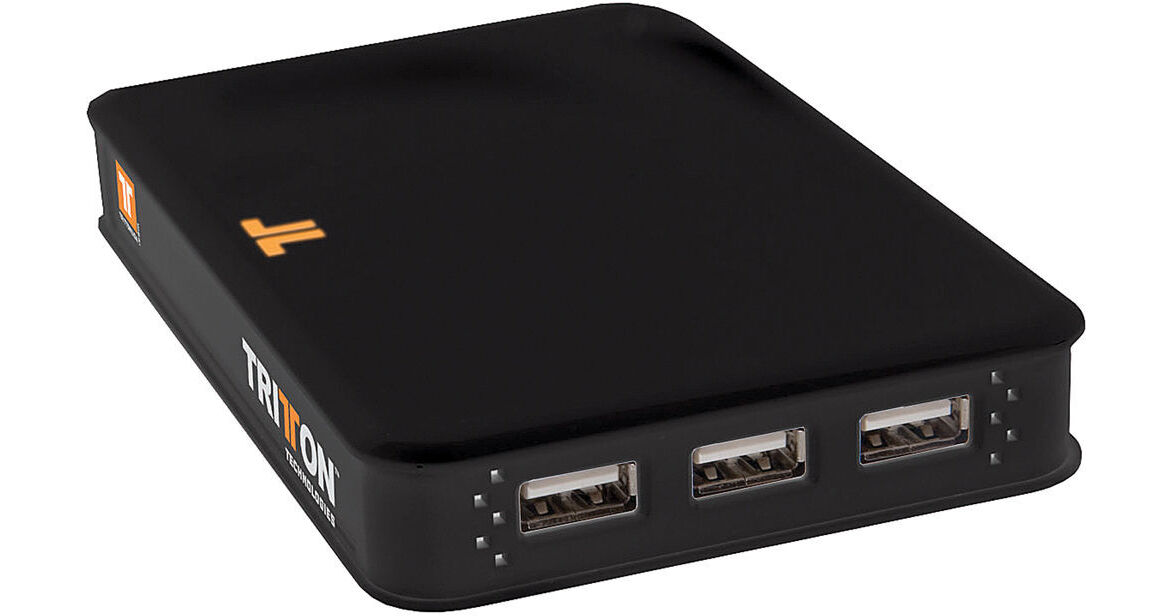
Tritton SEE2 Xpress Dock XD300

BH #TRXD300DS • MFR #TRIXD300
Print
Tritton SEE2 Xpress Dock XD300
Key Features
  • Connect Your Laptop Via USB
  • Easily Connect & Disconnect Peripherals
  • Expand Desktop Space
  • Hot Swappable
The SEE2 Xpress Dock XD300 from Tritton is a universal docking station for all Windows/Mac based laptops with a USB 2.0 port. Simply connect all your peripherals and your display to the Xpress Dock (XD300) and connect one USB cable to your notebook.
More Details
No Longer Available
No Store Display
Ask an Expert
800-606-6969

Tritton XD300 Overview

The SEE2 Xpress Dock XD300 from Tritton is a universal docking station for all Windows/Mac based laptops with a USB 2.0 port. Simply connect all your peripherals and your display to the Xpress Dock (XD300) and connect one USB cable to your notebook.

This easy-to-use solution will provide increased productivity, expandability, and connectivity to both home and office users. With SEE2 technology, the XD300 provides a high-speed VGA port that can support an additional display with resolutions up to 1600 x 1200.

It also features four powered USB 2.0 ports, an Ethernet connection, and an audio input and output port.

Dock your laptop with a single USB connection
Easily connect and disconnect all your USB peripherals, VGA display, Ethernet cable, and speakers
Expand your desktop space by using the display in your laptop along with a display connected to the dock
Quickly dock and undock your laptop without rebooting
Compatible with any notebook with a USB 2.0 port
Add up to six displays to a computer (Each display requires additional UV150 adapter)

Tritton XD300 Specs

Ports
USB ports x 4
VGA port x 1
10/100 Ethernet port x 1
Audio and microphone ports x 1
Resolution
1600 x 1200
OS Supported
Windows 2000, XP 32/64-bit, Vista 32/64-bit, Windows 7 32/64-bit
Mac OS X v10.4.11 or later
PC Requirements
Windows:
Available USB 2.0 port
Pentium 4/Celeron family or AMD K6/Athlon/Duron family with 1.5GHz
512MB RAM
Mac:
Available USB 2.0 port
Intel CPU

Tritton XD300 Reviews

See any errors on this page?
Whatever You Need, We've Got It