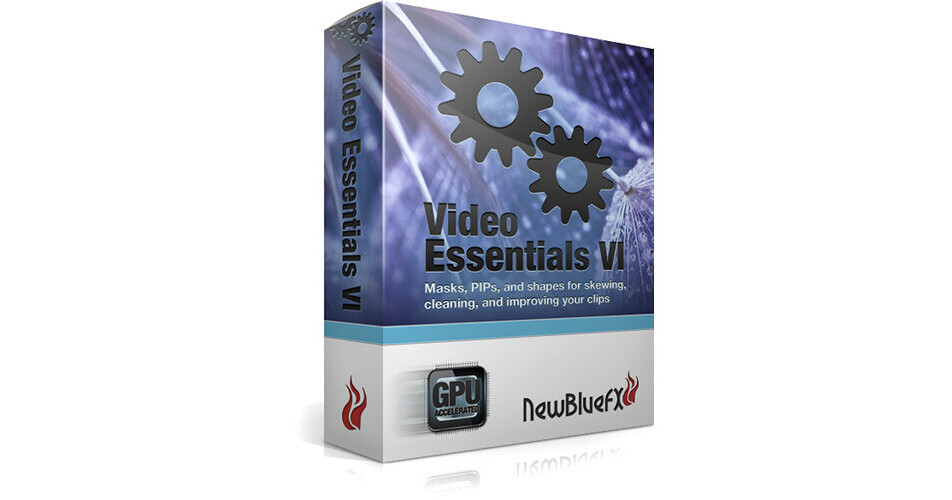
NewBlueFX Video Essentials VI Plug-Ins

BH #NEVIDES6 • MFR #VIDEO ESSENTIALS VI
Print
NewBlueFX Video Essentials VI Plug-Ins
Key Features
  • 100 Presets in 10 Custom Plug-In Effects
  • Compatible with Most NLE Systems
  • Integrated Workflow
  • Chroma Key Pro, Garbage Matte
Video Essentials VI plug-in from NewBlueFX provides 100 presets in 10 plugin effects for use with most popular non-linear video editing systems. Video Essentials VI works within your NLE and provides you with image control features beyond the built-in capabilities of most NLE. Chroma keying, garbage mattes, advanced image manipulation based on saturation, replacing one color with another are part of the Video Essentials VI tool set.
More Details
No Longer Available
No Store Display
Ask an Expert
866-842-7675

NewBlueFX VIDEO ESSENTIALS VI Overview

Video Essentials VI plug-in from NewBlueFX provides 100 presets in 10 plugin effects for use with most popular non-linear video editing systems. Video Essentials VI works within your NLE and provides you with image control features beyond the built-in capabilities of most NLE. Chroma keying, garbage mattes, advanced image manipulation based on saturation, replacing one color with another are part of the Video Essentials VI tool set.

Alpha Channel
Chroma Key Pro provides you a color keyer, and features options for garbage mattes, outlines and shadows
Garbage Matte allows you to quickly add an adjustable matte to your effects chain as you work with your images.
With Picture-in-Shape you can place image overlays in a flexible 4 point mask any where within your image.
Picture Grid creates a grid that you can snap multiple camera views into.
Image Manipulation
Color Replace allows you to seamlessly transition a specific color to another, such as when changing the color of a car, or lipstick.
Saturation EQ separates the color spectrum into eight distinct saturations, allowing you expanded control to manipulate color.
Saturation Modifier separates your image into regions of over and under saturation, giving you distinct control over each region.
Selective Touch Up allows you to select specific regions of your image to smooth, while leaving other areas unaffected.
Presentation
Cut Away magnifies part of your image based on various shapes and outlines you select.
Tile turns your video into a tile arrangement with variations on color, brightness, blur, saturation and other options.

NewBlueFX VIDEO ESSENTIALS VI Specs

Video Editing Host Compatibility
Adobe After Effects 7.0 +
Adobe Premiere Elements 3.0 (works in CPU mode)
Adobe Premiere Pro CS4, CS5/5.5, CS6/6.5
Apple Final Cut Pro 6, 7, and X
Avid Media Composer & Symphony 5, 6/6.5
Corel Video Studio X2+ (works in CPU mode)
Cyberlink 11+ (works in CPU mode)
Grass Valley Edius 4, 5/5.5, 6/6.5
MAGIX Movie Edit Pro/Plus/Premium 17
Pinnacle Studio 10 + (works in CPU mode)
Sony Vegas Pro 9, 10, 11, 12 (32-bit/64-bit OpenFX/DirectX)
Sony Vegas Movie Studio 9, 10, 11, 12 (32-bit/64-bit OpenFX/DirectX)
Recommended System Requirements
Microsoft Windows XP (SP 3 or later)
Windows Vista (SP 2 or later), or Windows 7
Mac OS X v 10.6.8, v 10.7.2 or later
1 GHz processor (multicore or multiprocessor CPU recommended for HD)
200 MB hard-disk space for installation
1 GB RAM (2 GB RAM recommended for HD)
Recommended Graphics Card
OpenGL 2.1-capable graphics card and minimum 256MB graphics memory
512MB or higher recommended for HD.

Note: Radeon HD 2400, GeForce 8600, GeForce 120 or Quadro FX 4500 or better. Intel HD Graphics not supported.

NewBlueFX VIDEO ESSENTIALS VI Reviews

See any errors on this page?
Whatever You Need, We've Got It