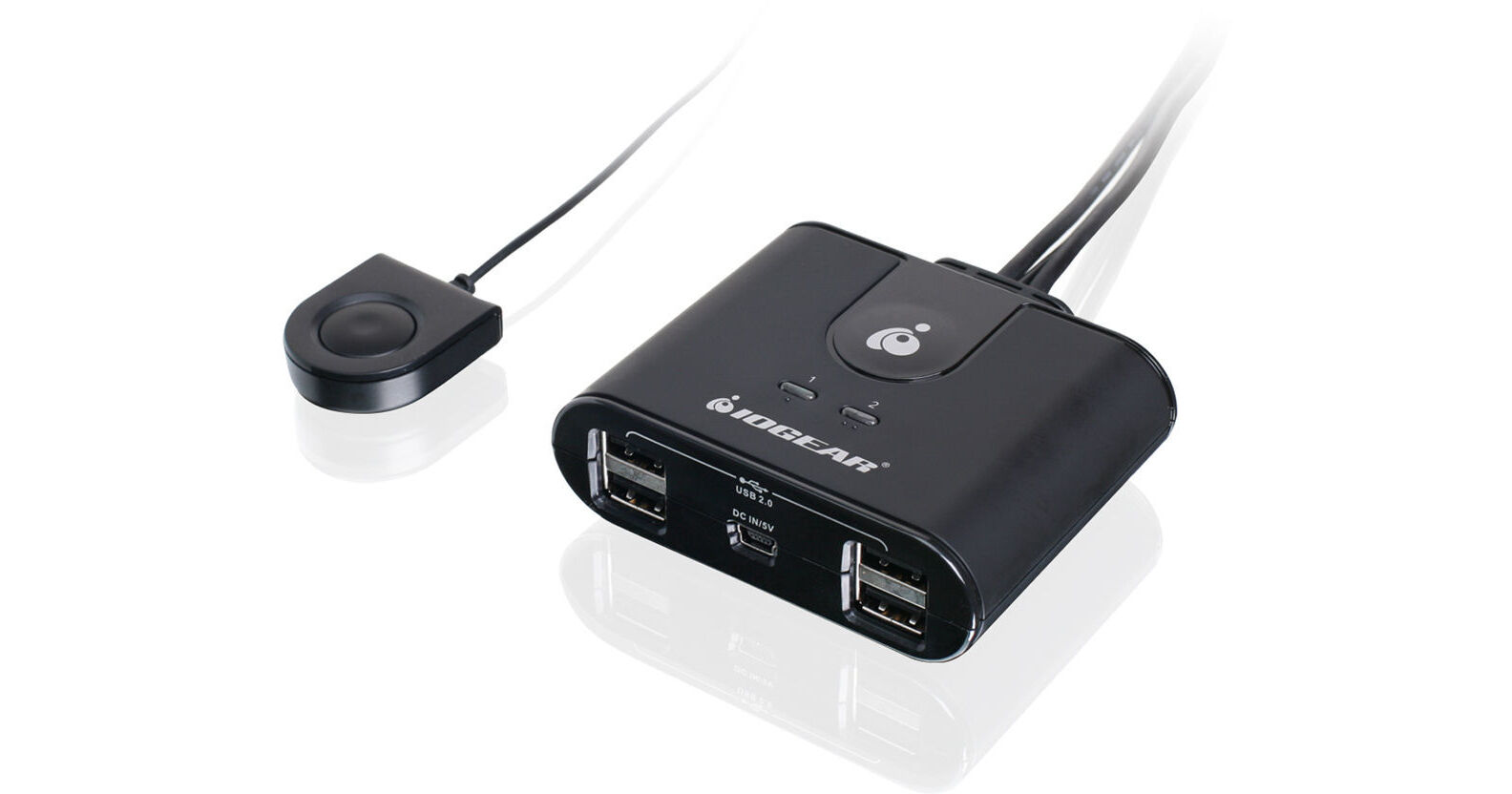
IOGEAR 2x4 USB 2.0 Peripheral Sharing Switch

BH #IOGUS402 • MFR #GUS402
Print
IOGEAR 2x4 USB 2.0 Peripheral Sharing Switch
Key Features
  • 2 Computers Share up to 4 USB Devices
  • USB 2.0 Compliant
  • Data Transfer Rates up to 480Mbps
  • LED Indicators
The 2x4 USB 2.0 Peripheral Sharing Switch from IOGEAR allows two computers to share up to four USB peripheral devices. It can support more devices by adding a USB hub (sold separately). Simply press a button to switch to any of the connected computers. The switch is USB 2.0 compliant, and supports data transfer rates of up to 480Mbps. The built-in USB port allows charging of a smartphone or other USB-powered device. LED indicators show at-a-glance the port focus of the active computer. Additional features include over-current protection, support for hot plugging and a molded in-cable design.
More Details
In Stock
No Store Display
$24.99
Free Shipping for this Item
Protect Your Gear
Add a protection plan from $3.99
Ask an Expert
800-606-6969

IOGEAR GUS402 Overview

The 2x4 USB 2.0 Peripheral Sharing Switch from IOGEAR allows two computers to share up to four USB peripheral devices. It can support more devices by adding a USB hub (sold separately). Simply press a button to switch to any of the connected computers. The switch is USB 2.0 compliant, and supports data transfer rates of up to 480Mbps. The built-in USB port allows charging of a smartphone or other USB-powered device. LED indicators show at-a-glance the port focus of the active computer. Additional features include over-current protection, support for hot plugging and a molded in-cable design.

Allows two computers to share up to four USB peripheral devices
Press a button to switch to any of your connected computers
Supports data transfer rates of up to 480Mbps
Use the USB port to charge a smartphone or other USB-powered mobile device
LED indicators show at-a-glance the port focus of the active computer
Over-current protection
Hot pluggable - add or remove computers connected to the installation without powering down the switch
Molded in-cable design allows for an easy connection
UPC: 881317510969

IOGEAR GUS402 Specs

Key Specs
# of Systems Supported
2
Console I/O
4x USB-A 2.0 Female
KVM I/O
2x USB-A 2.0 Male
# of Systems Supported
2
Console I/O
4x USB-A 2.0 Female
KVM I/O
2x USB-A 2.0 Male
OS Compatibility
Windows / macOS
USB Keyboard/Mouse Emulation
No
Rack Mountable
No
Cable Length
3.8' / 1.6 m (USB)
6' / 1.8 m (Remote)
Dimensions
3.2 x 3.0 x 1.0" / 82.0 x 77.0 x 24.9 mm
Weight
0.3 lb / 0.1 kg
Packaging Info
Package Weight
0.575 lb
Box Dimensions (LxWxH)
9.1 x 6.1 x 2.4"

IOGEAR GUS402 Reviews

Does the Job

By Megan
Rated 5 out of 5
Date: 2024-07-10

Great price, easy solution to my problem. Does the job and doesn't run into the typical problem switches experience where they don't work when one of the sources is powered off.

Doesn't work with the Logitech bluetooth receivers

By Anand
Rated 3 out of 5
Date: 2022-04-13

I bought this product thinking it will work with my two Macs and will allow me to switch the keyboard (wired Apple Magic with num pad) and a Logi mouse. First of all, It does't work without adding the micro USB power cord adding more cable clutter on the desk. Second, it doesn't work with Logitech's USB bluetooth receiver. product idea is good but the actual physical product is not that good.

See any errors on this page?

Does it work with LED keyboards and LED mice? I ...

Does it work with LED keyboards and LED mice? I have one switch that I cannot use because it cannot power my mouse and keyboard.
Asked by: Dawn
I use a Logitech G300s mouse which has a built in light show. It works just fine with this switch. In fact, the lights are helpful when I am switching from one computer to the other. The lights on the mouse will go off when I hit the switch, and then come back on again when it is enabled by the other computer so I know it's ready to use. My keyboard is just a washable Kensington so I don't know if there is any issue when multiple lighted devices are used. If you get it, be sure to put the computer you use the most on the first port. It will always default to port 1 so you only need use the switch when you need to go to your secondary machine.
Answered by: K.A.
Date published: 2022-12-31

How long are the integrated input cables? If they ...

How long are the integrated input cables? If they are too short, can B&H suggest a model that does not have integrated cables?
Asked by: James
The integrated USB cables on the IOGEAR 2x4 USB 2.0 Peripheral Sharing Switch, B&H # IOGUS402, are 3.8' / 1.6 m; the remote cable is 6' / 1.8 m.
Answered by: Miguel M
Date published: 2025-01-26

Is this USB switch bidirectional, For eaxmple ...

Is this USB switch bidirectional, For eaxmple will it route data from a scanner to either of two computers hooked up to it?
Asked by: Wayne
Correct, the IOGEAR 2x4 USB 2.0 Peripheral Sharing Switch will allow you to connect a scanner to either computer.
Answered by: Michael S
Date published: 2024-08-29

Will this work with both Mac and PC?

Will this work with both Mac and PC?
Asked by: Jeff
Yes, this would work with both a Mac and a Windows PC.
Answered by: Moe
Date published: 2022-12-31

question

Does it work on Xbox one
Asked by: Anonymous
IOGEAR says : The GUS402 Should work with the XBOX , It was tested here . Thank you for choosing IOGEAR
Answered by: Anonymous
Date published: 2022-12-31
  • y_2026, m_6, d_4, h_10CST
  • bvseo_bulk, prod_bvqa, vn_bulk_3.0.46
  • cp_1, bvpage1
  • co_hasquestionsanswers, tq_5
  • loc_en_US, sid_966239, prod, sort_[SortEntry(order=HAS_STAFF_ANSWERS, direction=DESCENDING)]
  • clientName_bhphotovideo
Whatever You Need, We've Got It