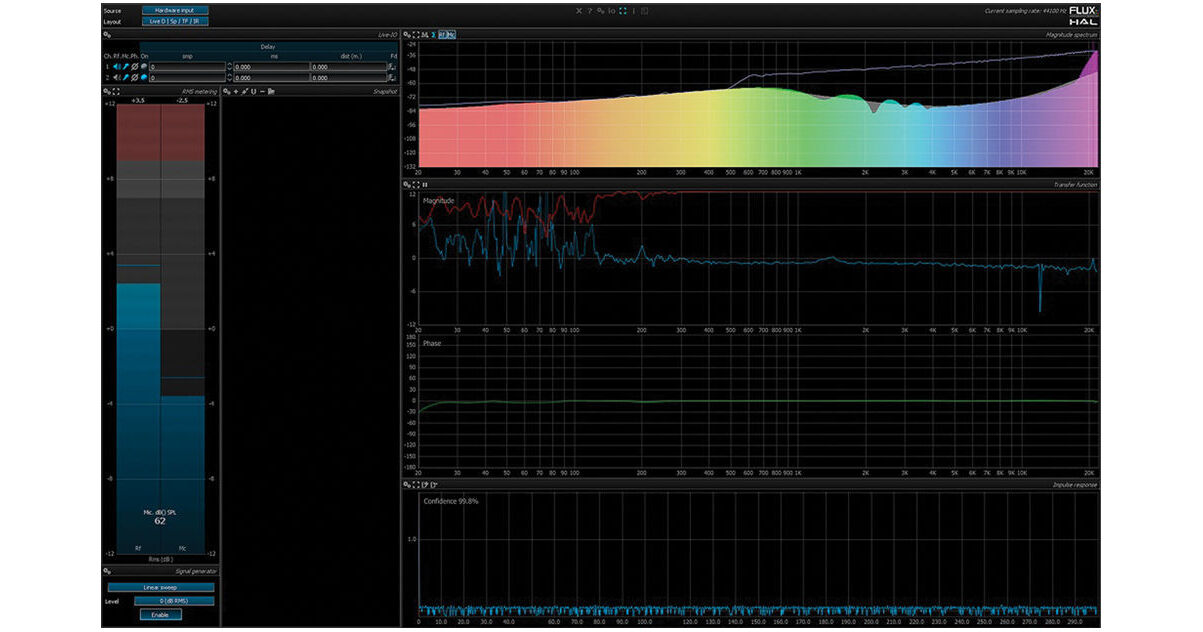
The Pure Analyzer Live Option for Pure Analyzer Essential from Flux is a standalone real-time analysis program for Mac and PC that can be network driven to function with audio from multiple computers and DAWs. The Live Option allows you to use the Pure Analyzer Essential in a live sound environment with any VST, AU, RTAS, or TDM compatible digital console.
The Pure Analyzer provides a variety of metering options including peak, RMS, and phase as well as a spectrogram, vector scope, and oscilloscope.
Please note: The RTAS version of this plug-in requires Pro Tools version 8 or later. A licensed version of Pure Analyzer Essential and an iLok are required.
Features
LEq
Multi-Channels Reference Support
Up to 8 multi-channel option:
- Individual channel selection
- Summation mode
Multi-Microphone Support
Up to 16 multi-channel support
- Individual channel selection
- Summation mode
Meters
- Color
- Scaling
- Integration time
- Reference level
- Hold
SPL
SPL unit with calibration tools
Weighting Filters
- ITU-R BS.1770 (K weighting)
- ANSI A
- ANSI B
- ANSI C
Signal Generator
- Pink noise
- White noise
- Sine
- Linear sweep
- Log. sweep
Sample Accurate Delay Finder
- Allow very long delay detection
- Time translation
- Distance translation
Impulse Response
- Real time short IR or long up to 10 second
- Time averaging with confidence level
- Auto Range
- Zoom
- Peak tracking with ability to send it to the delay compensation
Transfer Function
- Analysis resolution up to 64K
- Overlapping control
- Time averaging with Custom-able Length up to 200 frames
- Coherence curve
- Display type
- Full resolution
- Smoothed
- Both
- Smoothing detail
- Color and pen width
- Magnitude curve
- dB Range (-6/6dB to -48/48dB)
- Auto Range
- Vector or RMS Mode
- Display type
- Full resolution
- Smoothed
- Both
- Smoothing detail
- Color and pen width
- Phase curve
- Display type
- Full resolution
- Smoothed
- Both
- Specific phases curve smoothing
- Detail
- Threshold
- Method
- Passes
- Use coherence information
- Color and pen width
- Global color grading options
- Zoom
Snap Shot
- Transfer function
- Coherence
- Magnitude
- Phase
- Spectrum
- Summed
- Channel independent
- Invert ("Iv" button) function available on Transfer Function Magnitude
- Impulse Response
- Automated Sweep Snap shot to take a snap shot with a log sweep even while using pink noise
- Average Snapshot created from any pre-selected snapshots