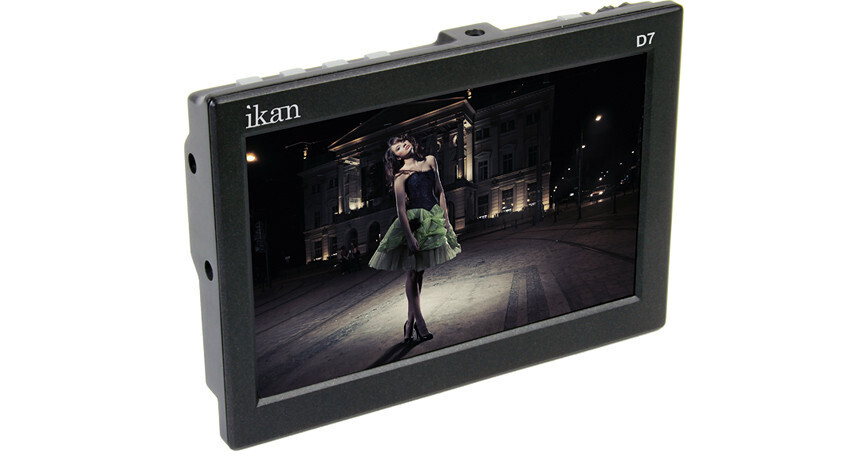
The ikan D7 7" 3G-SDI/HDMI LCD Field Monitor with Nikon EN-EL 15 Type Battery Plate features a 7" HD IPS LCD screen with a resolution of 1280 x 800 pixels, 400 NIT brightness with a 800:1 contrast ratio that delivers a sharp, bright image. It comes equipped with an interchangeable Nikon EN-EL 15 type battery plate, one HDMI input, one loop through HDMI output, one 3G-SDI in, and one loop-through 3G-SDI output. The monitor features an aluminum chassis with four 1/4"-20 threaded mounting holes (one on each side of the monitor) allowing you to mount it in almost any orientation you may need.
The D7 features Peaking, False Color, and Clip Guides, each one a valuable tool that the camera operator can use to check focus and exposure while shooting. The monitor scales the video to fit its screen, and includes a 1:1 pixel mode for checking fine details of your image. The monitor also features an Underscan mode, so you can shrink the image within the screen to make sure you are seeing the edges of the frame. The on screen display simplifies navigating through the menu system. It also features both horizontal and vertical image flip, so you can properly orient the image, even if the monitor is upside, or you have to look at it through a mirror, and you can also flip the OSD if you need.
The unit features both an HDMI, and a 3G-SDI input. The HDMI input makes it easy to use this monitor when shooting with HDSLR cameras, and the 3G-SDI input allows you to use the monitor with cameras that output 3G-SDI. The HDMI and SDI outputs are both loop through, which means you can feed a clean signal to your downstream devices as any special displays on the monitor do not get output. The built-in headphone jack allows you to monitor audio directly from the D7. The control buttons are along the edges and back, including a menu scroll wheel and four assignable function keys. The Nikon EN-EL 15 type battery plate is removable and can be swapped out with other available battery plates, if your battery situation changes.
- Crosshair - Off / On
- Guides Full - Off / 90% / 80% / 4:3
- Guides 16:9 - Off / 90% / 80% / 4:3
- Guides 4:3 - Off / 90% / 80%
- G. Background - Normal / Half / Black
- Check Field - The monitor's check field function allows you to select to view the image in either monochrome, or viewing only the blue, green, or red channel.
- Underscan
- H/V Delay
- Horizontal and Vertical Image Flip
- OSD - on-screen display, which can also be flipped if necessary
- Brightness
- Contrast
- Chroma
- Sharpness
- Tint
- Color Temp - 5600K/6500K/9300K/Manual