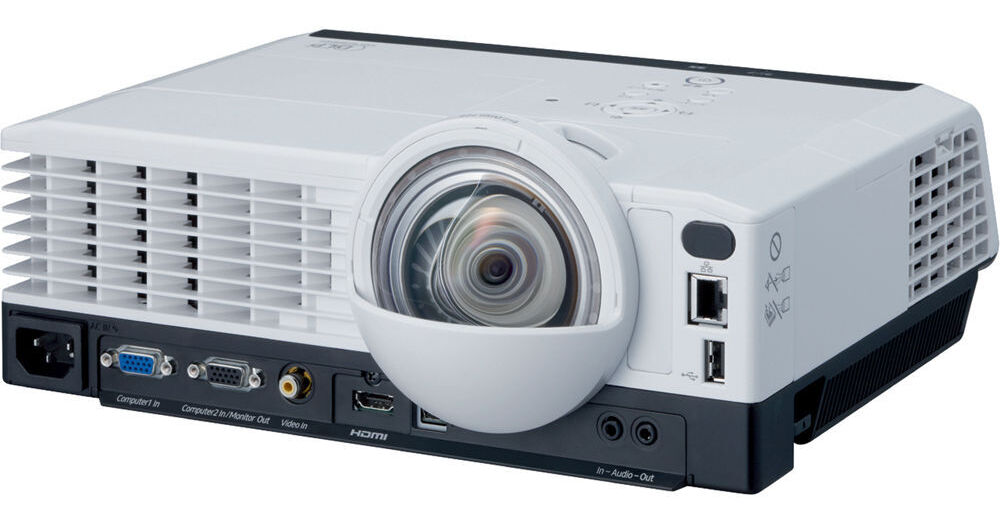
The Ricoh PJX4240N Desk Edge Series Projection System can be used to project large screen presentations in high-definition from close distances to maximize impact and classroom space, while minimizing instructor distractions. The short-throw projection system significantly reduces glare and shadows, so you can conduct interactive presentations with more clarity and student participation. Also, you can take advantage of its exceptional image quality, advanced connectivity, intuitive controls, and flexibility. Mount the projector, place it on a table’s edge as a standalone system, or add it to your total print and visual communications fleet to reduce costs and improve efficiencies for your institution.
Make an Impact
Energize presentations and show videos with vibrant colors and high-definition clarity without glare or excessive noise using this projector. It features DLP (Digital Light Processing) technology as well as a 3,000 lumens brightness rating, 5000:1 contrast ratio, and a 1024 x 768 XGA native resolution. Operating noise is limited to 38dB or less. Plus, the system features a 10W mono speaker so the audience can hear the presentation instead of noise from the projector.
Focused on Helping Instructors
This projector promotes interactive instruction. Leveraging innovative, ultra-high definition lens technology, the projection system mounts easily to a ceiling or wall and allows you to stand closer to and point out elements on the presentation surface without blocking the projection or creating shadows. It can produce high-quality images up to 50" measured diagonally when placed within 2' (60.9cm) of the screen. In addition, fixed mount installation eliminates daily setup and breakdown tasks, reduces cabling, discourages theft, and helps extend projector life. With the presentation timer feature, you can rehearse their presentation to ensure classes stay on schedule or use the timer as a countdown when testing.
Make it Look Easy
With automatic balancing, every image can be displayed in-focus with vivid colors in nearly any setting. Auto brightness control simplifies setup and helps to maximize lamp life by sensing the amount of light in a room and adjusting the brightness to deliver the enhanced image quality. The control panel is located on the top of the system for easy access, and a remote control provides easy access to advanced functions via the projected menu screens. With eco mode, you can also specify power settings and lamp brightness extending the life of the lamp. For larger classrooms, you can coordinate one presentation that can be viewed in up to 4 classrooms on 4 different projectors using the multi-screen mode. Easily identify available networked projectors using QuickProjection. A simple one-time installation using the network utility (included on the CD-ROM) provides fast access to all networked projectors.
Enhancements Designed for You
With the optional eBeam technology from Luidia, you can transform an ordinary whiteboard or wall surface into an interactive display. A special stylus captures the handwriting strokes and many systems include the ability to display pre-stored teaching templates and maps. When using the wall color mode feature, this projector adjusts the colors of the projected image to optimize image quality when presenting on color surfaces or chalkboards, enhancing portability.
Connect in the Classroom
The projection system offers Ethernet connectivity and compatibility with Macs and PCs so educational and training videos can be shown with ease. Carry presentations with you on USB-compliant devices or memory cards. Use the HDMI port to play movies from DVD and Blu-ray players, even those shot in 3D format. Each system allows educational administrators to manage basic tasks, change projector settings, and monitor user access to streamline workflow and promote optimal energy efficiency. The PJX4240N projector supports PJLink and Ricoh Remote service, so administrators can remotely power the unit On or Off, configure settings with ease from any location, and generate status and error reporting to ensure optimal efficiency and enhance projector life.
Additional Features
The projector supports a host of features such as AV mute (blank), freeze, re-size (magnify), digital zoom (80 to 100% reduction), password protection, wall color mode, key lock, security bar, Kensington lock, user logo, eco mode, carbon meter, closed captioning, presentation timer, multi-screen projection (1 pc to 4 projectors), digital camera, PJLink, PC free presentation (JPEG/MPEG2 via USB), remote, and interactive ready.