Search results for: computers buying guide how much ram do you need for video editing
About 8 filtered results
by William Min · Posted
With the holiday season now upon us, there’s never been a better time to gift the Apple-lover in your life a brand-new Apple device (even if that Apple-lover happens to be you). In case you need some help deciding which particular Apple product to get, we've put together a list of some of our favorite, more recent products. From the latest-and-greatest MacBook Pro to the revolutionary AirPod Max headphones, all the best Apple products are listed here.
MacBook Pro
Powered by Apple's new

by Jill Waterman · Posted
Heading back to school today means starting from a clean slate, with both students and those who shop for them discovering that—in addition to a fresh wardrobe—tools for study, storage, and safety could use a total refresh.
There is a lot to consider when adding to a tech-savvy student’s back to school arsenal, and many essential items can get overlooked. We’ve created the short list below to help you shop smart and pinpoint the right tools for your needs.
Hi-Tech Writing Implements
Yesteryear’s essential supplies of paper notebooks and

by Bjorn Petersen · Posted
The Mac Pro is the flagship model in Apple’s stable of well-designed computers and, as indicated by its name, the model intended for professional use, especially in creative fields such as video, photo, audio, design, animation, and more. Like most things at the top end of a company’s range, the Mac Pro is one of those computers that received a huge amount of attention when it was released, in late 2019. This new model saw a return to the more modular and squarish form factor of
by jaime traba · Posted
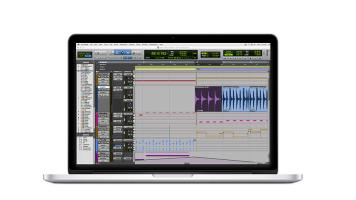
Earlier this year, Avid announced version 12 of its industry-standard Pro Tools DAW (digital audio workstation). What made a bigger splash and caused more heated discussion on the pro audio message boards was not any one functional feature of the update, but rather the fact that Avid was adopting an optional subscription-payment model, in addition to being able to purchase a license for the software outright, giving the option of yearly or monthly access. So why does
by David Adler · Posted
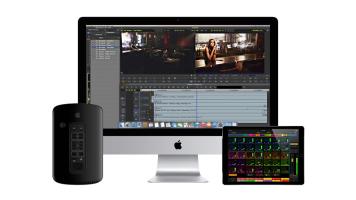
For a long time, professionals the world over have been using Apple computers to create some of the most notable content available. It says something about a company when its customers refuse to use anything but the products made by that company. While it may seem “cultish” to some, there’s a good reason for it. Apple computers have generally always been stable, reliable, innovative, and run some fantastic professional software with aplomb. Full disclosure—I am a Mac user and I own an iPhone, but the reason I own them is not necessarily

by Greg Brophy · Posted
The term “designer” covers many different fields—graphic, Web, motion, or 3D designer—and whether you are buying your first computer or just upgrading, you want your purchase to be fine-tuned to your particular needs. Designers have widely varying needs and, while you may love all things Apple, some machines or features are better suited for design than others. From “do I need a Retina screen?” to “how much RAM will cut it?” to “what kind of software will get the job done?”, searching for that perfect computer can bring up lots of

by Shawn C. Steiner and Bjorn Peterson · Posted
Photographers have always held Apple products in the highest regard, with their beautiful interface, exceptional design, and revolutionary feature sets. With an ecosystem encompassing products meant for use as a full-blown workstation, as well as having an assistant in your pocket, you will be sure to find exactly what you need. So, in order to guide you on your decision, what follows is a walkthrough of some of the most relevant products for photographers.
MacBook Pro
Go mobile with one of the most
by Cris Silvestri · Posted
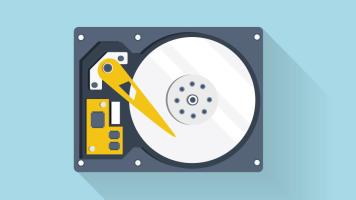
One of the most important features of computing is one of the least understood. A hard drive is at the core of any computer, and yet many consumers don’t realize the complexity of the different components that make up a hard drive. Let’s look inside the drive and explain some of the basics while we explore different types of drives and their uses.
External versus Internal Drives
First of all, if you want to store data, you need a hard drive.