
By now, the film resurgence has eclipsed its charming underdog status to become a full-blown front in what has become an all-out, open revolt against the smartphone and its visual aesthetics. What distinguishes the “film look” from the digital—texture, material imperfections, color magic, and the analog halo of yesteryear—comes at a price tag as resurgent as the medium itself.
Despite the contradiction (or perhaps because of it), the pursuit of the film look in a digital format has become something of a cottage industry, with manufacturers, influencers, and software developers alike attacking the cost-aesthetic gap with the production of recipes, presets, and simulations meant to give digital images the aura of film at a fraction of the price. And let’s face it: most images created on film are scanned for viewing on a screen (more often than not a smartphone), arguably rendering the medium a more extravagant and involved image filter.
Digital compact point-and-shoot cameras are especially good for achieving the film look, leveraging inherent constraints like smaller sensors, built-in flash, and fixed lenses in addition to the manipulation of settings and application of presets, simulations, and recipes.
The Film Look and Why Compact Cameras Nail It
First, it’s important to demystify the film look. What appears as aura in a social media feed is in fact a series of choices: warmer and more deliberate color, softer contrast, controlled highlights, lifted or crushed blacks, saturation, grain and other textural artifacts, less aggressive sharpness, slight color shifts in shadows and highlights, flash, and the inclusion of a host of other minor, character-building imperfections.

The sneaky truth about compact digital cameras is that their supposed deficiencies are exactly what yield filmlike image qualities. Start with sensor size, for example. The physical size constraint of a point-and-shoot camera means the sensor inside it must be smaller as well, squeezing image quality, amplifying noise, and allowing less leeway in the transitions among tones. These are all hallmarks of filmic images. Even if the final digital image is technically inferior, with the right proportion they can make an image feel more compelling.


Lenses in compact cameras also tend to make compromises for size, and in turn become surprisingly effective at achieving the film look. The softness, vignetting, and flare you’ll find in images made from compact camera lenses add to the overall character of the images—as does the unified perspective coming from a fixed focal perspective.

Even as the Y2K digicam aesthetic gains traction, the first point-and-shoot cameras were made for film, and their digital descendants inherited another important design choice: the built-in flash. Perhaps no other feature screams compact, point-and-shoot camera like the direct flash, evocative of the charm of disposable cameras and other candid photography. A compact camera with a built-in flash is a cheat code in building the filmic character of your images.
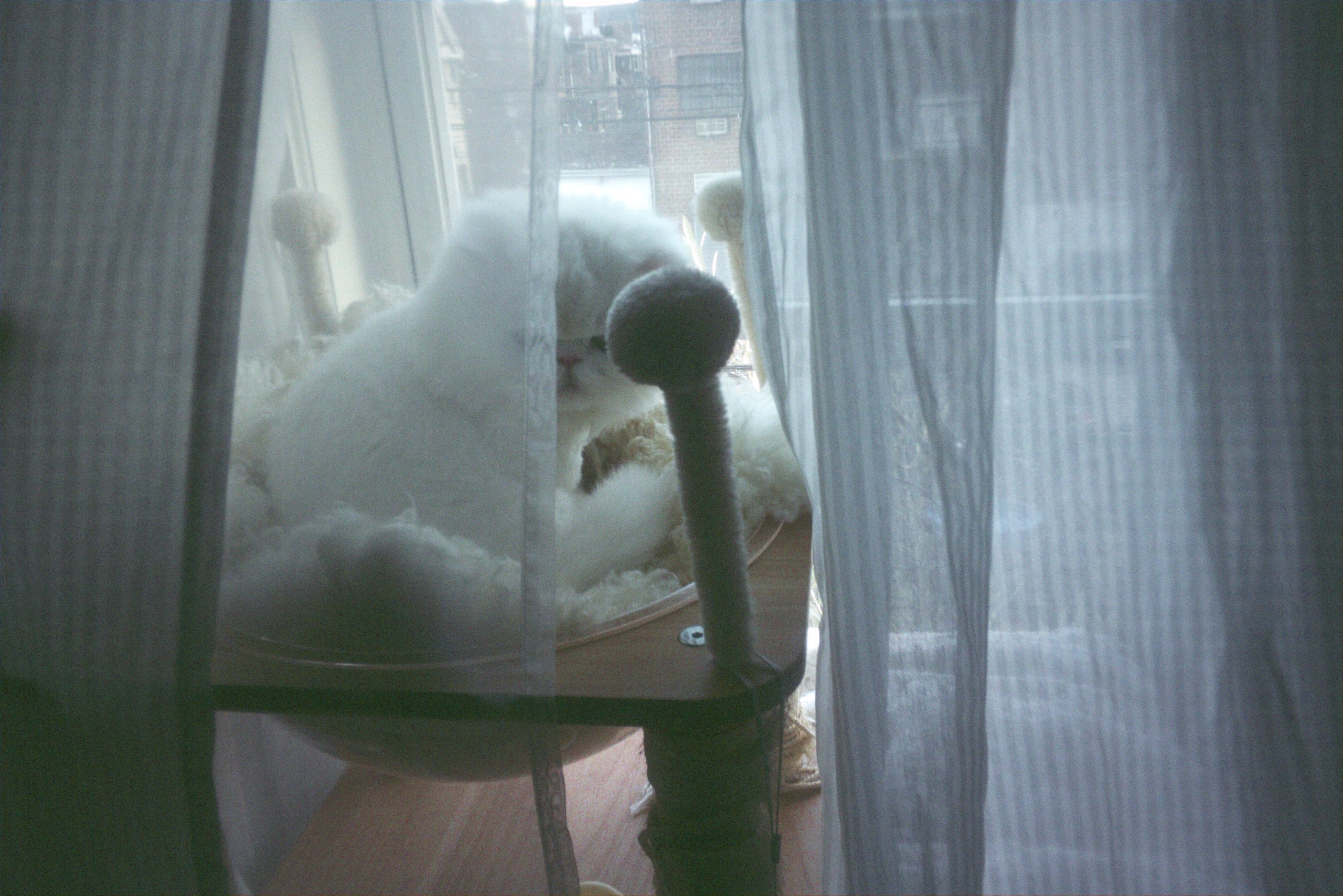
Another shortcut to more filmic images is the use of older, Y2K-era digital point-and-shoot cameras, especially those that feature a CCD sensor. Fans of this old tech will extol the color-popping virtue of the sensor, citing richer colors and silkier tones. This is another case of imperfect technology producing unexpectedly good results when used at scale, with the bonus of a significant discount buying them secondhand.
Camera Settings for the Film Look on Digital Cameras
Before addressing the recipes, presets, and simulations, there are a few ways you can manipulate the camera’s image settings yourself to enhance the film look in your photos. Leveraging settings like exposure compensation, ISO, white balance, and file size and quality can all contribute to your strategy.

For exposure compensation, the direction of the compensation dictates the film style, with +EV benefitting a look inspired by color negative film and delivering brighter skin, softer shadows, and an overall vibe that’s less “clinical digital.” In the other direction, -EV benefits a look more reminiscent of slide film, with more saturated colors and denser, more deliberate blacks. The further in either direction you go, the riskier the proposition, so experimentation and fine-tuning are in order here.
The ISO setting determines the camera’s overall sensitivity to light, but in the context of filmic digital images, it’s your lever for the texture variable. A sprinkle of digital noise can go a long way in breaking through digital’s characteristic smoothness. In the older, Y2K-era cameras, especially those with CCD sensors, image quality falls off quickly even at modestly high ISOs, a characteristic that potentially can be used to your advantage. Nonetheless, noise and grain are not the same, so treat it like finishing flavor and not a core ingredient.

White balance might be the most underrated setting for achieving the film look. As mentioned earlier, an essential component of the film look stack is the handling of color. The white balance setting allows you to tip the color cast in warmer or cooler directions. Whereas the default Auto White Balance setting will attempt to remove the color bias of a scene, the different presets allow you to “pre-bias” the image, with Cloudy, Shade, and Kelvin above 6000K producing a warmth bias, and Daylight, Tungsten, Incandescent, and Kelvin below 5000K privileging a cool bias.
File type and size are also key contributors to the filmic equation. Especially in (but not limited to) older compacts, shooting JPEGs activates baked-in compression, sharpness, color, and tonal decisions, all of which skew “film.” For the older, Y2k-era compacts and cheap contemporary digicams, stick to JPEG only. More capable modern compact cameras are better shot in RAW+JPEG for maximum flexibility in post-production.
Finally, lean into your camera’s limitations. The inherent design compromises that characterize digital compact cameras are your friend in this regard. The goal isn’t perfection, it’s interesting.
Film Recipes, Presets, and Simulations
As much fun as it is to whip up something in the kitchen, oftentimes ordering out is the move.
Nearly every contemporary camera, irrespective of its category, comes pre-loaded with film recipes, presets, and simulations to help deliver the “look” with as little user anxiety as possible. In certain cases, like FUJIFILM, these simulations are developed in house with reference to the manufacturer’s rich history of film stock production. The mindset here is that you’re choosing a mood before you shoot, as each preset dictates shifts in contrast, saturation, sharpness, hue, shadows, highlights, and sometimes grain.


Whereas the simulations and recipes tend to come before the shot, presets, like the much-maligned Instagram filter, come after. This is where shooting in RAW comes in handy, as it allows you to experiment with multiple looks and choose the best one without losing the original capture data. Software like Adobe Lightroom or VSCO offers many distinctive filmic presets that are customizable to varying degrees, enabling you to choose an exact measure appropriate for your image. Lightroom in particular features an extensive range of image adjustment options beyond the baseline preset application.

While “filmic” is certainly a trendy aspiration, it is by no means the limit to which digital compact point-and-shoot cameras can deliver compelling images that disrupt the timeline. Nonetheless, if the film look is your goal, the digital compact deserves consideration. In many cases, one can be had for the price of just five rolls of film, adding in development and scans.
Shop new and used point-and-shoot cameras here at B&H, and check out the Explora page for more compact camera and photography-related content.
