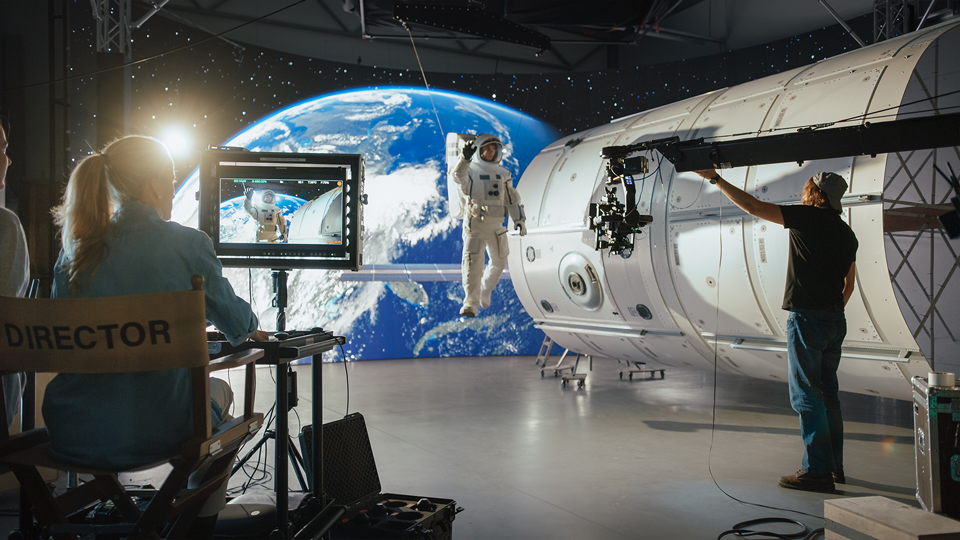
Are you looking to learn more about the LED volume walls used in the burgeoning field of OSVP (on-set virtual production)? These walls are a key component of the process, serving as true-to-life backgrounds, and in effect, sets and locations for OSVP. Volume walls are composed of multiple LED displays that are seamlessly joined to form a custom-size screen on which your prerecorded background plates are played back. Here we'll go over the component that stiches together those displays and controls the behavior of your LED volume wall: the LED Volume Processor.

Factors to consider when choosing a processor include the maximum video resolution and frame rate support, input and output cards or connectors, color depth, latency, and the ability to upscale and/or downscale your video input and output. LED volume processors also provide calibration, a crucial function in virtual production.
Receiver Cards
LED displays (also called cabinets in the VP field) used for volume walls have an average size of 20 x 20”, with each display comprised of smaller modules that are more easily replaced for maintenance or in case of failure. Each module or the larger cabinet will require a receiver card that is compatible with the volume processor. Brompton, Novastar, and Megapixel are popular processor manufacturers. Some receiver cards are only compatible with same-brand processors and display modules while certain brands or models can work with more than one brand of LED displays.

Video Processing
The monitor refresh rate (7680 Hz, etc.) is key to optimal image quality, elimination of visual artifacts, and smooth video motion, so ensure that your processor can handle the higher rates that are preferred in virtual production. High video resolution (8K, etc.) and frame rate support (240 fps, etc.) are also important factors for rich imaging and smooth lifelike motion of your actors, respectively, whether they consist of live talent, ICVFX (in-camera visual effects) characters, or motion-capture effects. Minimal latency is key for maintaining sync, with some processors offering selectable low-latency modes.

Interfaces
Video and control signals are input and output from the processor using removable cards and/or SDI (BNC), HDMI, DP (DisplayPort), 1GbE and 10GbE Ethernet, NDI, and optical fiber connectors. Depending on your project's complexity, you may not need the highest bandwidth options and can use a more affordable processor option. For flexible use, choose a scalable processor with card inputs and outputs that can be chosen according to each production.

Color Considerations
Color parameters to consider include compatibility with HDR (high dynamic range) standards, the ability to import 3D LUTs for precise color palettes, OSCA (on-screen color adjustment) to correct seam issues, and the maximum supported bit depth. Choose a processor that supports your display's color space (DCI-P3, RGB, etc.), higher color depths like 12-bit color, and extended bit depth. Compatibility with HDR (high dynamic range) footage is essential, as is the ability to switch between different HDR standards like SDR, PQ, and HLG.

Calibration
For optimal imaging, look for new adaptive functions like dynamic calibration that can process information in real time, adjusting factors like brightness, color saturation and accuracy, and uniformity of smooth areas. Use the calibration system offered with each processor brand or access third-party software to ensure that the LED volume wall color is matched to your foreground live action.

Multiple Unit Use
Determine how many displays and associated components can be assigned to a processor. Note that some processors can be linked together for use as one unit, a handy feature for large-scale virtual productions.

Redundancy
Multiple Ethernet ports enable you to create a closed loop system where your processor routes your primary feed to a backup port in case of a signal loss or error. A redundant power supply feature will also ease your mind when controlling your LED volume wall.

Control
Processor control options include touchscreen, web access via software and a GUI, and automated system monitoring. Controls like color correction, LUT application, presets, and contrast and black levels are a few common functions that enable you to control your LED volume wall's creative imaging output. Group management, seam correction, cabinet finders, display mapping, and power-saving functions let you manage the more prosaic, yet still critical, aspects of an LED volume wall.

Physical Form
Choose a rackmount-compatible processor if that fits your volume configuration or a smaller unit if that will suffice when working on a more limited or temporary LED wall setup. Some processors have an integrated status display screen, LED indicators, and a web GUI while others only offer a GUI as a visual interface.

If you'd like to learn more about additional aspects of virtual production, check out our other guides and articles on B&H Explora!

