
Sony Global
Multi-Person Podcasting
Audio Essentials
Video Essentials
Accessories
Podcasting is a lot more fun with co-hosts and/or guests. But a multi-person podcast requires a bit of extra effort with respect to building your recording setup. From microphones to mixers and cameras, there’s a lot to think about before pressing record.
What Do You Need for a Multi-Person Podcasting Setup?
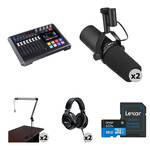
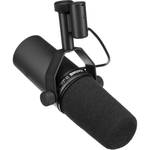
XLR Microphones If your podcast features guests or has more than one host, you’ll need to get some XLR microphones. Unlike USB microphones, which are really designed for one-person setups, XLR microphones are the standard choice for podcasts with multiple participants. This is because modern podcast recorders and mixers are typically designed to accommodate at least two XLR mics.
Podcasting Mixer
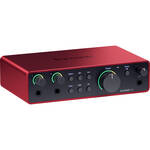
Podcasting mixers are perfect for multi-person podcasts partly because they typically support at least two microphones. They also feature a headphone output for each mic channel, allowing all your podcast participants to monitor their recording. Equally important is that they have on-board mixing capability as well as pads to trigger music, effects, transitions, and more. Most podcasting mixers feature phone call integration for remote guests.
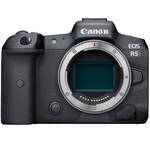
Mirrorless Camera For video podcasting, you really can’t beat the quality and functionality of mirrorless cameras. While consumer camcorders are cheaper, mirrorless cameras offer important advantages, such as interchangeable lenses and manual operation for more flexibility and control. They also have a larger sensor, which means more light or information is captured, resulting in a better shot. Additionally, most mirrorless cameras have an HDMI out to connect to a monitor, switcher or capture card, while others include USB ports, allowing you to stream video without a capture card.
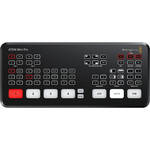
Streaming Switcher
A video switcher generally lets you feed two to four cameras, which means that you can switch between shots. A video switcher also lets you integrate graphics and external videos to better inform your viewers or enhance their engagement. Other functionality includes a multi-view mode, which creates a split screen of all your cameras. Alternatively, you can utilize program output, which zones in on the one camera that is selected on the switcher. Switchers can also sport other features, such as PNP (picture in picture), which lets you create a small shot of one camera in the corner of the screen, while the shot from the other camera takes up the rest of the screen space.
Video Tripod
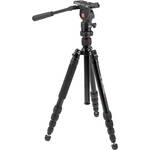
Before you dive into buying a video tripod, it may be helpful to learn about a tripod’s various parts and possibilities to get a better sense of what is most suitable for your needs. Basic terms, such as fluid head, quick release, legs, pan bar, etc. can be best explained in our detailed and easy-to-read article The Tripod Explained.
While good video tripods aren’t cheap, it’s wise to invest in one that offers steady balance and smooth movement. For example, fluid head tripods, though more expensive, can pan and tilt more smoothly than others. Another feature to look out for is counterbalance, which is integrated into more expensive tripod heads. Counterbalance means that if you let go of your camera, it won’t fall forward or backwards, as the counterbalance counteracts the weight.
As you can see, there are a lot of elements to keep in mind when creating your multi-person podcasting setup. So, before taking out your wallet, it’s a good idea to make a comprehensive list of all the gear you may need. Then you can figure out what to prioritize and how to make it all work within your budget