Internal Hard Drives
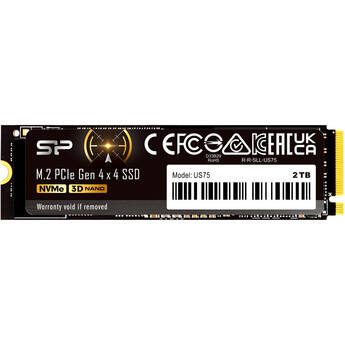
Silicon Power 2TB US75 NVMe PCIe 4.0 M.2 Internal SSD
- 2TB Storage Capacity
- M.2 2280 Form Factor
- PCIe 4.0 x4 Interface
- Sequential Read Speeds up to 7000 MB/s
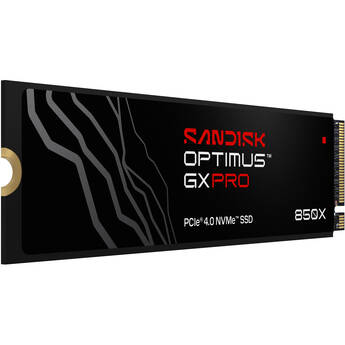
SanDisk 1TB Optimus GX PRO 850X NVMe PCIe 4.0 M.2 Internal SSD
- 1TB Storage Capacity
- M.2 2280 Form Factor
- PCIe 4.0 x4 / NVMe 1.4 Interface
- Sequential Reads up to 7300 MB/s
WD 10TB Ultrastar DC HC330 7200 rpm SATA III 3.5" Internal Data Center HDD (SE)
- 10TB Storage Capacity
- 3.5" Form Factor
- SATA III Interface
- 256MB Cache
Toshiba 10TB S300 PRO 7200 rpm SATA III 3.5" Internal Surveillance HDD
- 10TB Storage Capacity
- 3.5" Form Factor
- SATA III 6 Gb/s Interface
- 512MB Cache
SanDisk 1TB Optimus GX PRO 8100 NVMe PCIe 5.0 M.2 Internal SSD
- 1TB Storage Capacity
- M.2 2280 Form Factor
- PCIe 5.0 x4 / NVMe 2.0 Interface
- Sequential Reads up to 14,900 MB/s
SanDisk 1TB Optimus GX PRO 850X NVMe PCIe 4.0 M.2 Internal SSD with Heatsink
- 1TB Storage Capacity
- M.2 2280 Form Factor
- PCIe 4.0 x4 / NVMe 1.4 Interface
- Sequential Reads up to 7300 MB/s
Toshiba 12TB N300 7200 rpm SATA III 3.5" Internal NAS HDD
- 12TB Storage Capacity
- 3.5" Form Factor
- SATA III 6 Gb/s Interface
- 512MB Cache
Samsung 1TB 9100 PRO PCIe 5.0 M.2 Internal SSD with Heatsink
- 1TB Storage Capacity
- M.2 2280 Form Factor
- PCIe 5.0 x4 / NVMe 2.0 Interface
- Sequential Reads up to 14,700 MB/s
Toshiba 12TB X300 Performance 3.5" CMR Internal Hard Drive
- 12TB Capacity
- 3.5" Form Factor
- 7200 rpm Rotational Speed
- 512MB Cache
Silicon Power 2TB Endura E55 SATA III 2.5" Internal SSD
- 2TB Storage Capacity
- 2.5" / 7mm Form Factor
- SATA III 6 Gb/s Interface
- Max Read Speeds up to 500 MB/s
SanDisk 1TB Optimus GX PRO 8100 NVMe PCIe 5.0 M.2 Internal SSD with Heatsink
- 1TB Storage Capacity
- M.2 2280 Form Factor
- PCIe 5.0 x4 / NVMe 2.0 Interface
- Sequential Reads up to 14,900 MB/s
WD 12TB Ultrastar DC HA340 7200 rpm SATA III 3.5" Internal HDD
- 12TB Storage Capacity
- 3.5" Form Factor
- SATA III 6 Gb/s Interface
- 512MB Cache
WD 10TB Gold 7200 rpm SATA III 3.5" Internal Enterprise HDD
- 10TB Storage Capacity
- 3.5" Form Factor
- SATA III 6 Gb/s Interface
- 512MB Cache
WD 10TB Red Pro 7200 rpm SATA III 3.5" Internal NAS HDD
- 10TB Storage Capacity
- 3.5" Form Factor
- SATA III 6 Gb/s Interface
- 512MB Cache
WD 10TB Purple Pro 7200 rpm SATA III 3.5" Internal Surveillance Hard Drive (Retail)
- 10TB Storage Capacity
- 3.5" Form Factor
- SATA III 6 Gb/s Interface
- 512MB Cache
Toshiba 10TB X300 Pro Performance 3.5" CMR Internal HDD
- 10TB Capacity
- 3.5" Form Factor
- 7,200 rpm Rotational Speed
- 512MB Cache
Toshiba 10TB N300 PRO 7200 rpm SATA III 3.5" Internal NAS HDD
- 10TB Storage Capacity
- 3.5" Form Factor
- SATA III 6 Gb/s Interface
- 512MB Cache
Seagate 16TB Exos 7200 rpm SATA III 6 Gb/s 3.5" Internal HDD (Recertified)
- 16TB Storage Capacity
- 3.5" Form Factor
- SATA III 6 Gb/s Interface
- 512MB Cache
ACTi 1TB 5400 rpm SATA II 2.5" Internal HDD
- 1TB Storage Capacity
- 2.5" / 9.5mm Form Factor
- SATA II 3 Gb/s Interface
- 16MB Cache
Toshiba 4TB N300 7200 rpm SATA III 3.5" Internal NAS HDD (2-Pack)
- 4TB Storage Capacity per Drive
- 3.5" Form Factor
- SATA III 6 Gb/s Interface
- 512MB Cache
WD 12TB Ultrastar DC HC520 7200 rpm SATA III 3.5" Internal Data Center HDD (ISE Security, 512e Formatting)
- 12TB Storage Capacity
- 3.5" Form Factor
- SATA III Interface
- 256MB Cache
Kingston 1TB FURY Renegade G5 NVMe PCIe 5.0 M.2 Internal SSD
- 1TB Storage Capacity
- M.2 2280 Form Factor
- PCIe 5.0 x4 | NVMe Interface
- Up to 14,200 MB/s Sequential Read Speed
WD 4TB Red Pro 7200 rpm SATA III 3.5" Internal NAS HDD (2-Pack)
- 8TB Storage Capacity (2 x 4TB)
- 3.5" Form Factor
- SATA III 6 Gb/s Interface
- 256MB Cache
Silicon Power 2TB Endura ED90 NVMe PCIe 4.0 M.2 Internal SSD
- 2TB Storage Capacity
- M.2 2280 Form Factor
- PCIe 4.0 x4 Interface
- Max Read Speeds up to 5000 MB/s
PNY 2TB CS3250 NVMe PCIe 5.0 M.2 Internal SSD
- 2TB Storage Capacity
- M.2 2280 Form Factor
- PCIe 5.0 x4 Interface
- Seq. Read Speeds up to 14,900 MB/s
WD 12TB Red Plus 7200 rpm SATA III 3.5" Internal NAS HDD
- 12TB Storage Capacity
- 3.5" Form Factor
- SATA III 6 Gb/s Interface
- 512MB Cache
Promise Technology 8TB SATA Hard Drive for the Pegasus J2i
WD 6TB Red Plus 5400 rpm SATA III 3.5" Internal NAS HDD (2-Pack)
- 12TB Storage Capacity (2 x 6TB)
- 3.5" Form Factor
- SATA III 6 Gb/s Interface
- 256MB Cache
Learning About Internal Hard Drives
Every computer needs an internal hard drive to run, whether it's a desktop at the office or a laptop used for gaming. The one you need and how it works both depend on the type of computer, as well as your intended usage. Choosing a new hard drive, or adding the right one to your custom-built machine, can be a significant upgrade.
What's the Difference Between an Internal and an External Hard Disk?
Essential computer components, internal hard disks feature the boot files needed for the operating system to load. They also require more steps to install than an external hard drive, which usually connects simply via USB. An internal hard drive stores data just like an external one does, but it can also be configured in various ways to create separate spaces for different files. External hard drives can also be placed in enclosures when running back-ups.
What's an Internal Hard Drive Cache?
One feature you may see listed on an internal hard disk is the disk cache. This piece of dedicated RAM boosts the disk's performance and allows data to load quicker.
What's an Internal Solid State Drive?
Most hard drives that store data on physical discs have several moving components such as disc platters and read/write heads. By contrast, internal solid state drives have no moving parts and operate using electrical signals that move across circuits. This causes less vibration and wear on the drive, making it last longer, and keeps your data with greater integrity.
What's a SATA Internal Hard Drive?
SATA, or serial ATA, is a common interface type that many hard drives use. It allows for rapid file transfer, and is the new standard for most computers.
How Do You Install an Internal Hard Drive (HDD)?
Many internal hard drives are relatively simple to install by simply sliding them into place in the drive bay. It's always possible to upgrade or repair a computer by removing its existing or factory-installed drive, replacing it with a new one. PC towers usually need to have the side removed to access the drive, while laptops will often have a bottom panel held in place with screws. Make sure the bay is large enough to accommodate the drive, which will be either a 2.5-inch or a 3.5-inch internal hard drive. Also, remember to take care when handling a hard drive, as static electricity and magnets can potentially harm data. For a hard drive enclosure, simply insert the drive into the slot.
Choosing an Internal Hard Drive
Hard drives often have hundreds of gigabytes or even terabytes of storage space. Choose one with sufficient storage for your needs, as movie and other media files take up quite a lot of space. In addition, look at the read/write speed to know how efficient you can expect performance to be.
B&H Photo and Video has a wide selection of hard drives so you can get the performance you desire.