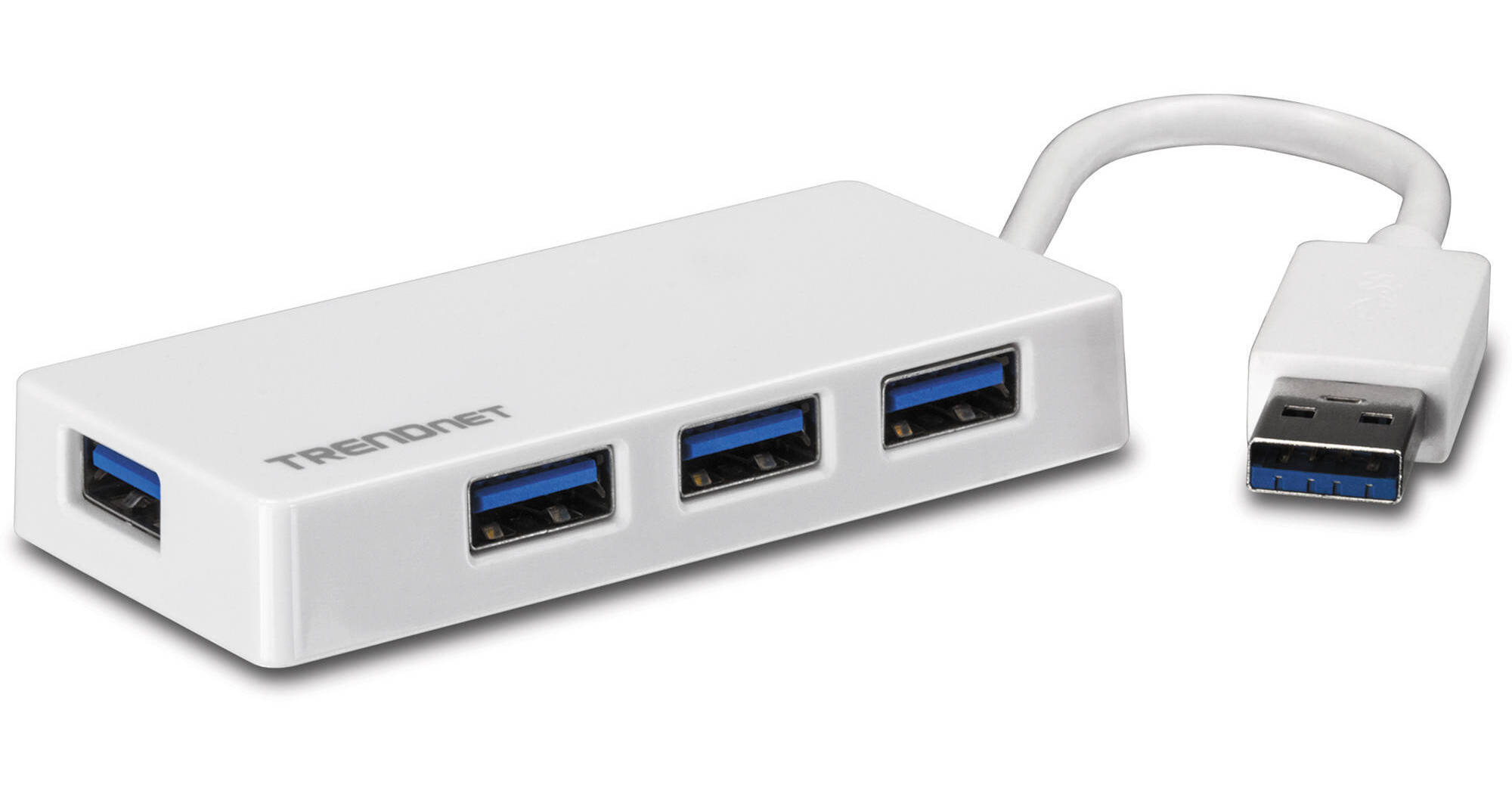
The 4-Port USB 3.0 Mini Hub from TRENDnet comes with four SuperSpeed USB 3.0 ports that transfer data at a rate of 5 Gbps. It is plug-and-play compatible and connects to your computer via a 5" integrated USB 3.0 cable. With USB bus-powered support, this hub does not require an external power adapter and provides up to 4.5 watts of power. Moreover, USB 3.0 technology delivers data ten times faster than USB 2.0 and is also compatible with USB 2.0 and 1.1 devices.
Ask Our Experts866-842-7675
Hello, Log InAccount & Orders
Key Features
- 4 x USB 3.0 Ports
- 5 Gbps Data Transfer Speeds
- Integrated USB Cable
- Bus Powered
The 4-Port USB 3.0 Mini Hub from TRENDnet comes with four SuperSpeed USB 3.0 ports that transfer data at a rate of 5 Gbps. It is plug-and-play compatible and connects to your computer via a 5" integrated USB 3.0 cable. With USB bus-powered support, this hub does not require an external power adapter and provides up to 4.5 watts of power. Moreover, USB 3.0 technology delivers data ten times faster than USB 2.0 and is also compatible with USB 2.0 and 1.1 devices.
More DetailsTRENDnet TU3-H4E Overview
Easy Setup
No installation needed; just plug and play
Flexible Connector
Integrated flexible 5" (14 cm) USB 3.0 cable accommodates most installation scenarios
LED Indicator
LED indicator confirms USB connectivity
USB Powered
No bulky power-brick; powered by USB port only
Backwards Compatibility
Compatible with USB 2.0 and 1.1 ports
Performance
SuperSpeed 5 Gbps USB 3.0 ports
Power
Provides up to 4.5 W total power
UPC: 710931302394
TRENDnet TU3-H4E Specs
Key Specs
| USB I/O | |
| Host Connection | |
| Power Source |
| USB I/O | |
| Host Connection | |
| Power Source | |
| OS Compatibility | |
| Operating Conditions | |
| Certifications | |
| Dimensions | |
| Weight |
Packaging Info
| Package Weight | |
| Box Dimensions (LxWxH) |
TRENDnet TU3-H4E Reviews
Works well but could be improved
By Ira
Rated 4 out of 5
Date: 2023-01-12
I purchased this mini-hub to extend the USB 3.0 hub on my MS Surface Pro when I'm doing photography in the field. It works well with my card reader and flash drives. I fitted the tablet with a keyboard/cover. When in use, its USB port is 5 inches above the typing surface, leading to the mini-hub dangling from the side of the tablet and producing a tangle of cables and peripherals. I can buy a short extension cable to properly place the mini-hub on the desk/table next to the tablet but if the hub's cable were a few inches longer, there would not be an issue.
USB hub
By Paul
Rated 5 out of 5
Date: 2020-02-24
Does what it is supposed to do. No issues.
See any errors on this page?
question
How long is the cable of the hub?
The listing says the following: connects to your computer via a 5 integrated USB 3.0 cable.
Date published: 2018-08-24
question
can this provide power to 2 portable hard drives? along with 2 flash drives or card readers?
Apple Mac, USB ports supply 1000 milli Amps, will run SSD's but not hard drives. (I assume since USB is a standard, it is the same on Windows) After looking at responses below, are they 2 or 3 drives... I have not seen a drive (without an external power supply) work on the USB Port w/ with out these adaptors, via the USB limited power of 1000 milli amps...
Date published: 2018-08-24
question
Is this hub compatible with Apple USB SuperDrive?
According to apple's specs, the superdrive uses USB type A, the 'standard' type (before USB-C), and the HUB uses type A, so I assume it should be compatible.
Date published: 2018-12-19
