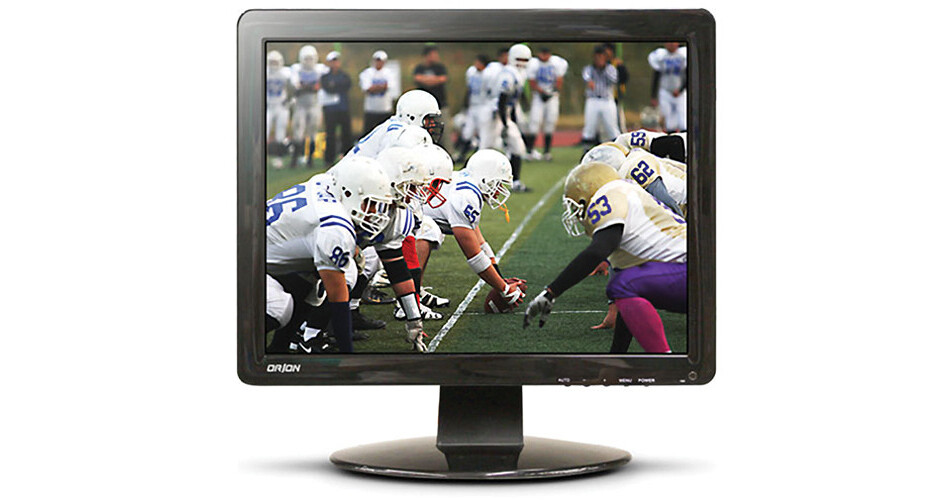
Orion Images Economy Series 17" Rack-Mountable LCD CCTV Monitor

BH #OR17RCE • MFR #17RCE
Print
Orion Images Economy Series 17" Rack-Mountable LCD CCTV Monitor
Key Features
  • Designed for Constant Use
  • 1280 x 1024 Resolution at 60 Hz
  • 17" LCD Backlight Display
  • 160/140° Viewing Angles
The Economy Series 17" Rack-Mountable LCD CCTV Monitor from ORION Images supports up to 1280 x 1024 video resolution at 60 Hz for displaying high-quality surveillance footage. This commercial grade monitor is designed for always-on use, making it an ideal solution for security and law enforcement applications. There are two 2W built-in speakers for audio, and there are multiple input and output connections, including BNC, VGA, HDMI, and RCA. Additionally, the monitor is rack-mountable for placement on a shelf or in a media cabinet, and it has a 75 x 75mm VESA pattern, providing compatibility with mounting brackets for easy installation.
More Details
In Stock
No Store Display
Free 2-Day Shipping
Protect Your Gear
Add a protection plan from $22.00
Ask an Expert
800-606-6969

Orion Image 17RCE Overview

The Economy Series 17" Rack-Mountable LCD CCTV Monitor from ORION Images supports up to 1280 x 1024 video resolution at 60 Hz for displaying high-quality surveillance footage. This commercial grade monitor is designed for always-on use, making it an ideal solution for security and law enforcement applications. There are two 2W built-in speakers for audio, and there are multiple input and output connections, including BNC, VGA, HDMI, and RCA. Additionally, the monitor is rack-mountable for placement on a shelf or in a media cabinet, and it has a 75 x 75mm VESA pattern, providing compatibility with mounting brackets for easy installation.

Supports a maximum resolution of 1280 x 1024 at 60 Hz
Multi-language support for ease of use and versatility
Two BNC video inputs and one BNC output, as well as a VGA video input
Features one HDMI input for high-definition video and audio
One RCA audio input and two 2W built-in speakers for audio output
Includes remote control for system navigation
75 x 75mm VESA mounting wall and ceiling mount compatibility
Monitor can also be rack mounted for placement on a shelf or in a cabinet
UPC: 836228000207

Orion Image 17RCE Specs

Key Specs
Display Size
17"
Panel Type
LCD
Native Resolution
1280 x 1024
Maximum Brightness
300 nits / cd/m2
A/V Inputs
BNC / HDMI / RCA (Analog Audio) / VGA
A/V Outputs
BNC / RCA (Analog Audio)
USB I/O
No
Display
Size
17"
Panel Type
LCD
Aspect Ratio
5:4
Native Resolution
1280 x 1024
Maximum Brightness
300 nits / cd/m2
HDR Support
No
Contrast Ratio
1000:1
Response Time
< 5 ms
Refresh Rate
75 Hz
Color Support
16.7 Million Colors (6-Bit+FRC)
Viewing Angle (H x V)
160 x 160°
Surface
Touchscreen
No
Video
Video System
NTSC / PAL
Connectivity
A/V Inputs
1x HDMI
1x RCA (Analog Audio)
2x BNC
1x VGA
A/V Outputs
1x RCA (Analog Audio)
1x BNC
HDCP Support
No
USB I/O
No
Multi-Input Support (PIP/PBP)
No
Speaker
Built-In Speakers
Yes: 2x 2 W
Electrical
Power Consumption
Typical: < 20.0 W
Input Power
12 VDC at 4 A
100 to 240 VAC, 50 / 60 Hz
General
Operating Conditions
32 to 104°F / 0 to 40°C
Storage Conditions
-4 to 140°F / -20 to 60°C
Adjustments
Tilt
Lock Slot
No
Dimensions
15 x 12.4 x 1.7" / 38.1 x 31.5 x 4.3 cm (without Stand)
Weight
7.4 lb / 3.4 kg
Packaging Info
Package Weight
7.4 lb
Box Dimensions (LxWxH)
17.953 x 16.929 x 4.724"

Orion Image 17RCE Reviews

As advertised

By ER DAN
Rated 4 out of 5
Date: 2014-02-01

Nice monitor at a good price. Picture is clear. Easy to install.

See any errors on this page?

does this come with a remote controller? A review ...

does this come with a remote controller? A review stated that it did not, but website says it does. Many thanks
Asked by: jeremy
Yes, a remote is included.
Answered by: Moe
Date published: 2019-10-10

Any way to get the brightness rating for this ...

Any way to get the brightness rating for this monitor in nits? Is it suitable to use in a control room full of sunlight and windows?
Asked by: Daniel
It'd be OK to use this monitor in a bright room, but it might be a little tough to see if it's in bright sunlight or glared out. You'd want to position the monitor away from the windows.
Answered by: Jeremy
Date published: 2020-11-01
  • y_2026, m_9, d_30, h_11CST
  • bvseo_bulk, prod_bvqa, vn_bulk_3.0.48
  • cp_1, bvpage1
  • co_hasquestionsanswers, tq_2
  • loc_en_US, sid_1006664, prod, sort_[SortEntry(order=HAS_STAFF_ANSWERS, direction=DESCENDING)]
  • clientName_bhphotovideo
Whatever You Need, We've Got It