Ask Our Experts800-606-6969
Hello, Log InAccount & Orders
Video Chat with a Pro Video Expert - Live
Key Features
- Complete, Modular Teleprompting Solution
- Supports Cameras from Mini DV to ENG
- Pro Software for Small Studio Setups
- HDMI I/O; DVI, VGA, Composite Inputs
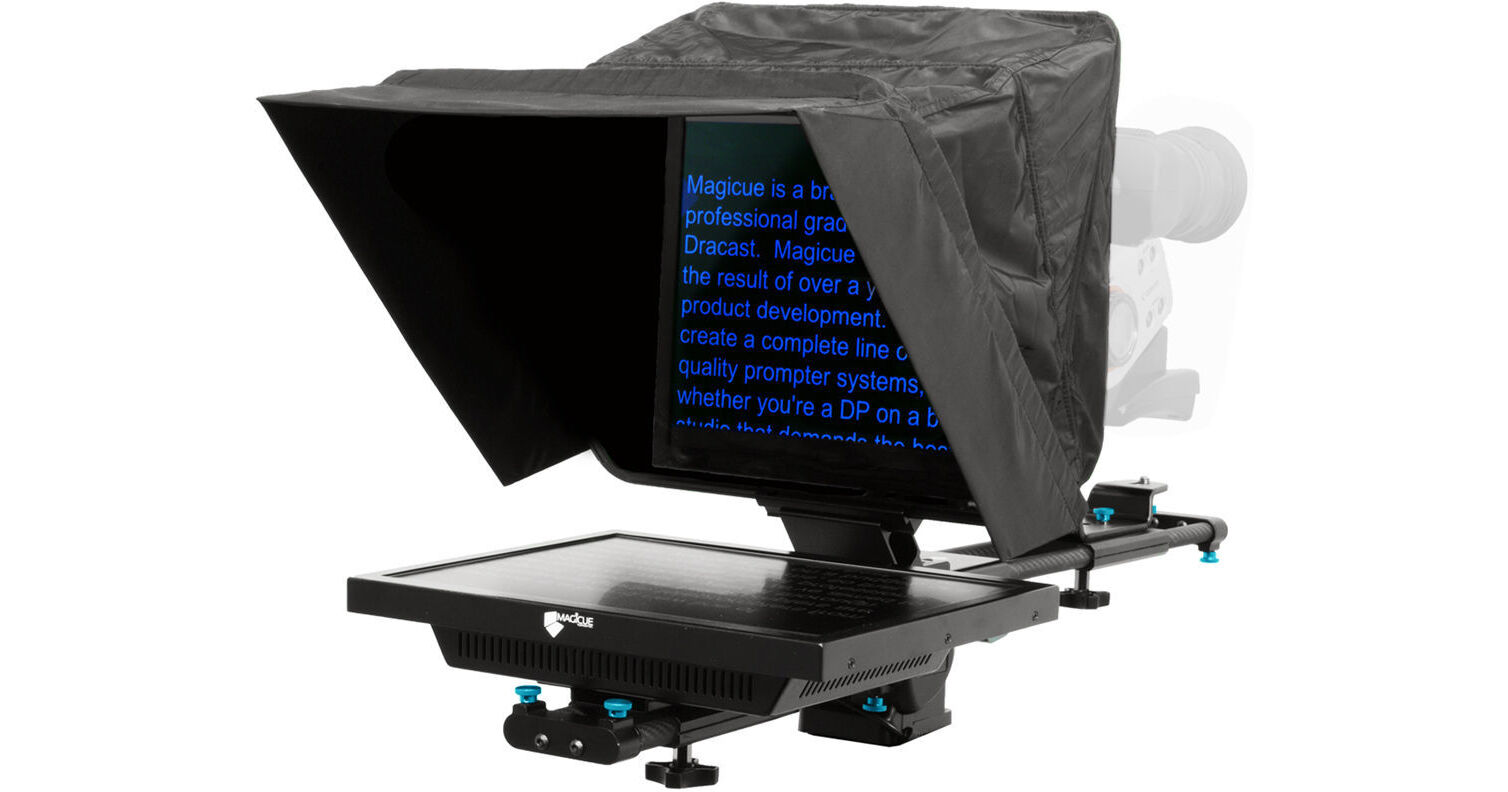
The MagiCue Studio 15" Prompter Package with Pro Software is a complete, modular teleprompting solution supporting cameras ranging from mini DV to ENG. It includes a downloadable PC/Mac compatible MagiCue Pro software, which is suited for small studio setups and on-the-fly revisions. The modular design of the teleprompter allows for riser-less positioning, allowing the camera to remain stationery while letting the pad and hood unit be lowered into an optimal viewing position. A 60/40 beamsplitter glass clearly displays scrolling text from up to a 17 ft reading range.
More DetailsIn Stock
Protect Your Gear
Add a protection plan from $137.99
See Options
See any errors on this page?
question
My existing set-up incorporates Google Docs as my script and don't want to use the provided software as it will disrupt my workflow. Does the VGA display just mirror the screen of a computer? I already found a Chrome Extension that will flip the screen horizontally. Thanks for your insight!
Yes it does just mirror the display from your laptop or PC.Unfortunately the monitor has no provision to flip the video, this means that it is reflected by the mirrored glass upside down and backwards.Not what a teleprompter should do.We found this out after we had purchased this, the only way that the change in text orientation takes place is through software, we couldn't get it to work on our Windows 7 laptop so we don't even know how well it functions.
Date published: 2018-08-25
Does this have a USB hookup for a foot pedal?
No, additional software is needed in order to do so.
Please review the following items that is need to integrate a script pedal
MagiCue Pro Software for Studio & Presidential Prompters
https://bhpho.to/2WHM1pq
foot pedal of choice
Date published: 2021-08-31
question
is there anyone who can give the total dimensions of the prompter ? Has it a 4/3 or a 16/9 screen ?Does the horizontal bar to mount the camera on the back is easily removable ?Thank you
Teleprompters in general will be designed with a monitor that is closer to 4:3 than 16:9, including this item from MagiCue. This also features tool-less assembly and folds flat for transport and storage, because of that it should be easy to adjust the horizontal bar and mount cameras off and on it.
Date published: 2018-08-25
Does this prompter support PTZ cameras like the ...
Does this prompter support PTZ cameras like the AViPAS AV-1080?
The camera will definitely mount and work with this prompter if rigged properly and if PTZ settings sat locked so that there is no panning or tilting on subject.
Date published: 2021-08-03
How would one easily mount this on a desk? What ...
How would one easily mount this on a desk? What sort of clamp arrangement would work well? Is there anything like the desk base Prompter People make?
You could possibly use this clamp and screw the teleprompter onto the clamp: https://www.bhphotovideo.com/c/product/824360-REG/impact_cc_106r_super_clamp_with_ratchet.html
Date published: 2021-08-21
I see that the hard case is no longer offered by ...
I see that the hard case is no longer offered by the mfr. What size Pelican case would this fit in?
Assuming one wants to have the "wheeled" option and ample room to pluck out dedicated sections of the foam inserts to fit all pieces, then the Pelican 1600 series would be our most considerable advice.
Date published: 2021-01-03
What is the NATIVE resolution of the monitor?
At this time, MagiCue doesn't publish the native resolution of the MagiCue Studio 17" Prompter Package with Pro Software.
Date published: 2024-06-28
question
The reviewer mentions a remote to switch the Input to HDMI. Can you please link that here so I can purchase it?Thanks,Sandeep
That is correct. We do not have a remote available for this prompter. The only way to use a remote control would be to have one that worked with your computer, and then control the prompter by the computer with the computer remote. -- Also, if you have any other technical questions, feel free to contact us directly at any time at [email protected].
Date published: 2018-08-25
