Video Chat with a Photography Expert - Live
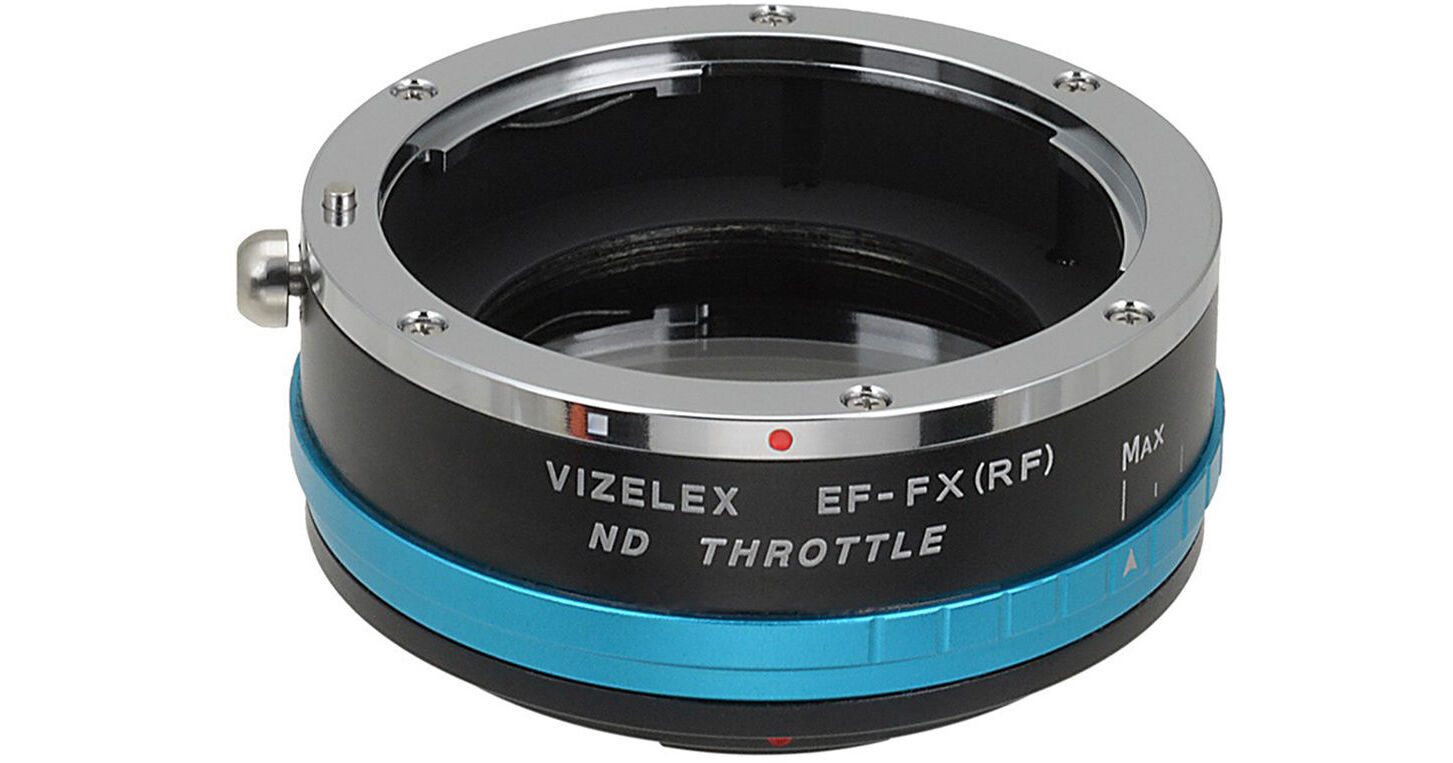
FotodioX Canon EF/EF-S Lens to FUJIFILM X-Mount Camera Vizelex ND Throttle Adapter

BH #FOVNDTLMAPCF • MFR #EOS-FXRF-NDTHRTL-PRO
Print
FotodioX Canon EF/EF-S Lens to FUJIFILM X-Mount Camera Vizelex ND Throttle Adapter
Key Features
  • Canon EF/EF-S Lens to FUJIFILM X Camera
  • Built-In Variable ND Filter
  • 0.3 to 2.4 Filter Factor, 1 to 8 Stops
  • Provides Enhanced Control over Exposure
Breathe new life into your Canon EF/EF-S-mount lens by using it on a fresh FUJIFILM X-mount camera with the Fotodiox Vizelex ND Throttle Adapter, which even features a built-in variable ND filter for added control over your exposure. The integrated ND filter of the Vizelex offers a 0.3 to 2.4 filter factor, which translates into a wide range of 1 to 8 stops. This makes the adapter ideal for videographers and photographers who may want to make quick adjustments to their filtration throughout the day. The ND filter can be used to lengthen the shutter speed or use larger apertures when working in bright sunlight. Also, the placement of the filter within the adapter means that switching lenses does not require users to fiddle with additional filters and it will even work with lenses that do not have a filter thread. Additionally, this filter is constructed of both brass and aluminum for a durable construction and precise fit with your equipment that guarantees infinity focus.
More Details
Special Order
Expected availability: 2-4 Weeks
No Store Display
Free Standard Shipping
Protect Your Gear
Add a protection plan from $10.79
Ask an Expert
800-606-6969

FotodioX EOS-FXRF-NDTHRTL-PRO Overview

Breathe new life into your Canon EF/EF-S-mount lens by using it on a fresh FUJIFILM X-mount camera with the Fotodiox Vizelex ND Throttle Adapter, which even features a built-in variable ND filter for added control over your exposure. The integrated ND filter of the Vizelex offers a 0.3 to 2.4 filter factor, which translates into a wide range of 1 to 8 stops. This makes the adapter ideal for videographers and photographers who may want to make quick adjustments to their filtration throughout the day. The ND filter can be used to lengthen the shutter speed or use larger apertures when working in bright sunlight. Also, the placement of the filter within the adapter means that switching lenses does not require users to fiddle with additional filters and it will even work with lenses that do not have a filter thread. Additionally, this filter is constructed of both brass and aluminum for a durable construction and precise fit with your equipment that guarantees infinity focus.

UPC: 847372030286

FotodioX EOS-FXRF-NDTHRTL-PRO Specs

Item Type
1x Lens Mount Adapter with Built-In Filter (1 to 8-Stop Variable ND Included)
Camera Compatibility
FUJIFILM X Mount
Lens Compatibility
Canon EF/EF-S Mount
Electronic Communication
No
Included Shims
Materials
Aluminum
Packaging Info
Package Weight
0.415 lb
Box Dimensions (LxWxH)
3.35 x 2.95 x 2.25"

FotodioX EOS-FXRF-NDTHRTL-PRO Reviews

Poor quality, risk of sensor damage

By Baron
Rated 1 out of 5
Date: 2021-05-27

I'm going to return this. The ND filter is visibly inconsistent density. What's more worrisome is that the interior is coated with what seems to be dusted-on graphite. It's a cheap facsimile of flocking. Touch it with your finger, and it'll come away totally black. Give it a puff of air and a cloud blows away. No way am I putting this next to my camera's sensor.

Awesome tool for cameras!..But has 2 downfalls.

By Corey
Rated 4 out of 5
Date: 2019-07-17

This ND/ Ef to X mount adapter is awesome! The build quaitly is very nice and the custom lens cap that it comes with gives it a uquiqe look to your rig. My only issues with this adapter: -It does not give you any electronic controls over aperture, auto focus or image stabilization. -When you attach a lens to the adapter, It does not make a sound or click. So if you are in a dark area and can't see if your lens is attached properly, It makes it difficult to trust its not going to fall off. Other than those two complaints, I think its worth the money only if you have manual aperture lenses and don't need for autofocus.

See any errors on this page?

question

will this allow me to change f stops on the lens?
Asked by: Mustafa A.
No, it will not. As stated under the Overview, electronic communication between an attached camera and lens is not supported by this adapter. When removed from a compatible Canon camera, the aperture diaphragm on a Canon EF or EF-S mount lens is designed to open to its widest setting. A Canon EF or EF-S mount lens may be effectively used with its aperture diaphragm fully open along with the Vizelex Pro ND Throttle Lens Mount Adapter. Otherwise, an aperture value on a Canon EF or EF-S mount lens may be set by first placing the lens on a Canon EOS camera and then pressing the camera's depth of field preview button while removing the lens prior to placing it on the adapter. But the adapter does not directly offer aperture adjustment control.
Answered by: Manzell L.
Date published: 2018-12-20

Will this work with the Fujifilm X-T20?

Will this work with the Fujifilm X-T20?
Asked by: Sherman
I use it on my XE-2, but I don’t see why it won’t work on any X mount camera. Remember, that it is NOT compatible with your cameras electronics, so you can’t stop down from wide open and must ficus manually. The “throttle will cut out light, but it is not the same as being able to use a higher f-stop.
Answered by: Anonymous
Date published: 2019-05-30

Can the aperture be manually set if you lens has ...

Can the aperture be manually set if you lens has an aperture ring?
Asked by: Keith
If you are using a lens that has an aperture ring on it, you will be able to control that aperture. However lenses that do not you will only be able to compensate for the exposure by using the built-in Variable ND Filter.
Answered by: Joe P
Date published: 2019-04-08
  • y_2026, m_8, d_19, h_4CST
  • bvseo_bulk, prod_bvqa, vn_bulk_3.0.48
  • cp_1, bvpage1
  • co_hasquestionsanswers, tq_3
  • loc_en_US, sid_1152643, prod, sort_[SortEntry(order=HAS_STAFF_ANSWERS, direction=DESCENDING)]
  • clientName_bhphotovideo
Whatever You Need, We've Got It