
Sony Global

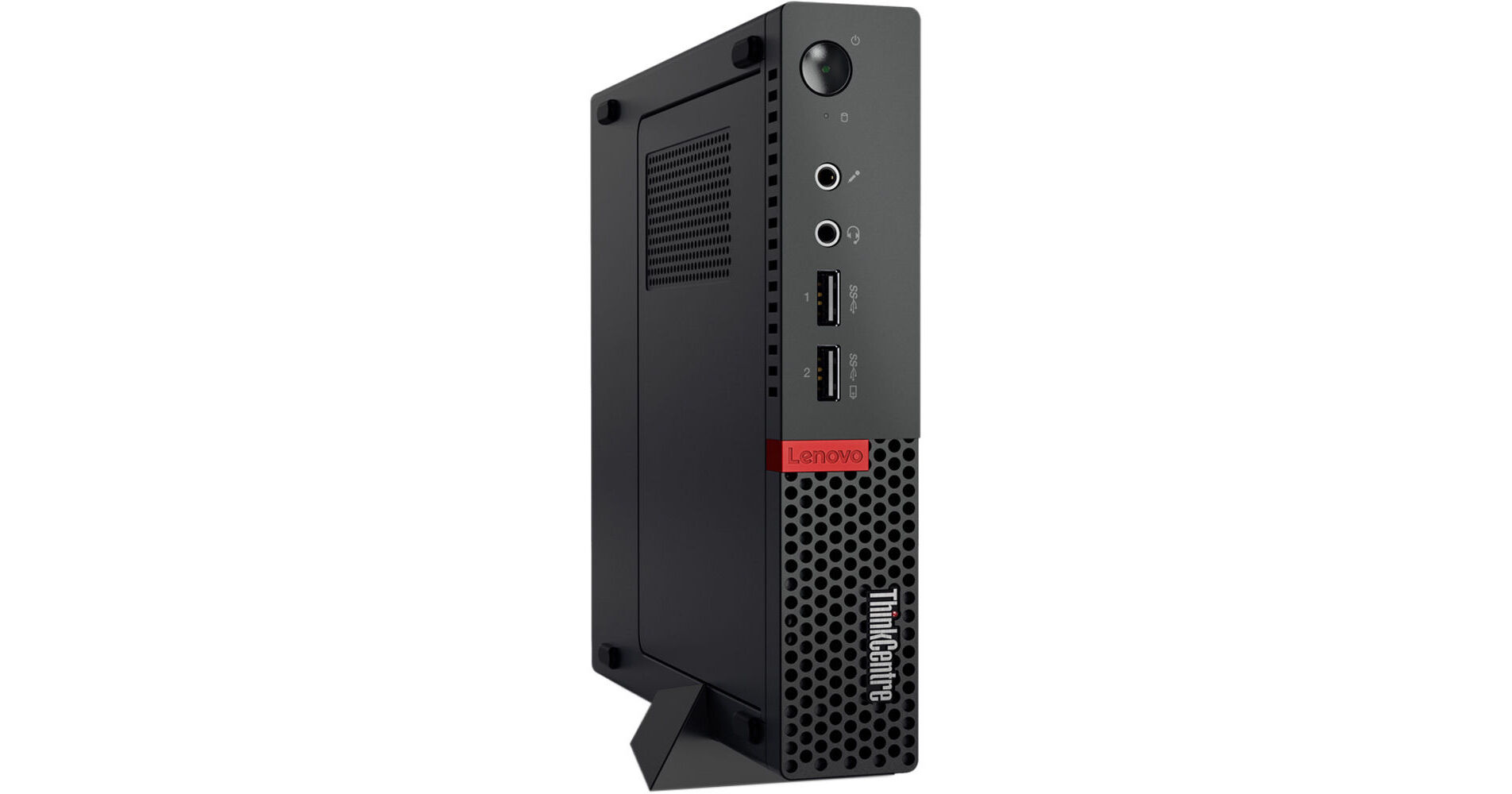
Lenovo ThinkCentre M710q Tiny Desktop Computer

BH #LE710Q10MR6X • MFR #10MR006XUS
Print
Lenovo ThinkCentre M710q Tiny Desktop Computer
Key Features
  • 2.7 GHz Intel Core i5-7500T Quad-Core
  • 4GB DDR4 | 16GB Intel Optane
  • Integrated Intel HD Graphics 630
  • 500GB 7200 rpm 2.5" HDD
Engineered to work in tough environments, such as those with extreme temperatures or ones that are dusty, the ThinkCentre M710q Tiny Desktop Computer from Lenovo can also handle minor bumps and has a small footprint, allowing it to fit on a bookshelf, behind a monitor, or under a desk. The system is powered by a 2.7 GHz Intel Core i5-7500T processor that sports four cores, which will allow you to run multiple applications simultaneously. If you need more power, the CPU can be overclocked to 3.3 GHz using Intel's Turbo Boost 2.0 technology.
More Details
No Longer Available
No Store Display
Microsoft 365 Subscription not included: add to your purchase
Ask an Expert
800-606-6969

Lenovo M710q Overview

Engineered to work in tough environments, such as those with extreme temperatures or ones that are dusty, the ThinkCentre M710q Tiny Desktop Computer from Lenovo can also handle minor bumps and has a small footprint, allowing it to fit on a bookshelf, behind a monitor, or under a desk. The system is powered by a 2.7 GHz Intel Core i5-7500T processor that sports four cores, which will allow you to run multiple applications simultaneously. If you need more power, the CPU can be overclocked to 3.3 GHz using Intel's Turbo Boost 2.0 technology.

The 4GB of 2400 MHz DDR4 RAM helps to ensure smooth multitasking and also allows the computer to quickly access frequently-used files and programs. While the current memory configuration is 1 x 4GB, there are two total 260-pin SO-DIMM memory slots that will allow the RAM to be upgraded to 32GB, using one 16GB module in each of the memory slots. There is also 16GB of Intel Optane Memory.

For long term storage of your files, a 500GB 2.5" hard drive that spins at 7200 rpm, and there is an available M.2 slot for an optional M.2 SSD. If you want to add external storage drives, optical drives, printers, memory card readers, or other peripherals, the M710q Tiny features six USB 3.0 Type-A ports. The integrated Intel HD Graphics 630 chipset delivers a sharp, clear picture while allowing for multiple simultaneous displays to be used via its three DisplayPort video outputs. Whether you are listening to music, watching a movie, or playing a game, the integrated Realtek ALC294 audio codec outputs high definition audio and delivers higher fidelity than standard audio controllers.

Lenovo's ThinkCentre M710q Tiny Desktop Computer includes a USB keyboard, a USB mouse, a floor stand, and an auto-sensing 65W power adapter. The installed operating system is Windows 10 Pro (64-bit).

General Features
Tiny Footprint
At 96% smaller than a traditional desktop tower, the M710q Tiny is extremely compact. This small desktop fits just about anywhere and can be positioned horizontally or vertically - mount it on a wall, behind a monitor, or even under a desk. You can even power digital signage with a PC that's easy to hide from view. It delivers reliable, professional-level performance, while freeing up valuable desk-space.
Built for Business
The ThinkCentre M710q Tiny is built to last in most environments. It carries the Think name, which means it's tested against military-specification requirements, as well as 200 rigorous quality checks. From enduring arctic temperatures of -4°F / -20°C, to desert heat of 140°F / 60°C, this device can handle the bumps and bruises of life.
Optional Dust Shield
Whether you're operating in a workshop or just a regular office, dust can build up over time and affect performance and reliability. The ThinkCentre M710q Tiny has an optional dust shield that reduces dust intake, so your machine will last longer, with less maintenance. What's more, the dust filter has an interlocking design so it can be conveniently removed for cleaning, even when the Tiny is mounted.
Gigabit Ethernet
The system uses an integrated Intel I219-V Gigabit Ethernet controller for Internet access when connected to a router, modem, or network switch.
802.11ac Wi-Fi & Bluetooth 4.2
Connect to the Internet wirelessly using 802.11ac Wi-Fi. If you've run out of USB ports, or would just rather save them, compatible peripherals, such as keyboards, mice, and headsets can be paired using Bluetooth 4.1 technology.
6 x USB 3.0 Ports Type-A Ports
The M710q Tiny features six 5 Gb/s USB 3.0 Type-A ports that will allow you to connect external peripherals such as hard drives, printers, and memory card readers. One of the USB 3.0 ports is equipped with Always On and fast charge technology.
3 x DisplayPort
The three DisplayPort outputs support resolutions up to 4096 x 2304 @ 60 Hz. Up to three independent displays are supported.
Energy Efficient Power Supply
The 65W power supply is 88% efficient.
Windows 10 Pro (64-bit)
Start Menu
After its hiatus in Windows 8, the Start Menu has returned. Utilizing a combination of the traditional menu system and Windows 8's Live Tiles, the improved Start Menu gives you more information at a glance, showing notification information alongside your applications and other pinned items.
Cortana
Microsoft's digital personal assistant, Cortana can answer your questions with information gleaned from both your device and the internet at large. You can type or even talk with her, if your system has a microphone. Using her Notebook, Cortana keeps track of your needs and wants, and she learns over time to improve her information gathering skills.
Microsoft Edge
After nearly 20 years, Microsoft has finally replaced its Internet Explorer web browser. With Microsoft Edge, users can write directly on web pages and share notes with friends and colleagues. It also improves the online reading experience by adding a distraction-free mode and read-it-later functionality. Edge also has built-in Cortana integration; you can have her help you find a restaurant, make a reservation, and pull up directions without leaving your browser.
Windows Store
For Windows 10, Microsoft has unified the Windows Store. Now, apps for PCs, tablets, and phones will all be accessible from one place. And with support for Universal Apps, one version of an app can work across all your compatible devices automatically.
Windows Continuum
Windows 10 was designed for a variety of screen sizes and input styles, and with its Continuum feature, it automatically adapts to fit your needs. A Windows 10 tablet on its own requires a touch-centric approach, but attaching a mouse and keyboard will shift everything to a more traditional interface. You can even attach an external monitor to your Windows 10 phone for a near-desktop experience. But it's not just the operating system; Windows Universal Apps take advantage of Continuum as well.
Xbox on Windows 10
Gaming is a big focus of Windows 10. Xbox integration allows for PC players to match up against Xbox One players on supported games, and if you have an Xbox One, you can even stream compatible titles to your PC. Native support for recording with the new Game DVR feature makes it easy to capture and share your gameplay. The new DirectX12 takes better advantage of multi-core processors, giving games a performance boost, even on older hardware. Windows 10 also features native support for virtual reality headsets, such as the Oculus Rift.
Windows 10 Pro
The Pro version of Windows 10 includes all of the features of Windows 10 Home plus many designed specifically for businesses users, including Hyper-V virtualization, BitLocker disk encryption, and remote desktop access. Devices will also be able to join domains and the Azure Active Directory, and they can even access a specialized version of the Windows Store featuring custom, company-specific applications.

Lenovo M710q Specs

Operating System
Windows 10 Pro (64-Bit)
Performance
L3 Cache
6 MB
Installed RAM
4 GB
Optical Drive
No
Communications
Wi-Fi
Wi-Fi 5 (802.11ac); Dual-Band (2.4 & 5 GHz)
Packaging Info
Package Weight
7.55 lb
Box Dimensions (LxWxH)
19 x 10.5 x 10"

Lenovo M710q Reviews

See any errors on this page?
Whatever You Need, We've Got It