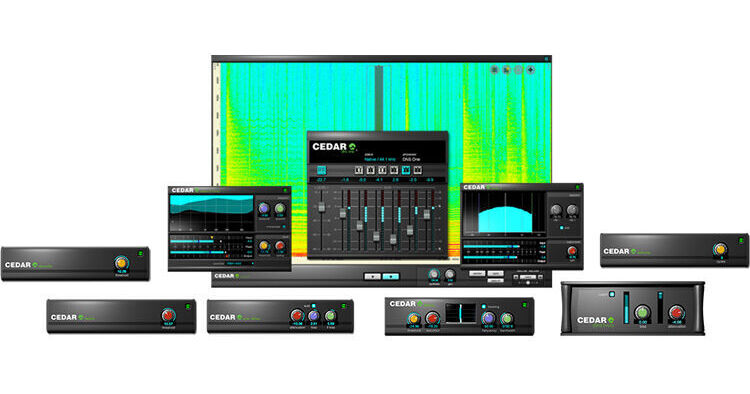


Containing all eleven Cedar Studio 9 processes, CEDAR Audio Cedar Studio 9 Complete is a plug-in bundle for advanced audio restoration and noise suppression. It includes the Cedar Studio 9 Retouch spectral-editor plug-in for removing individual sounds, correcting wrong notes, and much more. The Cedar Studio 9 Restore plug-in helps you eliminate clicks, crackle, and thumps, plus its built-in Adaptive Limiter is ideal for mastering and maximizing audio. The Cedar Studio 9 DNS plug-in gives you the ultimate tool for dialog noise suppression in film and TV post.
Part of CEDAR Studio suite of advanced audio processors, CEDAR Audio Retouch 9 is a spectral-editor plug-in compatible with most DAWs operating in AU, VST2, VST3, and AAX formats. With its enhanced Machine Learning and AI capabilities, it is the tool of choice for mastering studios, mix suites, post houses, forensic laboratories, and anyone else who needs to identify, isolate, and manipulate individual sounds within an audio file to eliminate a wide range of common problems and significantly improve the sound quality of their audio.
Unlike conventional restoration tools, Retouch 9 provides a wide range of time/frequency editing (TFE) capabilities and allows you to define the temporal and spectral content of the sound you want to remove. The software enables you to mark and process complex areas in its spectrogram using the types of tools commonly found in powerful photographic and image manipulation software. This makes it possible to identify all manner of sounds and noises, which can then be manipulated using any of the processing tools at your disposal.
Retouch is supplied as a standalone application to VST and AU users. No workstation or other host software is required.
Having identified all of the matches, you can then eliminate them using the appropriate Retouch tool. You can process them individually, authorizing and applying the chosen tool to each, or you can process all of the matches as a group. Retouch 9 will fly through the whole file in a tiny fraction of the time needed with human intervention.
Part of CEDAR Studio's suite of advanced audio processors, the CEDAR Studio Restore Plug-In combines eight advanced audio-restoration algorithms into a single package. Ideal for all your audio-processing needs, it enables you to eliminate a huge number of common problems encountered in film and TV post, whether you're transferring audio from old and damaged media, cleaning up soundtracks, or restoring material for broadcast. The software is compatible with most DAWs operating in AU, VST2, VST3, and AAX formats.
- Auto Dehiss embodies an advanced algorithm that is far less susceptible to the unwanted side effects sometimes called twittering, glugging, underwater sound, or even space monkeys.
- In short, it's able to determine the broadband noise content and remove it without the introduction of these unwanted artefacts. A manual mode is also offered for fine-tuning the results when wanted.
- Debuzz quickly and easily removes all manner of buzzes and hums with fundamentals as high as 500 Hz, and it can eliminate unwanted signal components across the entire audio spectrum.
- It will track wandering tones and, unlike traditional filters, can successfully restore audio without unwanted side effects such as limited bandwidth or hollow sound introduced by comb filters.
- Declip 2 effortlessly removes clipped samples and reconstructs the original signal, improving clarity, eliminating distortion, and restoring the original dynamic range of the damaged audio.
- This latest algorithm even tracks the clipping amplitude, so material that has later been processed with dynamics packages can still be restored.
- Manual Declick is ideal for restoring the extended scratches and clicks encountered on many audio media—film, tape, or disk, analog or digital.
- Unique dual algorithms optimized for long clicks and scratches remove noises such as those found on optical soundtracks, as well as dropouts and extended digital errors.
- Dethump eliminates the extended low-frequency thumps that cannot be restored using conventional declicking processes and filters.
- It replaces the unwanted sound with restored low-frequency audio and is the ideal tool for removing many of the previously intractable problems associated with optical soundtracks, cylinders, 78 rpm discs, and even modern recordings when, for example, microphones and stands are bumped.
- Adaptive Limiter 2 employs another unique algorithm developed by CEDAR that constrains the peak level of the output while retaining the integrity of the input.
- The result is a perfectly controlled signal that remains much more natural than audio processed using traditional limiters.
- Use it as an unsurpassed loudness maximizer with its advanced resampling and noise-shaping capabilities, ideal for mixing, final mastering, and other creative duties.
Part of CEDAR Studio suite of advanced audio processors, the CEDAR Audio Cedar Studio 9 DNS Plug-In is the world standard for dialog noise suppression in film and TV post. The plug-in includes both the DNS One and DNS Two processors, which utilize CEDAR's proprietary LEARN capability to allow the processes to adapt continually to changes in the unwanted noise, even when the wanted signal is present. Cedar Studio 9 DNS makes unusable interviews intelligible, helps save huge costs in ADR, and has rescued dialog for countless movies. The software is compatible with most DAWs operating in AU, VST2, VST3, and AAX formats.
- If you work with film dialog, the speed, flexibility, and ease of use of DNS One provides solutions to audio problems that you could not previously solve. It's the standard for multichannel postproduction in the film, video, and TV industries.
- It's also ideal for removing motor noise from recordings, for eliminating electrical interference, and for helping to clean up recordings suffering from unfavorable acoustics and poor microphone locations.
- Designed to emulate the DNS 2 hardware unit, the algorithm in DNS Two has already proved to be the quickest, simplest, and most effective dialog noise suppressor ever developed by the company.
- In almost all cases, using DNS Two is as simple as switching on LEARN and then adjusting the attenuation to obtain the desired amount of noise reduction. If you're working with location sound recordists and studios who use DNS 2s, DNS Two will allow you to replicate their work precisely and fine-tune the audio for the best possible results.
- LEARN allows DNS One and DNS Two to calculate an adapting estimate of the background noise level and determine suitable noise attenuations at each frequency for optimum suppression.
- LEARN is not a noise fingerprint, and you do not need to find a section of the audio that contains little or no wanted signal to take a noise measurement. Yes, you can use LEARN to take a snapshot of existing conditions, but its real power lies in leaving it switched on so that it can adapt to changes in the background and surroundings.
- With LEARN, DNS One and DNS Two retain the zero latency they have always boasted. LEARN not only adapts to changes in just a tiny fraction of a second, but it differentiates between the wanted signal and the noise, so you obtain superb noise suppression at all times.