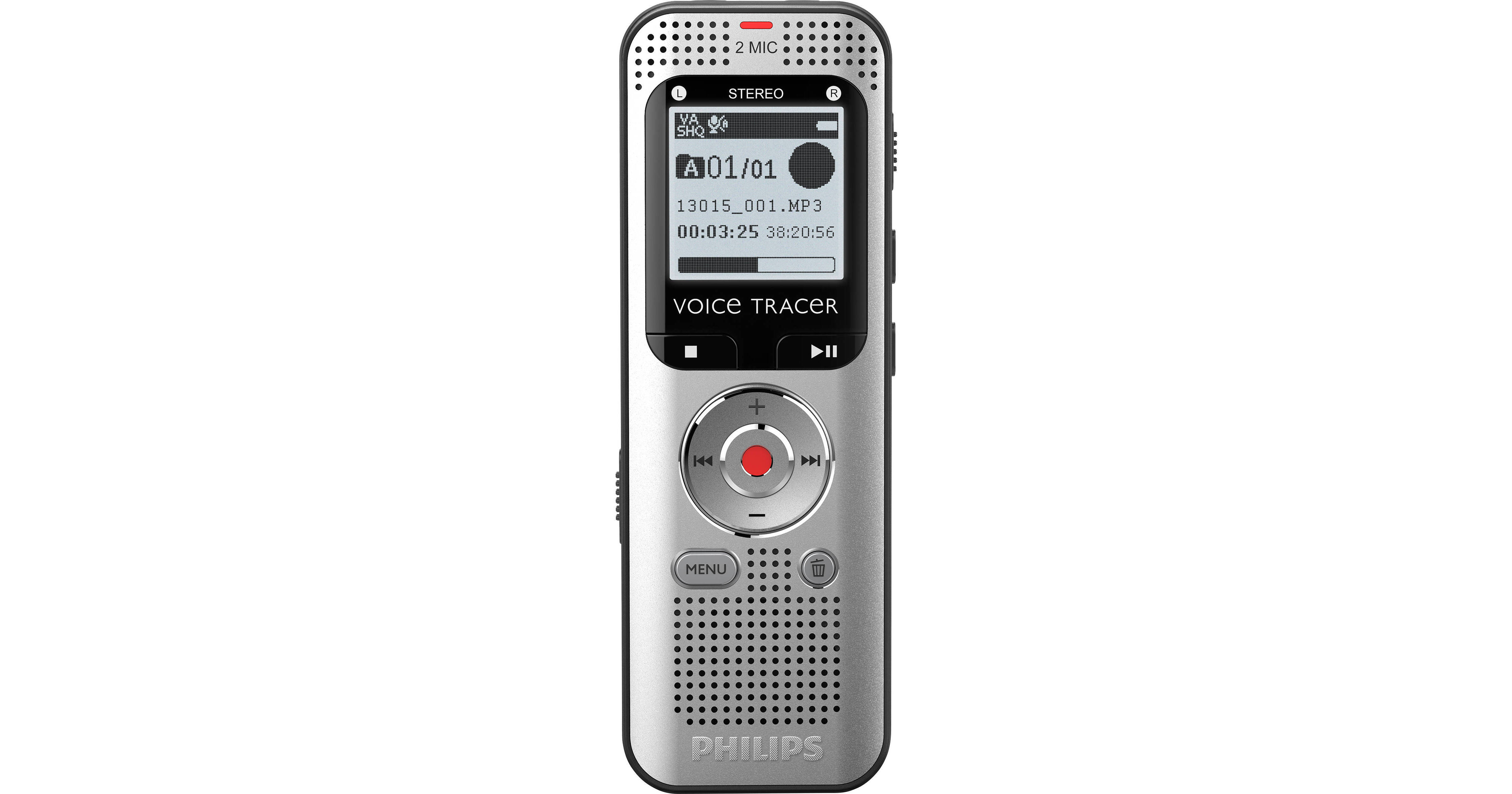
Philips DVT2015 VoiceTracer Audio Recorder

BH #PHDVT2015 • MFR #DVT2015
Print
Philips DVT2015 VoiceTracer Audio Recorder
Key Features
  • Stereo MP3 & PCM Recording
  • Two High-Quality Stereo Microphones
  • 8GB Internal Memory Storage
  • Automatically Converts Audio to Text
Capture voice recordings, full interviews, or take notes with the DVT2015 VoiceTracer Audio Recorder from Philips. This stereophonic MP3 and PCM recorder features two integrated high-quality microphones, and it can automatically convert audio to text. With 8GB of internal memory storage, the DVT2015 is ideal for capturing audio content on the go, but it also features an integrated microSD memory card slot for those times you need to perform extended recordings, such as concerts or unscripted interviews. Designed for ease of use, this plug-and-play device boasts a backlit display that provides quick file navigation even in low-light conditions. Full compatibility with Sembly AI speech-to-text software allows you to quickly share your content with colleagues, classmates, or family. A USB cable and set of small headphones are included in the package.
More Details
In Stock
No Store Display
Free 2-Day Shipping
Protect Your Gear
Add a protection plan from $16.00
Ask an Expert
800-606-6969

Philips DVT2015 Overview

Capture voice recordings, full interviews, or take notes with the DVT2015 VoiceTracer Audio Recorder from Philips. This stereophonic MP3 and PCM recorder features two integrated high-quality microphones, and it can automatically convert audio to text. With 8GB of internal memory storage, the DVT2015 is ideal for capturing audio content on the go, but it also features an integrated microSD memory card slot for those times you need to perform extended recordings, such as concerts or unscripted interviews. Designed for ease of use, this plug-and-play device boasts a backlit display that provides quick file navigation even in low-light conditions. Full compatibility with Sembly AI speech-to-text software allows you to quickly share your content with colleagues, classmates, or family. A USB cable and set of small headphones are included in the package.
High-Quality Stereo Microphones
The two high-quality stereo microphones deliver crystal-clear sound quality when recording notes, ideas, and thoughts on the go.
Stereo MP3 and PCM Recording
Capture your recordings in stereo MP3 or PCM format. The popular MP3 file format allows you to play back your files virtually anywhere and simply share them with others. The PCM (wav) format allows stereo recording of lossless, uncompressed sound in CD-like audio quality.
8GB Internal Memory Storage
With 8GB of built-in memory, your recorder is able to capture multiple days of continuous recording.
Quick Plug-and-Play Operation
The recorder requires no special installation. Simply plug your recorder into your computer and play back your files or transfer them right away.
Backlit Display for Easy File Navigation
The large backlit display allows you to see all important file information clearly at a glance. This makes file navigation easier, even in low-light situations.
microSD Memory Card Slot
Virtually unlimited recording capacity thanks to a microSD memory card slot supporting up to 32GB of additional memory.
Sembly Speech-to-Text Software Compatibility
Using the Sembly Speech-to-Text software is at least three times quicker than typing up the document yourself. Simply record your notes, interviews, or meetings, and upload them to Sembly to receive a written document almost instantly. The software can also create automatic meeting minutes, so you can focus on your conversation and not get distracted by having to take notes. Thanks to multi-speaker identification you can clearly identify who said what.
Share Your Voice or Meeting Recordings
You can easily share your voice recordings and transcripts with colleagues, family, or classmates by simply sending them a link. For increased privacy, you can add a password to your link.
UPC: 855971006878

Philips DVT2015 Specs

Key Specs
Recording Format
MP3, PCM (WAV)
Recording Time
PCM Stereo: 12 Hours
HQ Stereo: 90 Hours
SP Stereo: 297 Hours
SLP Stereo: 2370 Hours
Playback Formats
MP3
Speaker
Yes
Battery Type
2x AAA
Internal Memory
8 GB
Media/Memory Card Slot
Single Slot: microSD/microSDHC
Wireless
No
USB
Mini-USB 2.0
Recording
Mode
Stereo
Recording Format
MP3, PCM (WAV)
Bit-Rate
1536 kbps
192 kbps
64 kbps
8 kbps
Sample Rate
48 kHz
32 kHz
16 kHz
8 kHz
Recording Time
PCM Stereo: 12 Hours
HQ Stereo: 90 Hours
SP Stereo: 297 Hours
SLP Stereo: 2370 Hours
One-Click Recording
Yes
Voice Activated Recording
Yes
Microphone Type
Internal Stereo
Microphone Sensitivity
High/Low
Playback
Playback Formats
MP3
Bit-Rate
MP3: 8 - 320 Kbps
Speaker
Yes
Speaker Size
1.1" / 28 mm
Features
Tuner
Frequency Range: 87.5 to 108.0 MHz
Station Presets: 0
Auto Digital Tuning: No
Tuner Bands: FM Stereo
Display Size/Type
1.3" LCD Backlit with 112 x 112 Resolution
Power
Battery Type
2x AAA
Battery Life (approx.)
Recording: 40 Hours
Power Adapter
No
General
Internal Memory
8 GB
Media/Memory Card Slot
Single Slot: microSD/microSDHC
Audio Inputs/Outputs
1/8" / 3.5 mm Headphone Out
1/8" / 3.5 mm Microphone In
Wireless
No
USB
Mini-USB 2.0
OS Compatibility
Windows
macOS
Dimensions
4.4 x 1.5 x 0.7" / 111 x 38 x 19 mm
Weight
1.9 oz / 55 g
Packaging Info
Package Weight
0.345 lb
Box Dimensions (LxWxH)
6.6 x 5.2 x 1.6"

Philips DVT2015 Reviews

See any errors on this page?

Does it require special software to create text ...

Does it require special software to create text from speech?
Asked by: Richard
According to the manufacturer, the Philips DVT2015 VoiceTracer Audio Recorder (B&H # PHDVT2015) is designed to be compatible with the Sembly AI speech-to-text transcription software.
Answered by: Teddy B
Date published: 2024-11-22

How do I change it to record audio as mp3?

How do I change it to record audio as mp3?
Asked by: Mike
In order to record MP3 audio on the Philips DVT2015 VoiceTracer Audio Recorder, press Menu, and then navigate to the Record Settings menu using the fast-forward button. Next, use the +/- keys to navigate to Quality Settings, and select this function with the Record key. Finally, use the +/- keys again and select HQ, SP, or LP as the recording quality. The PCM setting will record WAV files, but all other recording quality settings will record MP3 files.
Answered by: Teddy B
Date published: 2024-01-03
  • y_2026, m_9, d_11, h_10CST
  • bvseo_bulk, prod_bvqa, vn_bulk_3.0.48
  • cp_1, bvpage1
  • co_hasquestionsanswers, tq_2
  • loc_en_US, sid_1777638, prod, sort_[SortEntry(order=HAS_STAFF_ANSWERS, direction=DESCENDING)]
  • clientName_bhphotovideo
Whatever You Need, We've Got It