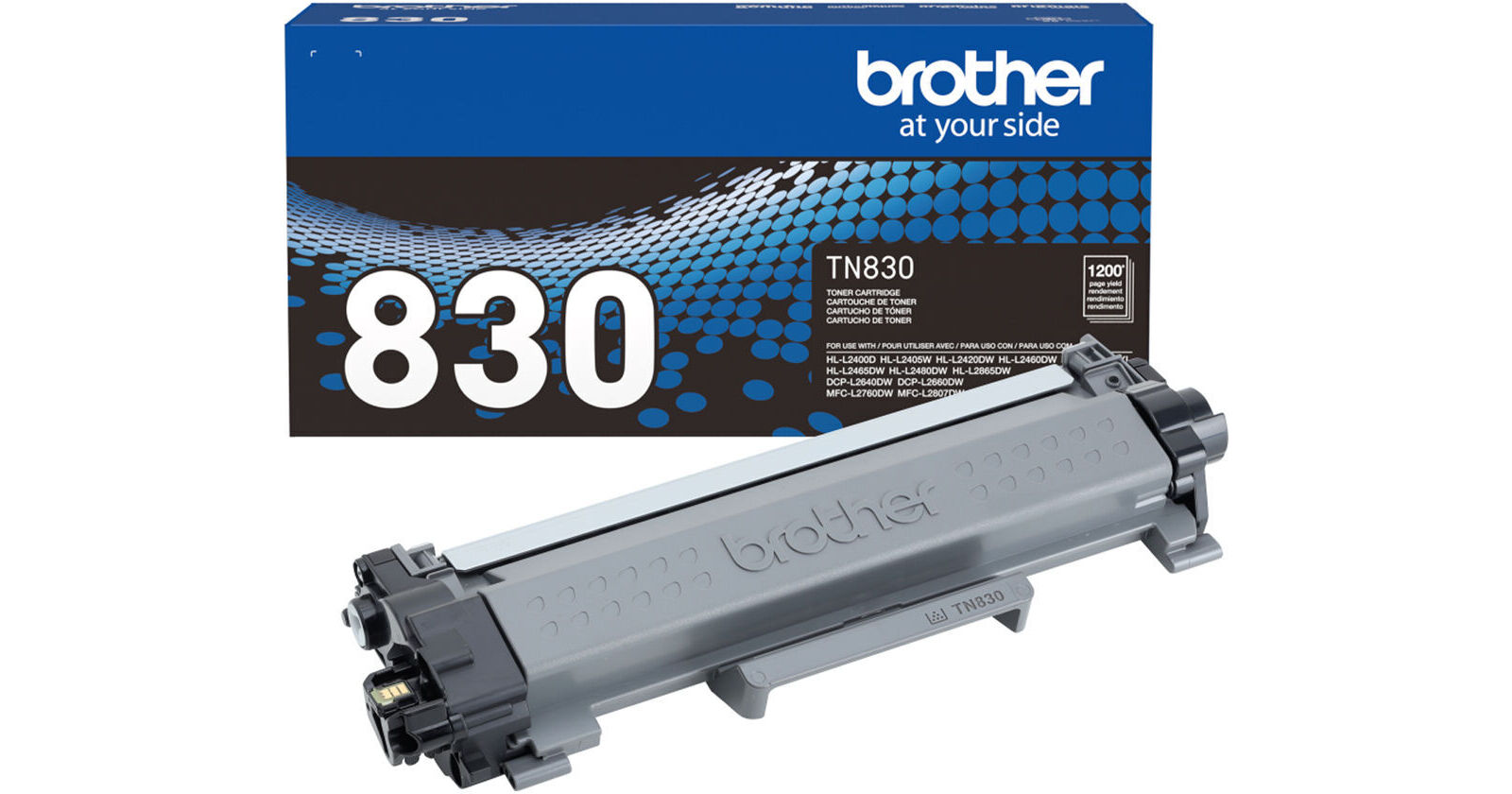
Brother TN830 Standard-Yield Black Toner Cartridge

BH #BRTN830 • MFR #TN830
Print
Brother TN830 Standard-Yield Black Toner Cartridge
Key Features
  • For Select Brother Multifunction and All-in-One Monochrome Laser Printers
Produce another 1200 pages with your Brother laser printer with this replacement TN830 Standard-Yield Black Toner Cartridge.
In Stock
No Store Display
$60.99

Shipping Restriction:

Calculate Shipping
Ask an Expert
212-444-6615

Brother TN830 Overview

Produce another 1200 pages with your Brother laser printer with this replacement TN830 Standard-Yield Black Toner Cartridge.

UPC: 012502673156
Brother TN830 Specs

Quantity
1 Cartridge
Printer Type
Laser Printers
Container Type
Laser Toner Cartridge
Color/Optimizer Type
Black
Page Yield
Black: 1200 Pages
Compatibility
Brother:
HL-L2405W
HL-L2420DW
HL-L2460DW XL
HL-L2465DW
HL-L2467DW
HL-L2480DW
HL-L2865DW
HL-L2400D
HL-L2460DW
DCP-L2640DW
DCP-L2647DW
MFC-L2760DW
MFC-L2807DW
MFC-L2820DW
MFC-L2820DW XL
MFC-L2900DW
MFC-L2900DW XL
MFC-L2980DW
Packaging Info
Package Weight
1.415 lb
Box Dimensions (LxWxH)
14.8 x 6.9 x 4.8"

Brother TN830 Reviews

Toner life is seriouly limited

By Hawkeye
Rated 1 out of 5
Date: 2026-05-01

Just bought the HL-L2460DW printer to replace my 20 yr old HL-1440 printer (which was very reliable and needed only 2 repairs during its life — it is actually ok but recently began misfeeding every 2 or 3 pages). The new printer is ok except for its limited toner longevity. After only 394 pages the report said toner was “low” and after only 465 pages it showed a “Replace Toner” message. This is a far cry from the advertised capacity of 1200 pages. It is also a far cry from the toner longevity in my old HL-1440 printer, which was actually several reams. The report says “Total Pages Printed,” 455. Very disappointing. Is the printer defective?

Scammy ink, decent printer

By Earthling
Rated 2 out of 5
Date: 2026-03-03

This printer prints well, HOWEVER...my "1200 page" genuine Brother toner cartridge only printed 452 single-sided pages (per the report from the printer itself). I understand that there will be some variance in number of pages promised based on density text/image printed, but that's almost 1/3 of what was advertised, and I'm not printing images. My other gripe is that no matter the number of tutorials I watch or settings I fiddle with, it WILL NOT print duplex. I mostly bought it because I needed a duplex printer. Two stars for the fact that when it works it is convenient.

See any errors on this page?

how to do you dispose of this item when it is ...

how to do you dispose of this item when it is finished?
Asked by: Alexander
You can print out a recycling label using the following link: https://www.brother-usa.com/brother-support/recycling-options
Answered by: Brother
Date published: 2025-11-11
  • y_2026, m_7, d_15, h_11CST
  • bvseo_bulk, prod_bvqa, vn_bulk_3.0.47
  • cp_1, bvpage1
  • co_hasquestionsanswers, tq_1
  • loc_en_US, sid_1809856, prod, sort_[SortEntry(order=HAS_STAFF_ANSWERS, direction=DESCENDING)]
  • clientName_bhphotovideo
Whatever You Need, We've Got It