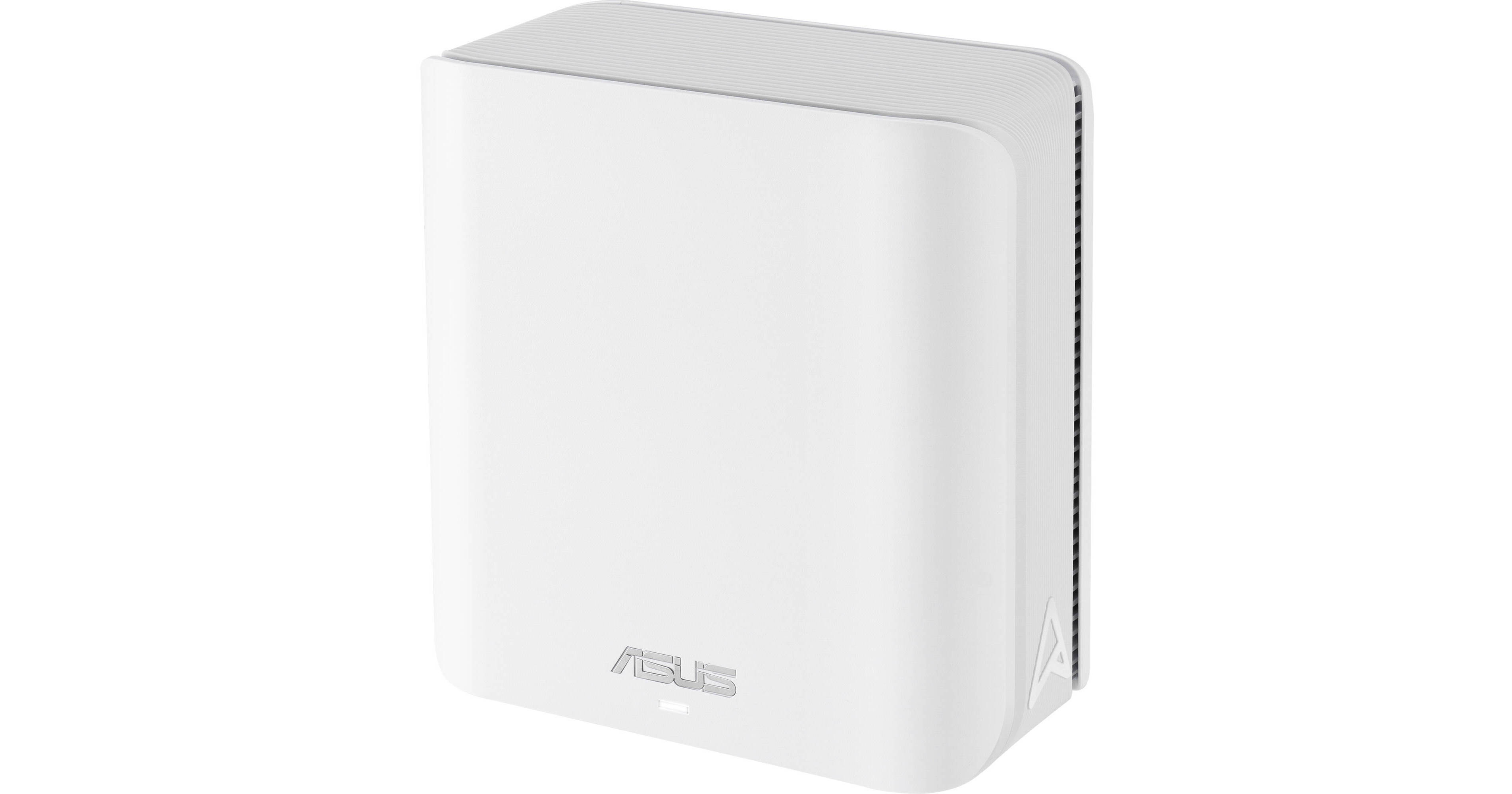
ASUS ZenWiFi BD5 BE5000 Wireless Dual-Band 2.5G Mesh Wi-Fi Module (White)

BH #ASZWIFIBD51P • MFR #BD5 (W-1-PK)
Print
ASUS ZenWiFi BD5 BE5000 Wireless Dual-Band 2.5G Mesh Wi-Fi Module (White)
Key Features
  • Wi-Fi 7 (802.11be)
  • Up to 5011 Mb/s Throughput
  • 2.4 GHz / 5 GHz (Dual-Band)
  • 4 x Internal Antennas
Enhance your home with fast and reliable wireless connections with the ZenWiFi BD5 BE5000 Wireless Dual-Band 2.5G Mesh Wi-Fi Module. Configurable as a router or satellite to existing mesh network, this white Wi-Fi 7 (802.11be) dual-band wireless mesh module is designed to deliver up to 5 Gb/s throughput over the 2.4 and 5 GHz bands with multi-link support, providing smooth 8K video streaming and low-latency gaming experiences.
More Details
In Stock
No Store Display
Free 2-Day Shipping
Protect Your Gear
Add a protection plan from $26.99
Quantity
Ask an Expert
800-606-6969

ASUS BD5 Overview

Enhance your home with fast and reliable wireless connections with the ZenWiFi BD5 BE5000 Wireless Dual-Band 2.5G Mesh Wi-Fi Module. Configurable as a router or satellite to existing mesh network, this white Wi-Fi 7 (802.11be) dual-band wireless mesh module is designed to deliver up to 5 Gb/s throughput over the 2.4 and 5 GHz bands with multi-link support, providing smooth 8K video streaming and low-latency gaming experiences.

Simply connect either of the two autosensing 2.5G Ethernet ports to your broadband modem to use it as a router. Otherwise, you can also use them to connect computers, smart TVs, video game consoles, and other wired devices. Connecting ZenWiFi BD5 modules directly to each other through their Ethernet ports creates a wired backhaul that provides reliable connections to overcome thick walls. A mesh network operates using a single network ID (SSID), which allows for uninterrupted video streaming, gaming, and web browsing as you to move from room to room. Use the ASUS Router app on your Android or iOS device to configure your network, including guest logins and parental controls. You can also connect to your home network via a VPN for additional security when using a public Wi-Fi hotspot.

Fast Wi-Fi
Featuring four internal antennas with support for the 160 MHz channels, the ASUS ZenWiFi BD5 is designed to deliver a total throughput of up to 5 Gb/s with compatible devices. Beamforming, MU-MIMO, OFDMA, and dual-band multi-link technologies help to provide strong, long-range connections.
Dual-Band Multi-Link
Multi-Link Operation (MLO) technology enables buffering-free connections by intelligently combining and switching between the 2.4 GHz and 5 GHz bands.
Efficient 4096-QAM Transmission
4K-QAM technology boosts data transmission rates by up to 20% over Wi-Fi 6/6E due to its higher QAM, which packs signals more densely, allowing for more data to be uploaded and downloaded in the same time frame as before.
Easy Setup
Download and install the ASUS Router app to configure, manage, and monitor your network with guest logins and parental controls. You can also use it to generate usage reports for a visual overview of your network.
Effortless Network Segmentation
The powerful and user-friendly Smart Home Master tool allows you to configure multiple SSIDs for easier group and device management. For instance, you can create separate SSIDs for your children's devices, connecting them to a VPN through a dedicated subnetwork, and dedicate one secure SSID for your IoT devices.
Commercial-Grade AiProtection Pro
Stay safe with AiProtection Pro powered by Trend Micro, which shields your smart home network with feature-rich controls and management empower every household member to securely manage their connected devices. Additionally, advanced encrypted connection protects your online activity and data, keeping them private and secure.
Comprehensive VPN Features
Supporting various VPN protocols including the Wireguard for optimal performance, the ZenWiFi BD5 lets you browse securely on public Wi-Fi or access your home network remotely. Its site-to-site VPN feature even lets you securely connect routers across different networks for seamless data transfers.
Instant Guard
When away from home, ASUS Instant Guard gives you a one-tap secure VPN, and you can easily share it with your family and friends through a URL link to provide the same VPN protection at no additional cost.
Advanced Parental Controls
Built-in, subscription-free parental controls empower you to balance your kids' digital life by monitoring their activity, scheduling online time, and filtering out unwanted content.
UPC: 197105627796

ASUS BD5 Specs

Key Specs
Wi-Fi
Wi-Fi 7 (802.11be); Dual-Band (2.4 & 5 GHz)
Throughput
5000 Mb/s Total
2.4 GHz: 688 Mb/s 
5 GHz: 4323 Mb/s
Networking I/O
2 Total Connections Supporting up to 2.5 GbE
Wireless
Wi-Fi
Wi-Fi 7 (802.11be); Dual-Band (2.4 & 5 GHz) with MU-MIMO Support (2 x 2)
Number of Antennas
2x Internal
Supported Protocols
Auto-MDIX/MDI
DHCP Server
DMZ
IGMP Snooping
IPv4
IPv6
Link Aggregation
Antenna Placement
Internal
Bluetooth
No
Performance
Throughput
5000 Mb/s Total
2.4 GHz: 688 Mb/s 
5 GHz: 4323 Mb/s 
Interface
Networking I/O
2x RJ45 2.5 GbE WAN/LAN
Security
Wireless Security
WPA, WPA-Enterprise, WPA2, WPA2-Enterprise, WPA3, WPS
Lock Slot
No
Management
Operation Modes
Mesh and Wireless Router
Mobile App Compatible
Yes: Android & iOS
Hardware
RAM
512 MB
Storage Capacity
128 MB
CPU
Quad-Core: Up to 1.5 GHz
Supported IEEE Standards
802.11a, 802.11ac, 802.11ax, 802.11b, 802.11be, 802.11g, 802.11n
Electrical
Input Power
100 to 240 VAC, 50 / 60 Hz
General
Environmental Resistance
No
Dimensions
7.9 x 4.2 x 4.2" / 200 x 106 x 106 mm
Weight
36.7 oz / 1040 g
Packaging Info
Package Weight
1.87 lb
Box Dimensions (LxWxH)
10.4 x 6.9 x 3.1"

ASUS BD5 Reviews

Disappointed

By Amy
Rated 1 out of 5
Date: 2026-07-15

I purchased this to get a reliable Wi-Fi signal out to the far end of my pool deck. Unfortunately, this doesn't despite getting a decent Wi-Fi signal from the house BD8

Ai-Mesh Bundle pack

By Sam-Wise
Rated 4 out of 5
Date: 2025-09-23

Purchased a bundle set with this as the Ai Mesh Node, and the TR-BE92U as the main router. It took several hours to get both routers to cooperate with each other. They kept trying to be the one and only. Several hours spent reading the FAQs, downloaded and installed the latest firmware and other software to help them work better. In the end, I was able to figure it all out, and am happier for it. I do not recommend getting these routers unless you like digging into the threads online to learn what each option means, and there are a ton of them, and what to just leave alone. Again, happy now, but frustrating time getting there.

See any errors on this page?
Whatever You Need, We've Got It