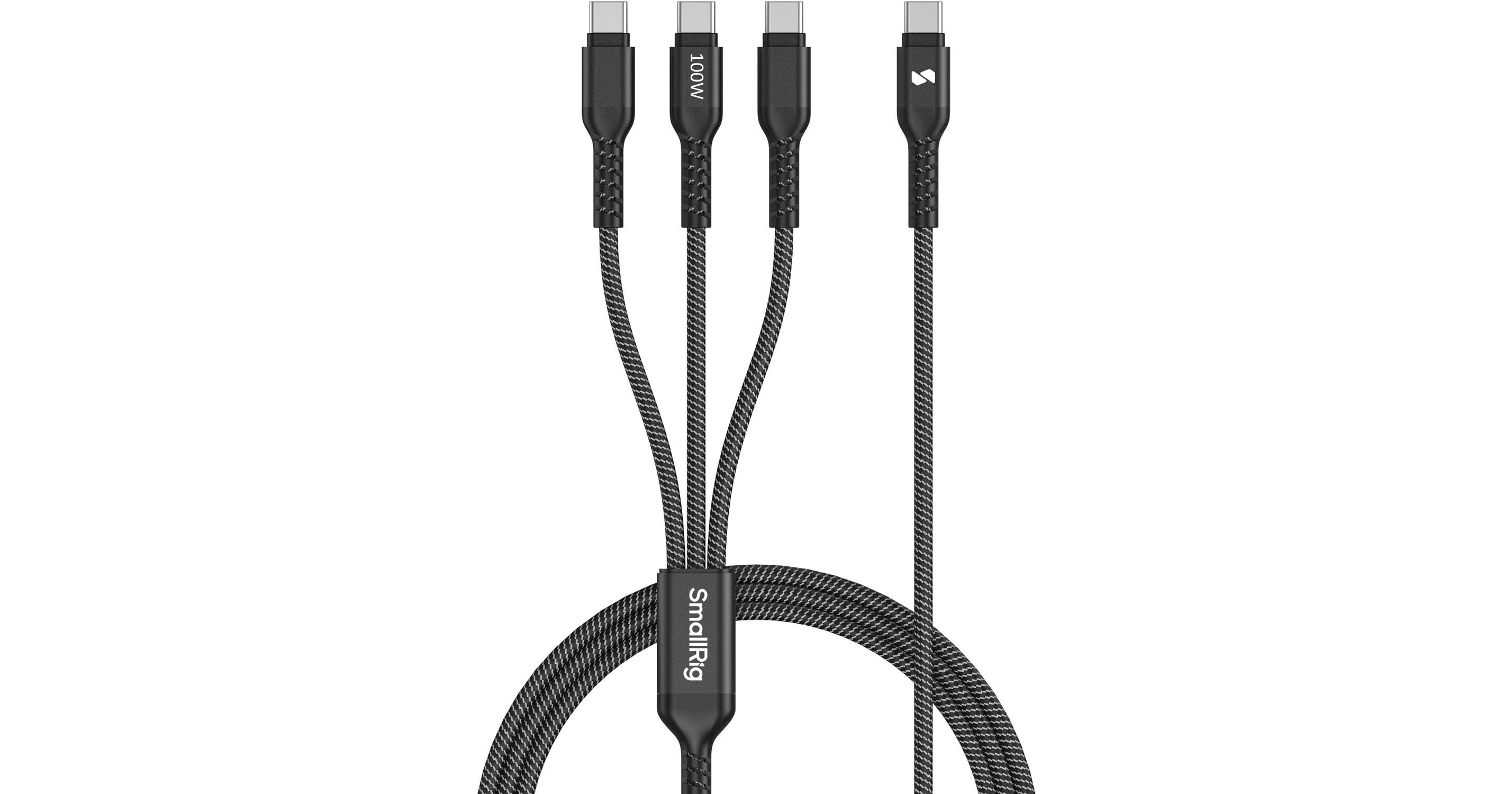
SmallRig 3-in-1 USB-C Power Cable (3.9')

BH #SM5079 • MFR #5079
Print
SmallRig 3-in-1 USB-C Power Cable (3.9')
Key Features
  • 1 to 3 USB-C Male Connectors
  • Up to 100W Charging
  • Braided Jacket
  • Up to 480 Mb/s Data Transfers
Skip the hassle of carrying around multiple cables by charging up to three devices at once with the 3-in-1 USB-C Power Cable from SmallRig. Supporting up to 100W fast charging, this charging cable features three USB-C connectors on one end while the other end plugs into a separately purchased power adapter.
More Details
In Stock
No Store Display
Ask an Expert
800-606-6969

SmallRig 5079 Overview

Skip the hassle of carrying around multiple cables by charging up to three devices at once with the 3-in-1 USB-C Power Cable from SmallRig. Supporting up to 100W fast charging, this charging cable features three USB-C connectors on one end while the other end plugs into a separately purchased power adapter.

This cable also supports up to 480 Mb/s USB 2.0 data transfers. The water-resistant braided jacket and sturdy metal connectors add extra peace of mind while traveling. A convenient cable tie is included.

SmallRig 5079 Specs

Interface
USB 2.0 (480 Mb/s)
Connector 1
1x USB-C Male
Connector 2
3x USB-C Male
Cable Length
3.9' / 1.2 m
Active/Passive
Active
Rated Power Support
100 W
Color
Black
Packaging Info
Package Weight
0.205 lb
Box Dimensions (LxWxH)
7.65 x 5.3 x 1"

SmallRig 5079 Reviews

Excellent product, sturdy

By Bill
Rated 5 out of 5
Date: 2026-07-14

This product is excellent, and I am about to buy two more. It is sturdy and has a brain dead (that Siri! I said braided cable). I have only one comment: when I plug the single headed end into my 96 W USB-C laptop power supply and I plug the hundred watt charging cable into my MacBook USB-C port for charging, the laptop goes into a cycle in which it beeps shows a message on the screen which then goes away and the machine goes silent. This cycle repeats every 10 seconds or so. It does not seem to be harmful to the laptop, and I can silence the beep with the mute button.

See any errors on this page?
Whatever You Need, We've Got It