Ask Our Experts800-606-6969
Hello, Log InAccount & Orders
Key Features
- 2 x 3.5/2.5" SATA HDD/SSD Drive Bays
- 2.0 GHz Intel Celeron J4125 Quad-Core
- 2GB DDR4 RAM
- 1 x 2.5GbE Port | 1 x 1GbE Port
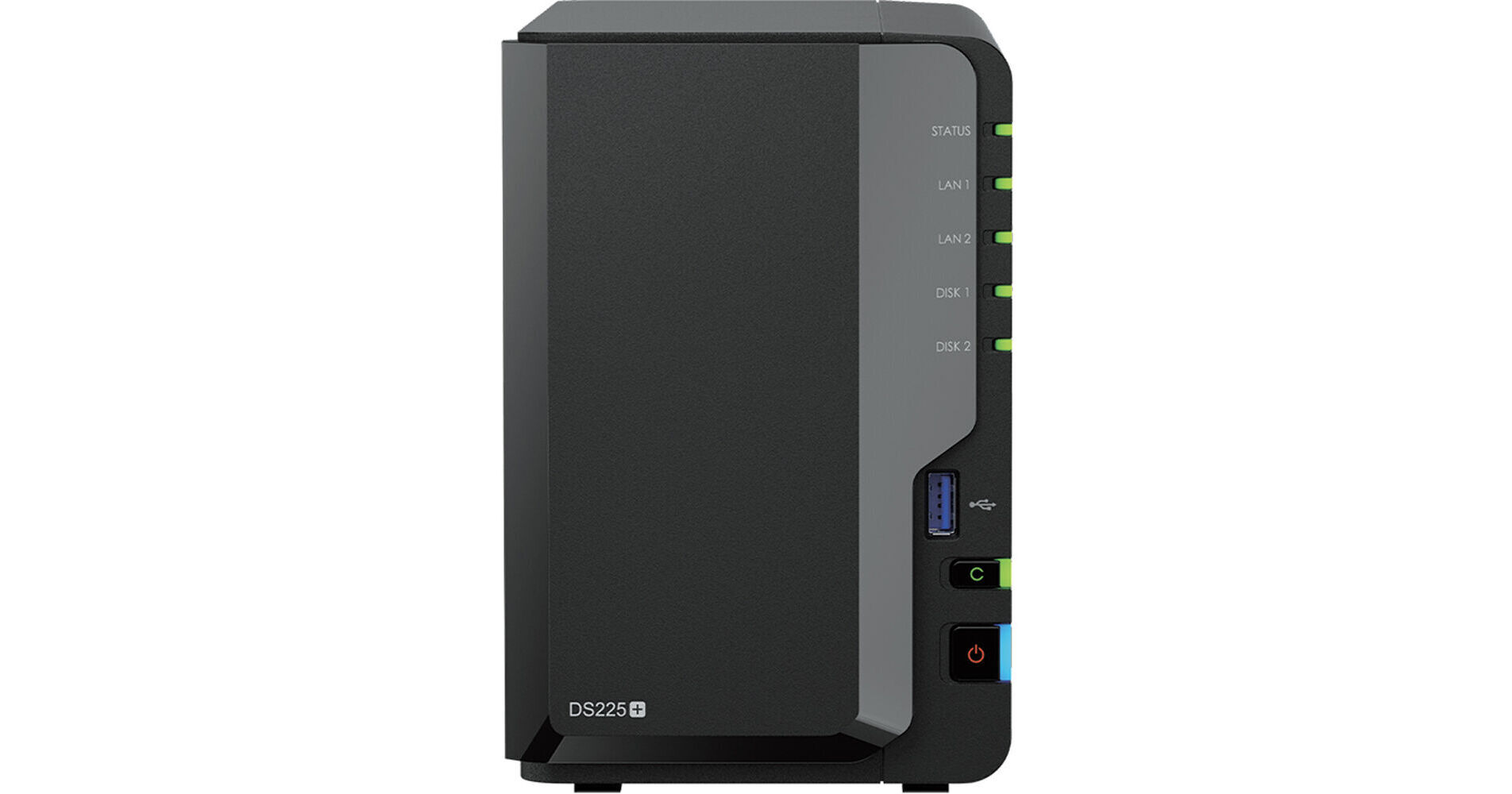
Built with a quad-core processor, a hardware encryption engine, and Btrfs file system support, the DiskStation DS225+ 2-Bay NAS Enclosure from Synology is a compact NAS designed to centralize data management, offering a comprehensive suite of tools through Synology DiskStation Manager (DSM) for managing, sharing, and protecting files and photos, backing up devices and data, and serving as the core of a smart surveillance system. The DS225+ is equipped with two drive bays that are capable of natively supporting 3.5" SATA hard drives as well as 2.5" SATA hard drives and SSDs. Using its two drive bays, this NAS will allow you to store and share a large number of files with multiple user accounts.
More DetailsIn Stock
Protect Your Gear
Add a protection plan from $31.99
See Options
See any errors on this page?
Will it run Plex Server native?
Will it run Plex Server native?
The Synology DiskStation DS225+ 2-Bay NAS Enclosure, B&H # SYDS225P, can run a Plex server natively; keep in mind that it does not support hardware transcoding. Synology made the decision to remove GPU access in DSM for all x25+ NAS models.
Date published: 2026-06-16
Can drives of different sizes be used together?
Can drives of different sizes be used together?
In any RAID configuration, when using disks of different sizes, it will be as if the capacity of each drive is equal to the lowest capacity drive. If you want to mix drives of different capacities inside this Synology DiskStation DS225+ 2-Bay NAS Enclosure, you can configure it as JBOD (just a bunch of disks). In JBOD configuration, the full capacity will be available from each drive, but that comes without the main benefits of RAID storage.
Date published: 2026-06-16
What's the maximum size disk drive recommended?
What's the maximum size disk drive recommended?
The Synology DiskStation DS225+ 2-Bay NAS Enclosure can handle each individual drive up to 20 TB.
Date published: 2026-06-16
Does it support 3rd party disk such as Seagate or
Does it support 3rd party disk such as Seagate or WD?
As of 7-15-26, the Synology AI advisor (the search bar on the Synology website) says "...Synology‐branded NAS devices do not require you to use only Synology‐brand hard drives." I asked the compatibility of my own drives and the Synology AI advisor says "Yes – the Toshiba 10 TB N300 Pro CMR 3.5″ HDD can be used in a Synology DS225+. It will work for new installations, storage‐pool creation, and migration." It goes on to tell me the procedure to install. If you go to the compatibility list directly however, the only drives that show up are Synology branded. Once I installed these drives, if they don't work, I will update this answer.
Date published: 2026-07-15
Does this come with any hard drive pre installed?
Does this come with any hard drive pre installed?
The Synology DiskStation DS225+ 2-Bay NAS Enclosure (B&H # SYDS225P) is sold without any storage drives. This is strictly a NAS enclosure, and you'll need to buy the storage separately.
Date published: 2026-06-16