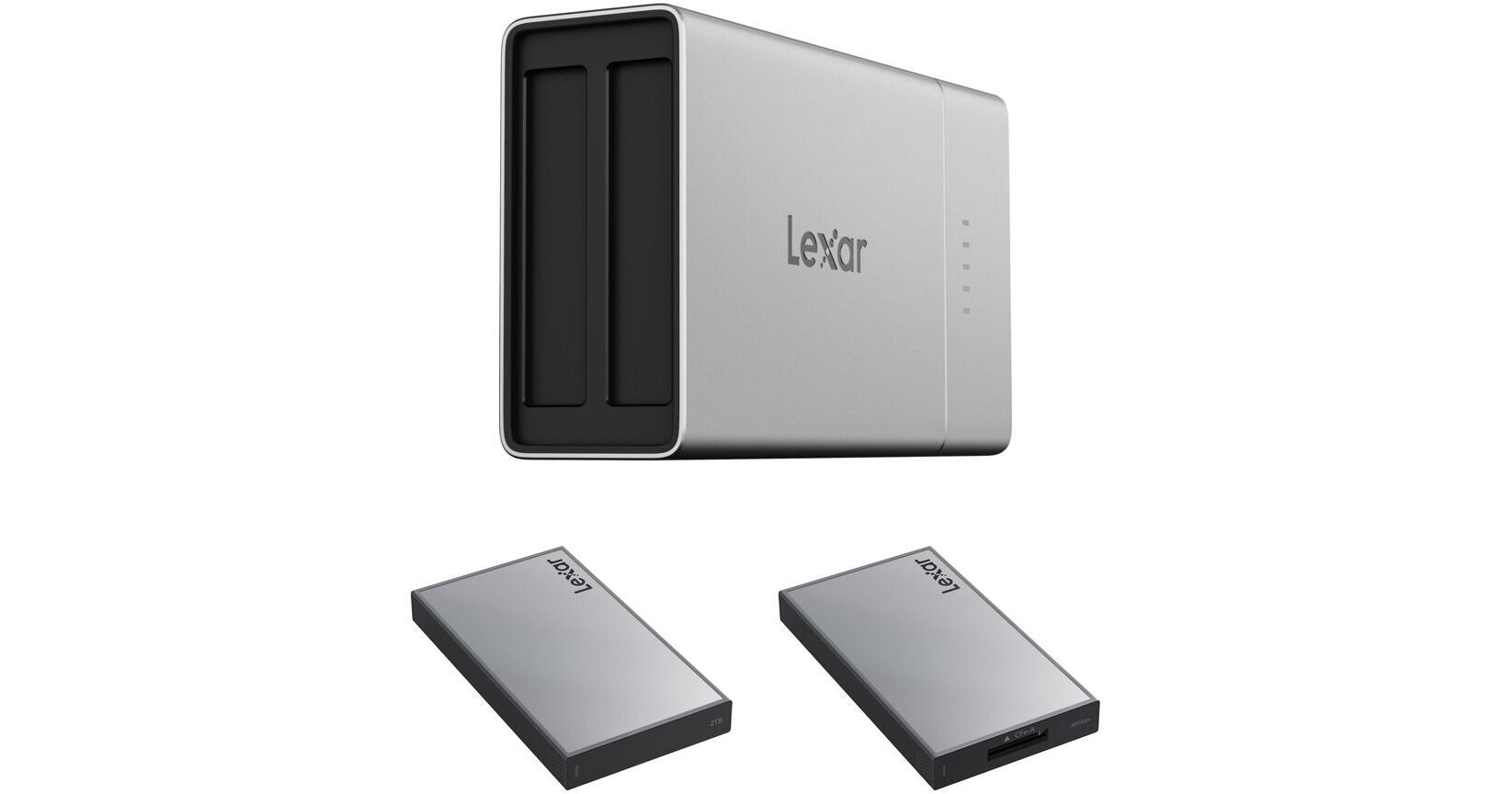
Lexar Professional Workflow Go Docking Station with 2TB SSD and CFexpress 4.0 Type A Card Reader

BH #LEPWRKFLWGB2 (B&H Kit)
Print
Lexar Professional Workflow Go Docking Station with 2TB SSD and CFexpress 4.0 Type A Card Reader
Key Features
  • Includes Go Docking Station
  • Includes 2TB SSD
  • Includes CFx 4.0 Type A Card Reader
  • Two 10 Gb/s Lexar Accessory Bays
This B&H Kit bundles a Lexar Professional Workflow Go Docking Station with a Lexar 2TB Professional Workflow Portable SSD and a Lexar Professional Workflow CFexpress 4.0 Type A Card Reader.
More Details
In Stock
Free 2-Day Shipping
Protect Your Gear
Add a protection plan from $44.99
Ask an Expert
800-606-6969
See any errors on this page?

Do you have to use Lexar's SSD drives or can you ...

Do you have to use Lexar's SSD drives or can you plug your own SSD into the USB-C port?
Asked by: Stuart
It works fine with the three different USB SSDs I tried it with. It doesn't work with Thunderbolt-based drives, because they draw too much power. Which is a shame because my Sandisk G40 plugs right into one of the slots
Answered by: Seth
Date published: 2025-11-06

Can this be used with an iPhone w/Lightning connec

Can this be used with an iPhone w/Lightning connector? What kind of adapter would be required? Thank you!
Asked by: Frank
The Lexar Professional Workflow Go Docking Station, which includes a 2TB SSD and a CFexpress 4.0 Type B Card Reader (B&H # LEPWRKFLWGB1), is intended for use with devices that feature USB Type-C connectivity. While you can use an iPhone with a Lightning connection by employing an adapter, I strongly recommend against this option. The speeds will be limited to USB 2.0 (480 Mbps), which is frustratingly slow.
Answered by: Miguel M
Date published: 2026-04-22

Is it possible to use the Lexar go docking ...

Is it possible to use the Lexar go docking station with a universal SD card reader?
Asked by: Massimo
The Lexar Professional Workflow Go Docking Station with 2TB SSD and CFexpress 4.0 Type B Card Reader can be used with the Lexar Professional Workflow UHS-II SD/micro SD Card Reader, B&H # LEPWFSMSDU2R.
Answered by: Kenneth C
Date published: 2026-05-28

Docking Station itself all ports is 10GBps ? each

Docking Station itself all ports is 10GBps ? each module bay in this portable 2‐bay unit also runs at USB 3.2 Gen 2 (10 Gbps) ?
Asked by: KUN HONG
Hello, I am considering purchasing the Lexar Workflow Go Docking Station for remote photography trips (Canon R5 with CFexpress Type B cards). Before purchasing, I would like to clarify a few practical points regarding standalone backup operation with a smartphone/tablet: 1. Is it possible, through the mobile app, to copy/select only specific files or folders from the CFexpress card instead of copying the entire card? 2. Can the system recognize previously copied files and avoid duplicate transfers during subsequent backups? 3. Does the Workflow Go work reliably with CFexpress Type B cards connected through the Lexar CFexpress Type B reader module? 4. What are the realistic transfer speeds when copying from a CFexpress Type B card to the internal SSD while using the mobile app / standalone workflow? 5. Is the system stable and suitable for field use in remote environments (dusty/off-road/travel situations) without a laptop? Thank you very much for your help.
Answered by: Massimo
Date published: 2026-05-25

Does this work with the Angelbird 2TB SSD2GO PKT ...

Does this work with the Angelbird 2TB SSD2GO PKT USB 3.2 Gen 2x2 Portable SSD?
Asked by: Yusef
I just purchased the Lexar Docking Station and CFe B card reader. I have several SSDs and the USB models (Sandisk & Crucial) all worked fine, plugged into the USB-C port on the Dock. The two Thunderbolt SSDs did not. They drew too much power (that was the message I got from the app on my iPhone). So you don't NEED to use the Lexar SSD.
Answered by: Seth
Date published: 2025-10-31

Does this only have cf express card readers for ...

Does this only have cf express card readers for one of the two internal bays or will they have an sd reader as well?
Asked by: Justin
In addition to the CFexpress (A & B), there is a Dual-slot SSD card reader and Dual slot SSD/Micro SSD card reader.
Answered by: Richard
Date published: 2025-12-08
  • y_2026, m_6, d_2, h_13CST
  • bvseo_bulk, prod_bvqa, vn_bulk_3.0.46
  • cp_1, bvpage1
  • co_hasquestionsanswers, tq_6
  • loc_en_US, sid_1908840, prod, sort_[SortEntry(order=HAS_STAFF_ANSWERS, direction=DESCENDING)]
  • clientName_bhphotovideo
Whatever You Need, We've Got It