Ask Our Experts212-444-6615
Hello, Log InAccount & Orders
Key Features
- 2560 x 1440 Resolution at 30 fps
- 140° Diagonal Angle of View
- Compact Design
- Built-In G-Sensor
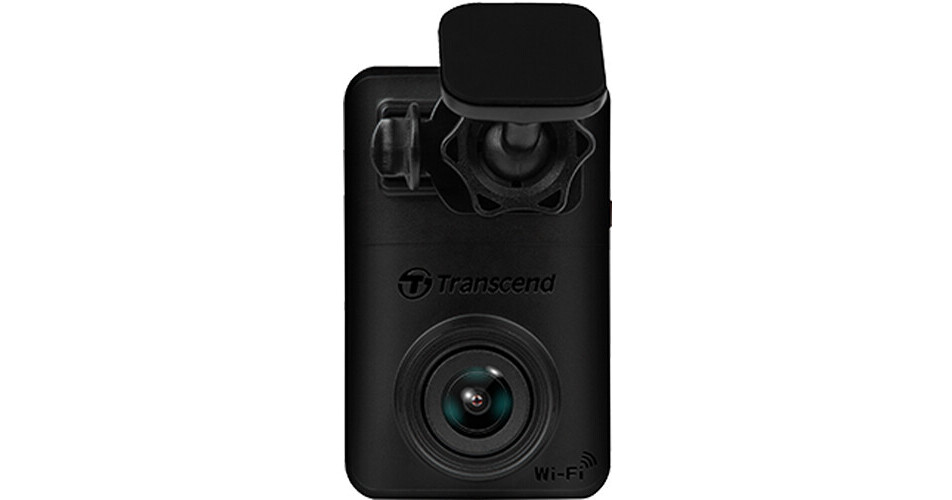
Mount the DrivePro 10 2K QHD Dash Camera from Transcend on your vehicle's windshield to record video of the road. This unit uses a high-sensitivity image sensor to capture 2560 x 1440 resolution video at 30 fps from a 140° diagonal angle of view. A built-in G-sensor will trigger emergency recording with overwrite protection in the event of impact. Additionally, an internal LiPo battery will deliver uninterrupted power to the DrivePro 10, ensuring that video will continue to be recorded in the event of an accident, including when the vehicle is off.
More DetailsWi-Fi connectivity enables real-time footage playback and downloads via the DrivePro app for iOS and Android. An onboard memory card slot supports microSD cards up to 128GB (64GB card included).
In Stock
$109.00
Protect Your Gear
Add a protection plan from $18.50
See Options
See any errors on this page?
when does it start to record, how long?
when does it start to record, how long?
After the car engine is switched on, the Transcend DrivePro 10 1080p Dash Camera with 32GB microSD Card BH #TRTSDP10A32G will automatically turn on and start recording.
By default, one video file is saved for every one minute of recording. To adjust the recording length, go to Settings in the DrivePro app. After the car engine is switched off, the DrivePro will automatically save the current recording and power off.
Note: Lighter sockets of some types of vehicles will still supply power after the car engine is turned off.
If your car is of this type, please unplug your dashcam from the lighter socket to avoid unnecessary
power consumption and unexpected issues.
4-2 Emergency Recording
30% of the storage space will be saved for emergency video files. Video files recorded in emergency
mode are protected from being overwritten.
Manual Event Recording: During video recording, press the emergency button on the side of the
DrivePro to manually activate Emergency Recording. The LED indicator will start flashing (either red
or blue) quickly.
G-Sensor Event Recording: During video recording, the DrivePro will automatically activate
Emergency Recording when detecting a collision.
If the G-Sensor sensitivity is set to “High”, even minor shocks will activate Emergency
Recording mode.
If the G-Sensor sensitivity is set to “Low”, only significant shocks will activate Emergency
Recording mode.
G-Sensor sensitivity can be adjusted or disabled in Settings in the DrivePro app.
Note: The earliest emergency file saved will be overwritten by the latest emergency file recorded
once the 30% storage space is full
The included 32GB memory card will yield about 9 hours of 1080p/60 video.
Date published: 2022-07-29
Is this 1080p or 1440p (v2) version of DrivePro ...
Is this 1080p or 1440p (v2) version of DrivePro 10 dashcam?
The Transcend DrivePro 10 Dash Camera with 32GB microSD Card, B&H # TRTSDP10A32G, can record up to 1440p resolution.
Date published: 2024-09-08
I have the Drive Pro 250, can I add the DP10 to ...
I have the Drive Pro 250, can I add the DP10 to it ?
Or, do I need to purchase the DP620 bundle ?
Thanks ... J