Video Chat with a Pro Audio Expert - Live

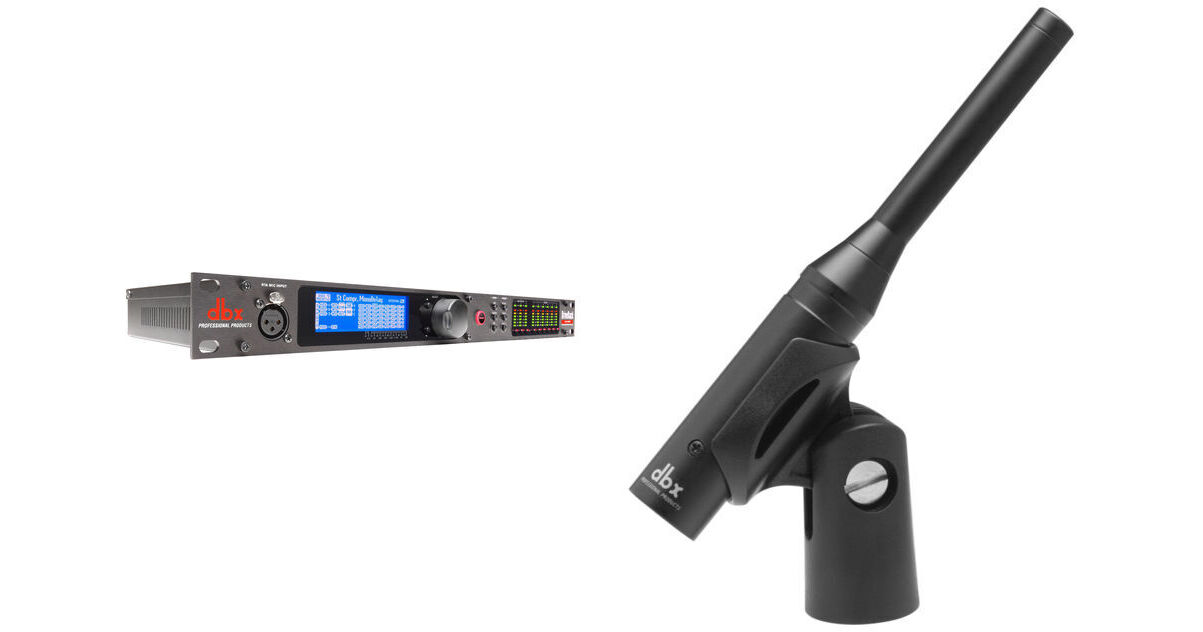
dbx DriveRack VENU360 Loudspeaker Management System Kit with Reference Microphone

BH #DBVENU360K (B&H Kit)
Print
dbx DriveRack VENU360 Loudspeaker Management System Kit with Reference Microphone
Key Features
  • 5 x 6 Routing / 3 x 6 Signal Processing
  • Enhanced AFS Feedback Elimination
  • AutoEQ for Room Equalization
  • dbx Compression/Limiting
Professionally tune your sound system with this B&H Kit which combines the dbx DriveRack VENU360 Loudspeaker Management System with an omnidirectional reference microphone used to capture audio and fine-tune the acoustic performance to live sound and studio recording.
More Details
Temporarily Out of Stock
Free 2-Day Shipping
Ask an Expert
800-606-6969
Kit Contains:

Professionally tune your sound system with this B&H Kit which combines the dbx DriveRack VENU360 Loudspeaker Management System with an omnidirectional reference microphone used to capture audio and fine-tune the acoustic performance to live sound and studio recording.

dbx DriveRack VENU360 Loudspeaker Management System

The DriveRack VENU360 from dbx is a loudspeaker-management processor designed to protect and optimize front-of-the house, stage monitor, delay-fill, and zone loudspeaker systems in clubs, outdoor music events, or houses of worship.

Connect the VENU360 between your mixer and amplifiers/powered speakers, and use it for precise feedback elimination, automatic speaker level and room equalization, crossover-frequency setting, dbx compression/limiting, driver alignment delay, and more.

The unit provides a 5 x 6 routing/mixing matrix (using four AES signals and one analog signal) and a 3 x 6 signal processing chain. The 24-bit A/D and D/A converters with dbx Type IV conversion protect the incoming audio signal from accidental digital clipping at the A/D stage, while the 32-bit floating point, 48 / 96 kHz internal processing produces professional audio quality with high headroom and wide dynamic range.

For easy operation, the Wizard functions guide you through simple, step-by-step processes to help you quickly configure the unit. For more control, you can use the manual mode which lets you customize each parameter separately. A large, bright, LCD display and nine 6-segment signal meters provide easy-to-read visual feedback. Additionally, the free DriveRack VENU360 control application offers network control via the built-in Ethernet port, and is available for iOS, Android, Mac, and Windows-compatible devices.

Provides a 5 x 6 routing/mixing matrix with a 3 x 6 signal processing chain
24-bit A/D & D/A converters with dbx Type IV conversion and 48 / 96 kHz, 32-bit floating-point processing – with sample rate conversion
Setup Wizard for easy system configuration and Level Assist Wizard for system level balancing
AutoEQ Wizard for fast & accurate room equalization using 10-band parametric EQ; further user adjustments can be made to bands 11 to 14
AFS Wizard for easy & accurate feedback suppression
Support for multi-mono, stereo, LCR, & aux-fed sub input configurations
Selectable 31-Band graphic EQ or 12-band parametric EQ with narrow notch capabilities for speaker tuning
Input Delay processing for aligning the sound system of the stage backline, and Fill Delay processing for balcony & tower delays – up to 3000 ms total cascaded delay time (3 x configurable delay modules at 1000 ms each)
dbx compression with dbx PeakStopPlus output limiters
Crossover with support for full range up to mono 6-way configurations – selectable crossover filter types & slope rates with adjustable polarity & variable phase control
Noise Gate to remove unwanted low-level noise in sound system
Subharmonic Synthesis for deep, punchy bass
3 x XLR inputs (selectable between 4 x AES or 3 x analog input channels), and 6 x analog outputs
Front-panel RTA mic input with 48V phantom power
Built-in signal generator & RTA for system fine-tuning & troubleshooting
Large, bright, easy-to-read LCD display and 6-segment signal meters with input clip & output limiter indicators
25 x factory / 75 x user presets with various speaker & amplifier tunings included
Network control via the free VENU360 Control Application for iOS, Android, Mac & Windows-compatible devices
UPC: 691991033797
dbx RTA-M Reference Microphone

The RTA-M Reference Microphone from dbx is an omnidirectional mic designed for use with dbx DriveRack series real-time analyzers (sold separately) to provide an acoustic picture of a room. It can be used to capture audio and fine-tune your sound system performance to match the response characteristics of the room for live sound and recording applications. In addition, the RTA-M is built with a metal housing, requires phantom power (9 to 52 VDC), and includes a mic clip along with a hardcover case.

Flat frequency response
Omnidirectional polar pattern
Designed for the DriveRack series
Accurate "pinking" / real-time analysis of your audio
It runs on phantom power (supplied by the DriveRack units) and comes with a clip and case
UPC: 691991400421
Kit Contains:

dbx DriveRack VENU360 Loudspeaker Management System

Inputs
Number of Inputs: 3 x analog line inputs / 2 x AES digital inputs (shared connectors), 1 x RTA mic input

Connectors: 3 x female XLRs (2 x selectable between analog / AES digital audio formats), 1 x female XLR RTA mic input

Type: Electronically balanced, RF filtered

Impedance: > 30 kOhms, balanced line to line

Max Input Level (Line Inputs): > +28 dBu, balanced, ≤ 1% THD

CMRR: > 50 dB at 1 kHz

RTA Mic Preamp Phantom Power: +48 VDC
Analog Outputs
Number of Outputs: 6 x line outputs

Connectors: Male XLR

Type: Electronically balanced, RF filtered

Impedance: 120 Ohms, balanced line to line

Max Output Level: +22 dBu, balanced, ≤1% THD

Alignment Delay: Up to 1000 ms per output channel
A/D Conversion
A/D Converter: 24-bit with dbx Type IV conversion system

A/D Dynamic Range: 117 dB A-weighted, 114 dB unweighted, 22 kHz BW

Type IV Dynamic Range (22 kHz BW): 129 dB with transient material / A-weighted, 126 dB with transient material / unweighted, 121 dB typical with program material / A-weighted
D/A Conversion
D/A Converter: 24-bit

D/A Dynamic Range: 116 dB A-weighted, 113 dB unweighted, 22 kHz BW
System Performance
Internal Processing Wordlength: 32-bit floating point

Supported Sample Rates: 48/96 kHz (32-192 kHz using sample rate conversion)

Dynamic Range: 114 dB A-weighted, 110 dB unweighted

THD+Noise: 0.0025% typical at +4 dBu, 1 kHz, 0 dB input gain

Frequency Response: 20 Hz - 20 kHz, +0 /- 0.5 dB

Interchannel Crosstalk: < -97 dB, -105 dB typical 20-20 kHz, +4 dBu, all channels measured

Latency: 2.57 ms at 48 kHz, 2.28 ms at 96 kHz (Analog input to output) / 2.31 ms at 48 kHz, 2.15 ms at 96 kHz (Digital AES input to output)

Operating Temperature: 32 to 104° F / 0 to 40° C
Compatibility
N/A
Power Supply
Operating Voltage: 100-240 VAC, 50/60 Hz

Power Consumption: 30 W
Dimensions
1.75 x 19.00 x 8.00" / 4.45 x 48.26 x 20.32 cm
Weight
5.48 lb / 2.49 kg
Packaging Info
Package Weight
7.8 lb
Box Dimensions (LxWxH)
22.2 x 11.4 x 3.7"

dbx VENU360 Reviews

probably more that what I needed, but it works well

By Ed
Rated 4 out of 5
Date: 2026-05-25

I got the Venu360 to be able to 'tune' various different audio systems for the purpose of having different (relatively flat response) audio references to fine tune a Kemper guitar amp/processor. Yeah....why would someone go to that extreme? I guess I'm fussy with wanting to dial in my 'sound'...we do shows in Europe at different venues (clubs & festivals), and I've been wanting to have the Kemper dialed in to make it easy for FOH sound engineers to get a good mix with a good guitar sound. Having the Kemper's direct output sounding as good as possible is key. I used the Kemper to 'clone' an excellent sounding Marshall rig (100 watt JCM2000 DSL with Telefunken tubes and 1970's era Marshall 4x12 cabinet with old original style Celestion greenback speakers), so the Kemper was already at a good starting point with that sound, but adjusting all the different parameters within the Kemper is tricky and not nearly as straightforward as adjusting an actual Marshall tube amp....but it is much easier and cheaper to travel with a Kemper than a complete Marshall rig!! I used the Venu360 to 'tune' KRK studio monitors and Yamaha NS10 and other studio monitors.... I'm 'old school' and was actually looking for an RTA to use with a pink noise generator, flat reference mic, and graphic EQ to manually tune monitors, not realizing that everything has changed from the olden-days....I came to realize that today's audio equipment, such as the Venu360, is used in place of the old-school ways of doing things! The Venu360 appears to provide a lot of control with not only 'tuning' audio systems, but with phase alignment, limiters to protect speakers, compression, auto feedback suppression and more. Like I mentioned, it's really overkill for my needs, but it definitely does what I need!! I also have a decent live sound system with Yamaha mains and large 18" speaker subs which I used the Venu360 to tune as well. I've been using the combination of my different sound/audio systems to compare the Kemper sound, switching between them with my saved tunings created with the Venu360. The Venu360 is a complex unit for someone like me that does not do professional live audio (I'm more of a guitar player and studio guy...), and the instruction manual for someone like me results in a large learning curve, however, but I found some very good tutorials on YouTube that were extremely helpful to get me started and get my feet wet with the Venu360. From what I can tell, the Venu360 really is a powerful and affective unit, and put in the right hands with someone doing pro live sound, it would be a major asset with getting an already decent sounding live system sounding even better!!

See any errors on this page?
Whatever You Need, We've Got It