
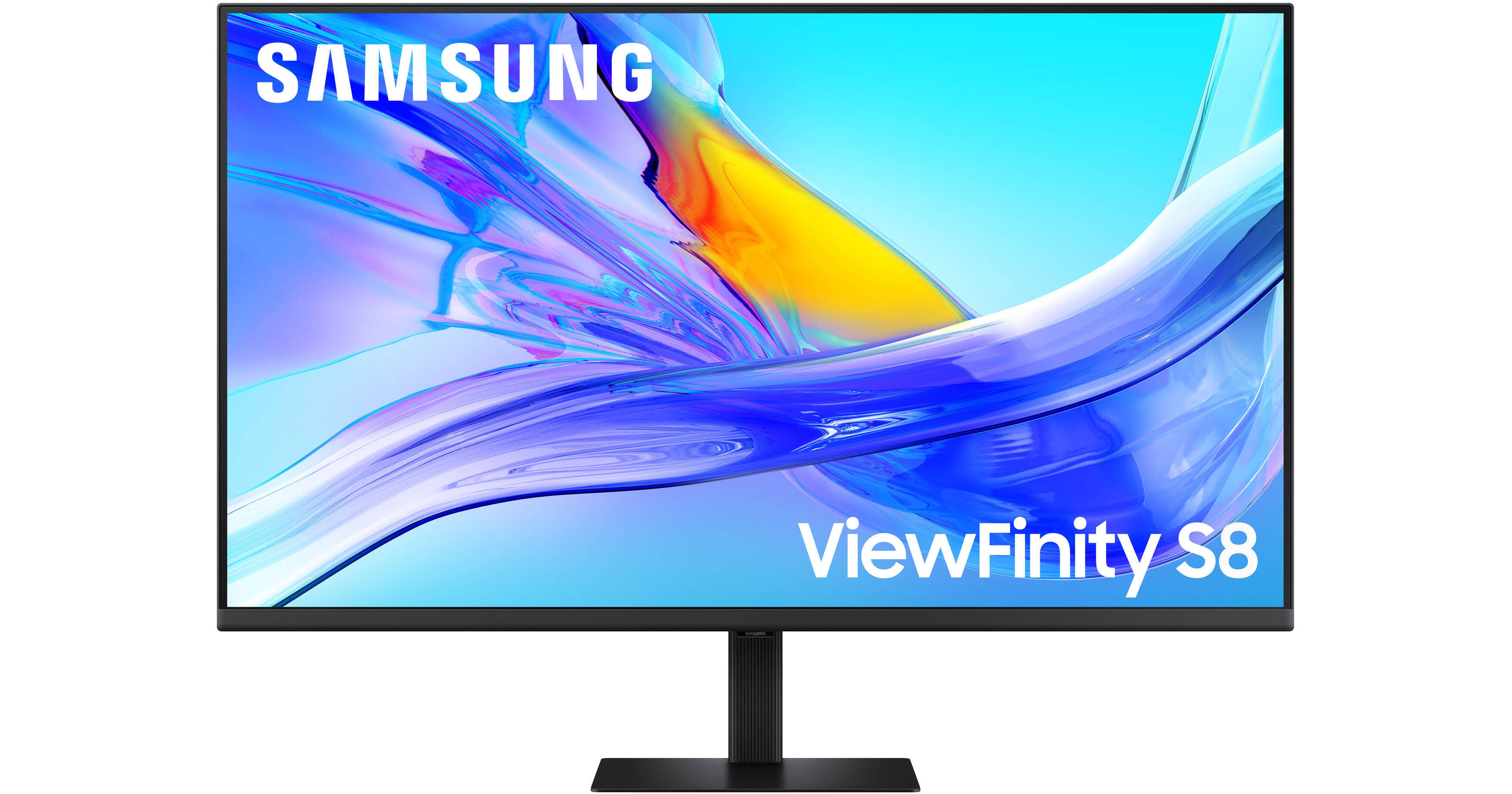
Samsung ViewFinity S80UD 37" 4K HDR Monitor (10-Pack)

BH #SA37D8UANX10
Print
Samsung ViewFinity S80UD 37" 4K HDR Monitor (10-Pack)

10

Pack

Key Features
  • 37" 16:9 VA Panel
  • HDMI | DisplayPort | USB-C (90W)
  • UHD 4K 3840 x 2160 at 60 Hz
  • 5 ms (GtG) Response Time
With its versatile design, the ViewFinity S80UD 37" 4K HDR Monitor from Samsung may be at the center of your computing experience. In addition to delivering crisp UHD 4K, 3840 x 2160 resolution visuals, you can enhance your multitasking with its connectivity.
More Details
In Stock
No Store Display
Free 2-Day Shipping
Protect Your Gear
Add a protection plan from $168.99

Business Financing Options

Savings Available:
Save Up to $5.00
Ask an Expert
800-606-6969

Samsung S80UD Overview

With its versatile design, the ViewFinity S80UD 37" 4K HDR Monitor from Samsung may be at the center of your computing experience. In addition to delivering crisp UHD 4K, 3840 x 2160 resolution visuals, you can enhance your multitasking with its connectivity.

The ViewFinity S80UD includes one HDMI port and a DisplayPort input for compatible devices. Or you can transfer video, data, and up to 90W of power over a single cable with compatible laptops through the USB-C port. An integrated KVM switch allows you to control multiple devices with a single mouse and keyboard connected to the two USB-A 3.0 ports. An RJ45 Ethernet port is also available. Plug a pair of headphones to the 3.5mm jack for listening privacy.

Vivid Color
The 37" VA panel is designed to deliver lifelike images with up to 1.07 billion colors and HDR10 support, covering 100% of the sRGB gamut. HDR10 support provides realistically bright highlights and deep shadows.
USB-C Connectivity
A USB-C port allows for 90W charging and data transfer at the same time, while a built-in RJ45 LAN port provides Ethernet connectivity for laptops.
KVM Switch
A built-in KVM switch lets you connect and control up to two devices at once through your monitor using just one keyboard and mouse. Choose between picture-by-picture (PBP) and picture-in-picture (PIP) modes.
Easy Setup
Create your ideal workspace effortlessly with the Easy Setup Stand, which doesn't require any tools or screws. When it's time to change things up, you'll enjoy flexibility and convenience with the simple push of a button.
Expand Your View
The display's thin bezel design makes it ideal for multi-monitor configurations.
Viewing Comfort
For those late-night projects, brightness and color temperature are automatically optimized for your environment. TÜV-certified for intelligent eye care technologies reduce screen flickering and help to protect eyes against excessive blue light with Eye Saver Mode.
Ergonomic Design
Rotate the display 90° in either direction to view documents in portrait mode and adjust the monitor's height, tilt, and swivel to match your comfort. You can also use the 100 x 100mm VESA mount pattern to attach the monitor to a wall, swivel arm, or multi-monitor stand. With 178° viewing angles, you can see the screen clearly from almost any position.
UPC: 887276932200

Samsung S80UD Specs

Key Specs
Display Size
37"
Panel Type
VA LCD
Native Resolution
3840 x 2160
Maximum Brightness
350 nits / cd/m2
HDR Support
Yes
Color Support
1.07 Billion Colors
Color Gamut
100% sRGB
Touchscreen
No
A/V Inputs
DisplayPort 1.2 / HDMI 2.0
A/V Outputs
3.5 mm (Analog Audio)
USB I/O
USB-A 3.2 Gen 1 / USB-C 3.2 Gen 1
Built-In Speakers
No
Display
Size
37"
Panel Type
VA LCD
Aspect Ratio
16:9
Native Resolution
3840 x 2160
Maximum Brightness
350 nits / cd/m2
HDR Support
Yes
Contrast Ratio
3000:1
Response Time
5 ms
Refresh Rate
60 Hz
Variable Refresh Technology
No
Color Support
1.07 Billion Colors
Color Gamut
100% sRGB
Curved Display
No
Surface
Touchscreen
No
Connectivity
A/V Inputs
1x DisplayPort 1.2
1x HDMI 2.0
A/V Outputs
1x 1/8" / 3.5 mm (Headphone)
HDCP Support
Yes: Version 2.2
USB I/O
3x USB-A 3.0 / 3.1/3.2 Gen 1
1x USB-C 3.0 / 3.1/3.2 Gen 1 with USB PD 90 W
Ethernet I/O
1x RJ45
Multi-Input Support (PIP/PBP)
Yes: Picture-in-Picture (PIP), Picture-by-Picture (PBP)
Speaker
Built-In Speakers
No
Electrical
Power Consumption
Maximum: 190.0 W
Input Power
100 to 240 VAC, 50 / 60 Hz
Power Adapter Type
Internal
General
Operating Conditions
50 to 104°F / 10 to 40°C at 10 to 80% Humidity
Certifications
TCO Certified
Adjustments
Swivel: 60° (-30 to 30°)
Tilt: 25° (-5 to 20°)
Height Up to 4.7" / 120 mm
VESA Mounting-Hole Pattern
100 x 100 mm
Lock Slot
No
Dimensions
32.4 x 25.5 x 9.8" / 823 x 647.7 x 248.9 mm (with Stand)
32.4 x 19.1 x 1.6" / 823 x 485.1 x 40.6 mm (without Stand)
Weight
19.6 lb / 8.9 kg (with Stand)
13 lb / 5.9 kg (without Stand)
Packaging Info
Package Weight
26.5 lb
Box Dimensions (LxWxH)
36 x 23.5 x 7"

Samsung S80UD Reviews

Its not bad... its... okay

By Michael
Rated 3 out of 5
Date: 2026-06-23

I went back and forth between two of these, or two of the HDR600 rated 37 4k monitors... or even 2 of the 32 TCL HDR1400 monitors. Given this is for an office setup. I decided to wait for the deal to hit on these, and decided against the brighter monitors. I honestly kibd of regret the decision. Any glare is noticeable on these. They work. They get thr job done, but there's just no... life to them compared to what im used to.

Great budget monitor!

By Kyle
Rated 4 out of 5
Date: 2026-01-11

This is a really solid monitor for general and personal use! I love the USB-C connection with power delivery, which makes it a great "dock" monitor with keyboard/mouse and other peripherals connected through the monitor to make connecting to a laptop just a single connector. I really love the size and wish there were more monitors in this size. For whatever reason this is the only one and all other monitors are either 32" or 42"... I think 32" is a bit too small to be worth upgrading to over a 27", and I absolutely love 42" screens (big fan of the Dell at that size--best monitor on the market, in my opinion) but it can be a bit unwieldy in some applications. 37" is the perfect Goldilocks size! Big enough to justify using full 4K without scaling text up, but not so big to overwhelm your desk. Also at about 1/3 the price of the Dell screen, this screen is so well worth it! The one thing to be aware of is that this is NOT a great screen for photo editing since it is a VA panel instead of IPS, and there is a very obvious shift in color and contrast based on your viewing position. And on a screen this large, you will need to physically shift from right to left in order to view the sides of the screen from the "proper" straight on viewing angle. TLDR - great screen for general use, NOT for photo/video editing that requires color/contrast accuracy

See any errors on this page?

Can this monitor be plugged in and displayed via ...

Can this monitor be plugged in and displayed via usb-c cord? Or does it need hdmi for display?
Asked by: jeremy
The Samsung ViewFinity S80UD 37" 4K HDR Monitor, B&H # SA37D8UANXZA, can be used over USB-C as long as the device you are connecting it to supports USB-C video output.
Answered by: Miguel M
Date published: 2025-11-27

Is this monitor compatible with mac OS?

Is this monitor compatible with mac OS?
Asked by: Niklas
The Samsung ViewFinity S80UD 37" 4K HDR Monitor, B&H # SA37D8UANXZA, is compatible with macOS.
Answered by: Miguel M
Date published: 2025-11-30
  • y_2026, m_6, d_25, h_13CST
  • bvseo_bulk, prod_bvqa, vn_bulk_3.0.46
  • cp_1, bvpage1
  • co_hasquestionsanswers, tq_2
  • loc_en_US, sid_1927338, prod, sort_[SortEntry(order=HAS_STAFF_ANSWERS, direction=DESCENDING)]
  • clientName_bhphotovideo
Whatever You Need, We've Got It