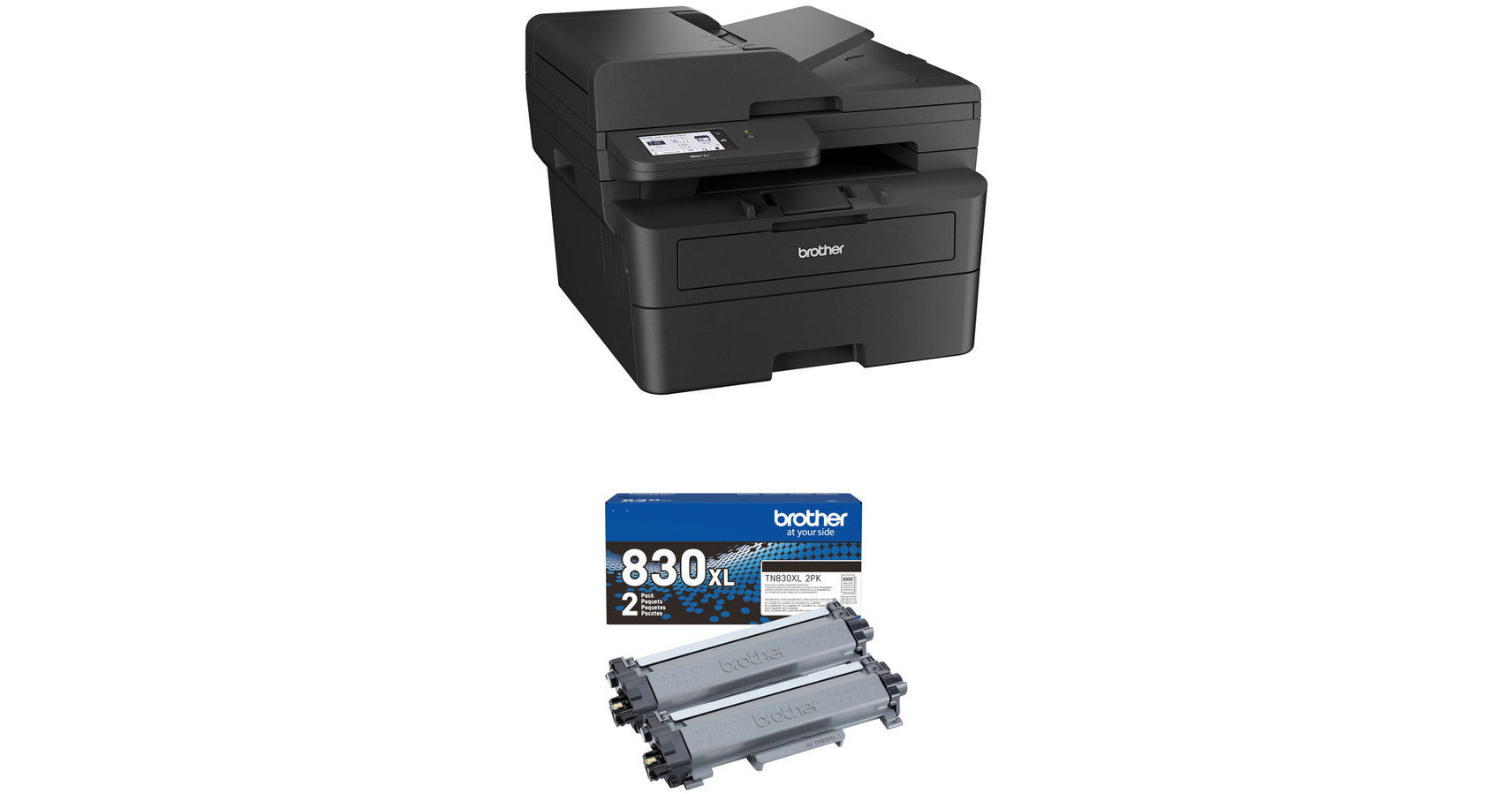
Brother MFC-L2900DW All-in-One Monochrome Laser Printer with Two High-Yield Toner Cartridges Kit

BH #BRMFCL2900DK (B&H Kit)
Print
Brother MFC-L2900DW All-in-One Monochrome Laser Printer with Two High-Yield Toner Cartridges Kit
Key Features
  • Print, Scan, Copy, and Fax
  • Print Resolution: 1200 x 1200 dpi
  • Maximum Print Size: 8.5 x 14"
  • Print Speed: 36 ppm
Print, scan, copy, and fax with the Brother MFC-L2900DW All-in-One Monochrome Laser Printer with High-Yield Toner Kit from B&H. This all-in-one printer can handle all your office needs, from printing in black and white, scanning important documents, copying files, and more. This printer also includes two high-yield toner cartridges.
More Details
In Stock
No Store Display
Free 2-Day Shipping
Protect Your Gear
Add a protection plan from $44.99
Ask an Expert
800-606-6969
Kit Contains:

From Manufacturer

Print, scan, copy, and fax with the Brother MFC-L2900DW All-in-One Monochrome Laser Printer with High-Yield Toner Kit from B&H. This all-in-one printer can handle all your office needs, from printing in black and white, scanning important documents, copying files, and more. This printer also includes two high-yield toner cartridges.

Brother MFC-L2900DW All-in-One Monochrome Laser Printer

Offering wireless versatility in a compact and powerful package, the MFC-L2900DW All-in-One Monochrome Laser Printer from Brother is designed for home and small offices. As an all-in-one unit, the MFC-L2900DW features printing, scanning, copying, and faxing functions. Printing is of a high caliber with a maximum resolution of 1200 x 1200 dpi, ensuring highly detailed prints, while a 250-sheet input tray, 50-sheet auto document feeder, and 1-sheet manual feed slot permit the use of media up to 8.5 x 14" in size. Print and copy speeds reach up to 36 ppm, while scan speeds reach up to 23.6 ppm for black and 7.9 ppm for color. Also featured is duplex printing, scanning resolutions up to 1200 dpi, a manual feed slot, USB-B 2.0, Ethernet and Wi-Fi 4 (802.11n) connectivity, reductions and enlargements ranging from 25 to 400%, and fax page memory of up to 400 pages. Compatible with Windows and Mac, the MFC-L2900DW may also be used with AirPrint, Mopria, Brother Mobile Connect, Wi-Fi Direct, and more.

UPC: 012502674085
Brother TN830 High-Yield Black Toner Cartridge (2-Pack)

Produce another 6000 pages with your Brother laser printer with this replacement TN830 High-Yield Black Toner Cartridge. This comes in a 2-pack.

UPC: 012502673590
Kit Contains:

Brother MFC-L2900DW All-in-One Monochrome Laser Printer

Key Specs
Functions
Print, Scan, Copy, Fax
Printing Technology
Laser
Color Type
Black
Configuration
1x Toner
Print Resolution
1200 x 1200 dpi
Media Sizes
Input Tray 1
Maximum: 8.5 x 14" / 21.6 x 35.6 cm
Input Tray 1
Maximum: 8.5 x 14" / 21.6 x 35.6 cm
Manual Feed Slot
Maximum: 8.5 x 14" / 21.6 x 35.6 cm
Manual Feed Slot
Maximum: 8.5 x 14" / 21.6 x 35.6 cm
Scanner Type
Flatbed Scanner with Automatic Document Feeder (ADF)
Scanner Maximum Resolution
ADF
600 dpi (Optical)
19,200 x 19,200 dpi (Interpolated)
Flatbed
1200 dpi (Optical)
19,200 x 19,200 dpi (Interpolated)
Wireless
Wi-Fi 4 (802.11n)
Power Source
AC Power (Cable Built-In/Included)
Functions
Print, Scan, Copy, Fax
Printer
Printing Technology
Laser
Color Type
Black
Configuration
1x Toner
Print Resolution
1200 x 1200 dpi
Borderless Printing
No
Duplex Printing
Yes
Printer Language
Adobe PDF 1.7, Adobe PostScript 3, HP PCL 6 (Emulation)
Print Speed (By Time)
36 ppm (Black)
First Print Out Time
6.9 Seconds (Black)
Monthly Duty Cycle
35,000 Pages
2500 Pages (Recommended)
Printer Media Handling
Media Handling
1 x Input Tray, Manual Feed
Media Sizes
Input Tray 1 (Simplex Mode)
Minimum: 4.13 x 5.83" / 10.49 x 14.81 cm
Maximum: 8.5 x 14" / 21.6 x 35.6 cm
Input Tray 1 (Duplex Mode)
Maximum: 8.5 x 14" / 21.6 x 35.6 cm
Manual Feed Slot (Simplex Mode)
Minimum: 3 x 5" / 7.6 x 12.7 cm
Maximum: 8.5 x 14" / 21.6 x 35.6 cm
Manual Feed Slot (Duplex Mode)
Maximum: 8.5 x 14" / 21.6 x 35.6 cm
Media Weight
Input Tray 1: 16 to 43 lb
Manual Feed Slot: 16 to 61 lb
Paper Capacity
Input Tray 1: 250 x Sheet
Manual Feed Slot: 1 x Sheet / 1 x Envelope
Output Tray: 100 x Sheet
Special Media Support
Envelopes
Scanner
Type
Flatbed Scanner with Automatic Document Feeder (ADF)
Maximum Resolution
ADF
600 dpi (Optical)
19,200 x 19,200 dpi (Interpolated)

Flatbed
1200 dpi (Optical)
19,200 x 19,200 dpi (Interpolated)
Scan Modes
Color, Grayscale
Duplex Scanning
Yes
Scan Speed
23.6 Second per Page in Grayscale
7.9 Second per Page in Color
Scanner Media Handling
Scan Sizes
Not Specified by Manufacturer
Paper Capacity
ADF: 50x Sheet
Copier
Number of Copies
Up to 99 Copies
Reduction/Enlargement
25 to 400%
Copy Speed
36 cpm (Black)
Duplex Copying
Yes
Copy Resolution
600 x 600 dpi (Black)
Fax
Modem Transmission Speed
33.6 kb/s
Duplex Support
Yes
Fax Memory
400 Pages
Connectivity
Data I/O
1x USB-B 2.0 Input
1x RJ45 Input
Wireless
Wi-Fi 4 (802.11n)
Direct Printing
Apple AirPrint, Brother iPrint&Scan, Brother Mobile Connect, USB Port, Wi-Fi Direct
Processor Speed
600 MHz
Internal Memory
256 MB (RAM)
General
Display Size
3.5"
Display Type
Touchscreen
Power Source
AC Power (Cable Built-In/Included)
Battery
No
Certifications
ENERGY STAR, EPEAT Silver
Dimensions (W x H x D)
16.1 x 12.5 x 16.6" / 40.9 x 31.8 x 42.2 cm
Weight
25.9 lb / 11.7 kg
Packaging Info
Package Weight
32.1 lb
Box Dimensions (LxWxH)
24 x 21 x 17"

Brother MFC-L2900DW Reviews

very good service

By Yechil
Rated 5 out of 5
Date: 2026-06-08

got the item i ordered very fast and all was as described

Looked like new in box

By sandi
Rated 5 out of 5
Date: 2026-04-14

Arrived with box dispaying "Factory Refurbished". Upon opening, it was packaged in protected wrap, styrofoam, and plastic that peeled away from display screen. Quick start and refil information was included. Manual was obtained by QR code scan in brochure. Set up instructions were straight forward and within minutes could print over WAN network from iPads and computers despite not being connected directly to a computer. The scan to PDF setup is more complex and despite following instructions it doesnt work. I am not yet convinced a direct connection is not required. I tried manual pdf scan to email address and tried entering email in printers address book. Neither resolves problem. I suspect the issue is on the computer side of things and either a settings need to be adjusted on the computer or a direct cable needs to run from printer to computer. I do not have a phone line so I cannot address the fax features. Very satisfied with this purchase. Good value.

See any errors on this page?

How many pages are yielded from the "Starter ...

How many pages are yielded from the "Starter Black Toner Cartridge" that's in the box?
Asked by: Joshua
Brother MFC-L2900DW, Starter Black Toner Cartridge yield approximately 700 pages.
Answered by: Brother
Date published: 2025-11-07

With an inkjet, if it's not used often the ink "dr

With an inkjet, if it's not used often the ink "dries" up and you need to buy a new cartridge. What's the story with a laser? If it's not used for a month or two, will it print properly?
Asked by: Matthew
Toner in laser printers, like the Brother MFC-L2900DW All-in-One Monochrome Laser Printer, does not dry out with nonuse like ink can in inkjet printers. A laser printer will still print properly after not using it for extended periods.
Answered by: Kenneth C
Date published: 2026-04-28
  • y_2026, m_7, d_19, h_7CST
  • bvseo_bulk, prod_bvqa, vn_bulk_3.0.48
  • cp_1, bvpage1
  • co_hasquestionsanswers, tq_2
  • loc_en_US, sid_1929413, prod, sort_[SortEntry(order=HAS_STAFF_ANSWERS, direction=DESCENDING)]
  • clientName_bhphotovideo
Whatever You Need, We've Got It