Video Chat with a Pro Video Expert - Live
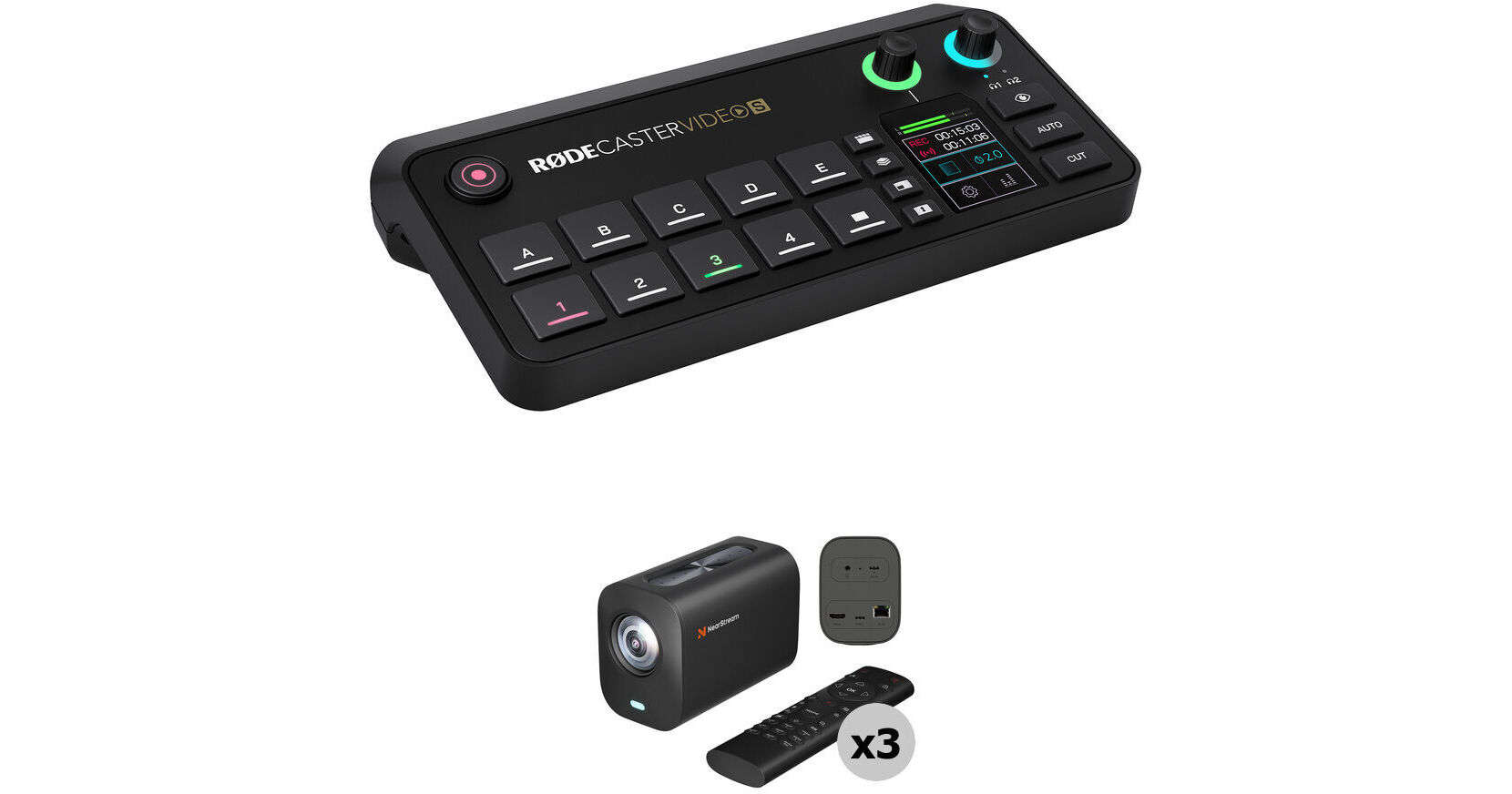
RODE RODECaster Video S All-in-One Audio/Video Console & VM20 4K Streaming 3-Camera Kit

BH #RORCVDS3CMK (B&H Kit)
Print
RODE RODECaster Video S All-in-One Audio/Video Console & VM20 4K Streaming 3-Camera Kit
90-Second Intro
Key Features
  • Optimized for Streaming to Web
  • For Tabletop Use in Home & Studio
  • RODECaster Video S All-in-One Console
  • Three VM20 4K Streaming Cameras
Share your dream podcast with the world with the RODECaster Video S All-in-One Audio/Video Console & VM20 4K Streaming 3-Camera Kit from B&H. This intuitive, straightforward podcasting solution bundles a RODECaster Video S console with three of the VM20 4K streaming cameras for a compact setup that gets your podcast streaming in no time.
More Details
In Stock
Free 2-Day Shipping
Protect Your Gear
Add a protection plan from $89.99
Kit Options
Ask an Expert
800-606-6969
See any errors on this page?

Can I send a UVC Program output (over USB-C 1 & ...

Can I send a UVC Program output (over USB-C 1 & 2) to 2 separate computers with this?
Asked by: Phillip
No, the RODE RODECaster Video S All-In-One Audio/Video Console only has one USB-C port that would serve as UVC output for streaming over USB.
Answered by: Chris H
Date published: 2025-11-12

Can I setup an scene with 3 live inputs ?

Can I setup an scene with 3 live inputs ?
Asked by: Hernan
Yes, you can set up a scene with three live inputs on the RODE RODECaster Video S All-in-One Audio/Video Console.
Answered by: Elliot A
Date published: 2026-02-13

How does it connect to a computer to use the ...

How does it connect to a computer to use the GUI/multiview? The only output is a single HDMI?
Asked by: charles
You can use HDMI A, USB 1 and NDI on the RODE Rodecaster Video S to send a multiview output feed to a computer.
Answered by: Nick Y
Date published: 2025-11-11

Would it be possible to connect an OBSBOT Tiny 2 ...

Would it be possible to connect an OBSBOT Tiny 2 webcam to one of the HDMI inputs if I use a USB-C-to-HDMI adapter?
Asked by: David
Yes, to connect the OBSBOT Tiny 2 Webcam to the RODECaster Video S's HDMI port, you will need to use the OBSBOT UVC to HDMI Adapter.
Answered by: Nick Y
Date published: 2026-01-25

ISO recorder?

ISO recorder?
Asked by: cory
It needs to be enabled in the VIDEO menu (via software) or on the unit's touchscreen go into VIDEO and click on MULTITRACK to select PROGRAM or ISO video.
Answered by: Martin
Date published: 2025-11-14

will this accept the original wireless go ...

will this accept the original wireless go transmitters as well?
Asked by: cory
Yes, the Rode wireless Go transmitters are supported when using the RODE RODECaster Video S All-in-One Audio/Video Console. Wireless Go II, III, and Rode Wireless Pro mics are also supported.
Answered by: Chris H
Date published: 2026-01-27

Can the Rodecaster video S make lower thirds?

Can the Rodecaster video S make lower thirds?
Asked by: Armando
Yes, the RODE RODECaster Video S All-in-One Audio/Video Console supports the creation of lower thirds.
Answered by: Jonathan S
Date published: 2025-12-14

Can I trigger stream/recording from a remote ...

Can I trigger stream/recording from a remote location?
Asked by: Jorge
If you have some savvy, you can use a Streamdeck (or other control surface) along with Companion/Companion Satellite to trigger events remotely. Not super hard to do, but if first time using Companion (free) give yourself a few hours to figure it all out.
Answered by: Brett
Date published: 2025-12-31
  • y_2026, m_6, d_6, h_12CST
  • bvseo_bulk, prod_bvqa, vn_bulk_3.0.46
  • cp_1, bvpage1
  • co_hasquestionsanswers, tq_14
  • loc_en_US, sid_1937154, prod, sort_[SortEntry(order=HAS_STAFF_ANSWERS, direction=DESCENDING)]
  • clientName_bhphotovideo
Whatever You Need, We've Got It