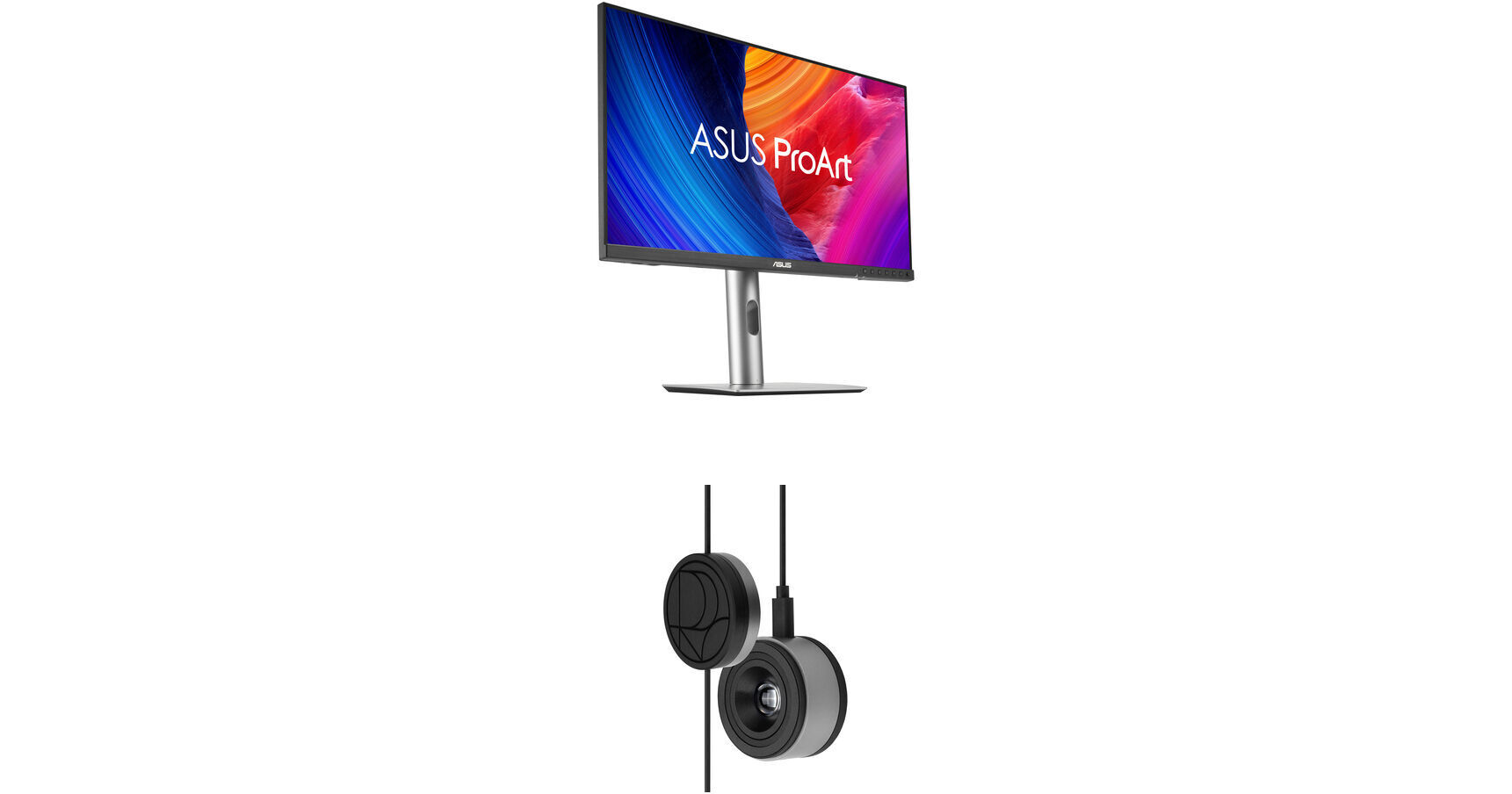
Achieve professional-grade color accuracy with this convenient B&H Kit, which bundles an ASUS ProArt Display PA278CFRV 27" 1440p Monitor and ProArt CaliContrO 3-in-1 Colorimeter together.
Color Calibration
Keep long-term color accuracy conveniently within reach via hardware and software calibration.
OSD Control
Enjoy effortless control with a 5-way navigator and shortcut keys at your fingertips with vibration feedback.
ASUS Dial Features
Creativity with a spin - fully customizable and seamlessly compatible with creative software.
Professional Color Accuracy
The ProArt CaliContrO MCA02 offers industry-leading precision and is designed specifically for professional display needs.
High Brightness Measurement
Supports up to 10,000 nits, ensuring precise calibration for HDR displays without compromise.
Seamless ProArt Display Integration
With built-in ProArt Display color profile support, it works seamlessly with ProArt monitors to deliver optimized and more accurate calibration.
Broad Panel Compatibility
Works flawlessly with multiple display technologies including LED, OLED, Mini-LED, and more.
High Brightness Measurement
Supports up to 10,000 nits, ensuring precise calibration for HDR displays without compromise.
Seamless ProArt Display Integration
With built-in ProArt Display color profile support, it works seamlessly with ProArt monitors to deliver optimized and more accurate calibration.
Broad Panel Compatibility
Works flawlessly with multiple display technologies including LED, OLED, Mini-LED, and more.
Keep Long-Term Color Accuracy
The ProArt CaliContrO is a high-precision color colorimeter that can be used with monitors/laptops for software color calibration to generate an ICC Profile and also be matched with a ProArt Display which supports hardware calibration feature via ProArt calibration software. ASUS-exclusive ProArt calibration software supports Windows and macOS, ensuring compatibility and seamless integration across different platforms.
Software Calibration
The ProArt CaliContrO MCA02 can do software calibration via ProArt calibration software to generate an ICC Profile. An ICC Profile is a file that contains color management information, which can be used by the operating system and other applications to ensure consistent color output across different devices. By creating an ICC Profile, users can ensure that the colors displayed on their ASUS monitor are true to life and match the intended output.
Hardware Calibration
The ProArt CaliContrO MCA02 also work seamlessly with ASUS ProArt calibration software. Each ProArt display can be calibrated and the 3D LUT (Look-up Table) subsequently rewritten. It can write back and save color parameter profiles on the ProArt display's internal scaler IC chip, instead of on the PC, allowing users to connect it to devices with different operating systems or applications without needing to adjust settings. The saved profiles can be easily activated via the hotkey on the monitor.
Versatile Display Control
ProArt CaliContrO features On-Screen Display (OSD) control, ASUS Dial, and Microsoft Surface Dial integration, providing users with versatile and intuitive ways to adjust display settings for optimal performance. You can switch these three functions via ASUS DisplayWidget Center.
Instant & Effortless Access
The ProArt CaliContrO can be connected to a compatible monitor to provide direct access to the On-Screen Display (OSD) for quick adjustments with vibration feedback. Featuring 5-way navigator and 5 button shortcut keys including input select, shortcut 1, shortcut 2, exit, and vibration switch, it delivers intuitive control, so you no longer need to reach your hand to the monitor.
Creativity with a Spin
In addition to OSD control for ProArt displays, the virtual ASUS Dial on ProArt CaliContrO offers seamless integration with creative software and Microsoft Surface Dial controls, empowering creators with intuitive adjustments and streamlined workflows. Seamless switching between functions is enabled via ASUS DisplayWidget Center, further enhancing usability and customization.
Supports Windows Surface Dial
ASUS Dial works seamlessly with Microsoft Surface Dial features. Simply turn ASUS Dial to adjust volume, scroll through web pages, or to perform other functions.
Exquisite Design
The ProArt CaliContrO MCA02 combines sleek industrial aesthetics with intuitive interaction, giving creators a natural control experience.
UPC: 199291216648