
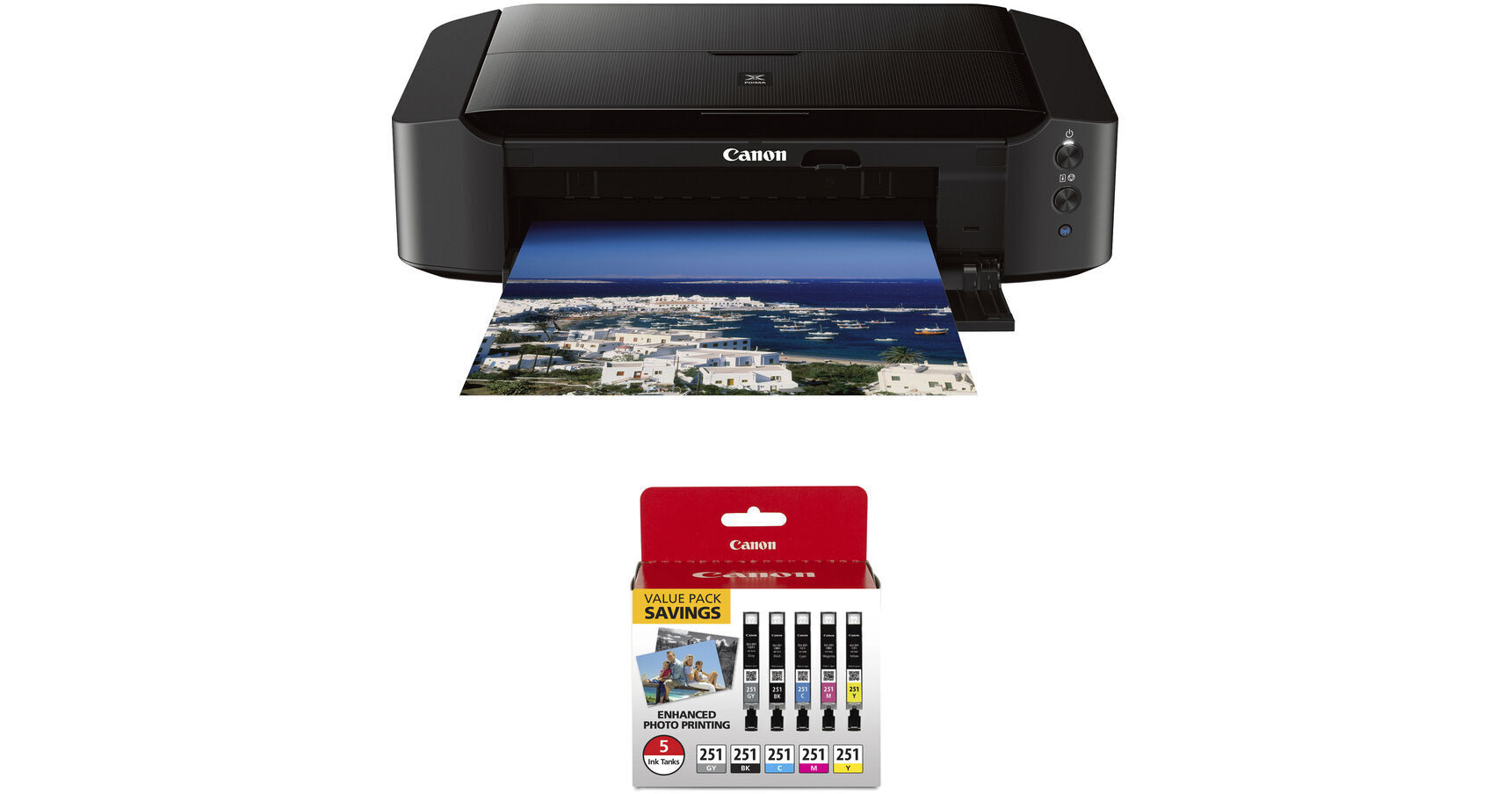
Canon PIXMA iP8720 Wireless Inkjet Photo Printer with CLI-251 5-Cartridge Ink Set Kit

BH #CAIP8720K5 (B&H Kit)
Print
Canon PIXMA iP8720 Wireless Inkjet Photo Printer with CLI-251 5-Cartridge Ink Set Kit
Key Features
  • Print Resolution: 9600 x 2400 dpi
  • Up to 13 x 19" Print Size
  • Prints Borderless 4 x 6" Photo in 36 sec
  • 802.11 b/g/n Wi-Fi Connectivity
Print photos via USB or Wi-Fi with the Canon PIXMA iP8720 Wireless Inkjet Photo Printer with CLI-251 5-Cartridge Ink Set Kit from B&H.
More Details
Kit Contains:

From Manufacturer

Print photos via USB or Wi-Fi with the Canon PIXMA iP8720 Wireless Inkjet Photo Printer with CLI-251 5-Cartridge Ink Set Kit from B&H.

Canon PIXMA iP8720 Wireless Inkjet Photo Printer

The Canon PIXMA iP8720 Wireless Inkjet Photo Printer allows you to create high resolution 9600 x 2400 dpi full color prints. It can even print borderless up to 13 x 19" and produce a 4 x 6" full color photograph in about 36 seconds. Additionally, with 802.11 b/g/n Wi-Fi connectivity, many more wireless printing options are available.

For paper handling the iP8720 utilizes a 150-sheet automatic feeder. This enables it to print 14.5 black ipm and 10.4 color ipm without worry of refilling the printer. Also, this printer has a 6-color ink configuration, including gray, that enables excellent tonalities and color reproduction for your images.

You can print directly onto CD, DVD, and Blu-ray discs with the use of the disc tray. Other features include automatic power on and off for power management when the printer is not in use as well as compatibility with the PIXMA Printing Solutions smartphone application.

Full-photolithography Inkjet Nozzle Engineering (FINE) can produce ink droplets as small as 1 pL
Six-color ink setup includes gray ink for better tonality in black & white images as well as a pigment black for crisp text
ChromaLife100+ system works with genuine Canon inks and photo papers to create prints with an archival album life of 300 years
Full HD Movie Print lets you print images from HD videos captured with select Canon cameras
My Image Garden provides photo organization and editing, including filters, a calendar, layout options, and more
CREATIVE PARK PREMIUM gives access to photos, templates, and additional material for use in your projects
Quiet mode allows you to work without disturbing those around you
Wi-Fi connectivity allows you to print from any Wi-Fi enabled computer in the network
AirPrint, Google Cloud Print, and Wireless PictBridge allow for wireless printing from a range of mobile devices
Uses a standard USB connection to plug into a computer
UPC: 013803230840
Canon CLI-251 CMYKGY 5-Cartridge Ink Set

Refill your PIXMA MG6320, MG7120, MG7520, or iP8720 printer with this CLI-251 CMYKGY 5-Cartridge Ink Set from Canon, which includes standard-capacity cyan, magenta, yellow, black, and gray tanks. This ink also features a wide color gamut and good color fastness as well as working with the ChromaLife100+ system for optimal results. Prints done with the ChromaLife100+ system will last up to 100 years in archival-quality albums.

Compatible Printers
PIXMA MG6320
PIXMA MG7120
PIXMA MG7520
PIXMA iP8720
UPC: 660685145290
Kit Contains:

Canon PIXMA iP8720 Wireless Inkjet Photo Printer

Key Specs
Functions
Print
Printing Technology
Inkjet
Color Type
Color
Configuration
6x Individual Cartridge
Ink Type
Dye-Based (Black, Cyan, Gray, Magenta, Yellow)
Pigment-Based (Black)
Ink Color
2x Black
1x Cyan
1x Magenta
1x Yellow
1x Gray
Print Resolution
Color: 9600 x 2400 dpi
Black: 600 x 600 dpi
Media Sizes
Input Tray 1
Maximum: 13 x 19" / 33 x 48.3 cm
Wireless
Wi-Fi 4 (802.11n)
Power Source
AC Power (Cable Built-In/Included)
Functions
Print
Printer
Printing Technology
Inkjet
Color Type
Color
Configuration
6x Individual Cartridge
Ink Type
Dye-Based (Black, Cyan, Gray, Magenta, Yellow)
Pigment-Based (Black)
Ink Color
2x Black
1x Cyan
1x Magenta
1x Yellow
1x Gray
Compatible Cartridges
Canon CLI-251 / PGI-250
Number of Nozzles
1024 Nozzles (Matte Black)
6656 Nozzles (Total)
Print Resolution
Color: 9600 x 2400 dpi
Black: 600 x 600 dpi
Borderless Printing
Yes: Up to 13 x 19" / 33 x 48.3 cm
Duplex Printing
No
Print Speed (By Size)
4 x 6" / 10 x 15 cm: 36 Second
Print Speed (By Time)
10.4 ipm (Color)
14.5 ipm (Black)
Printer Media Handling
Media Handling
1 x Input Tray
Media Sizes
Input Tray 1
Minimum: 4 x 6" / 10.2 x 15.2 cm
Maximum: 13 x 19" / 33 x 48.3 cm
Paper Capacity
Input Tray 1: 150 x Sheet
Special Media Support
CDs
Connectivity
Data I/O
1x USB-B 2.0 Input/Output
Wireless
Wi-Fi 4 (802.11n)
Direct Printing
Apple AirPrint, Google Cloud Print, PictBridge, PIXMA Printing Solutions
OS Compatibility
Computer: Windows 7 or Later / macOS 10.6 or Later
Mobile: Android/iOS
General
Power Source
AC Power (Cable Built-In/Included)
Battery
No
Input Power
100 to 240 VAC, 50 / 60 Hz
Dimensions (W x H x D)
23.3 x 6.3 x 13.1" / 59.2 x 16 x 33.3 cm
Weight
18.6 lb / 8.4 kg
Packaging Info
Package Weight
23.85 lb
Box Dimensions (LxWxH)
25 x 18.1 x 10.6"

Canon iP8720 Reviews

Fast shipping, great product

By Jessica
Rated 5 out of 5
Date: 2026-09-01

The printer arrived super fast. Like, within 24 hours of ordering fast. The printer works great, and I'm excited for all of my future projects with it.

Decent for home use, but bad setup process and black & white performance

By Brendan
Rated 3 out of 5
Date: 2026-02-22

Setting up this printer is indeed cursed, but once it's setup, it's ~fine. I'd call this a "gateway" printer. It's great at color, struggles with black and white, but it's compact and prints borderless 13x19" for $250. I was hoping that the addition of the gray cartridge would help it's black & white performance, but there is still some significant magenta cast to the dark tones. If you intend to use it for lots of b/w or professional work, you'll either need to calibrate it, or upgrade to the Pro-200/300 (bigger ink set). Totally adequate for at-home jobs like making nice wall art and personal pieces. Some notes on setting it up: The biggest mistake Canon made was not including even a rudimentary keypad + display, so it requires phone or PC setup to get the wifi working. All physical commands happen through 3 buttons, which you have to press-and-hold until a light flashes a certain number of times. Not ideal. The cableless phone setup completely failed for me on a modern Android phone. It requires the printer to serve a temporary wireless network that your phone connects to. Even after this connection succeeds, the app was unable to complete setup. Tried all manners of things, supposedly setting up a 2.4ghz unprotected guest network will allow it to auto-connect, but I had no luck with this. I gave up entirely. Luckily, there is a way (on windows at least) to configure the wireless settings from a USB connection, but it's easy to miss if you're not looking for it. Proceed with driver installation and select "Wireless" as the desired connection. It will ask you if you want to do WPS or cableless setup. There should be a third option called "Connect using other methods" that will offer to configure via USB. Note that USB configuration will require the printer's password (didn't even know it had one...). You can get this by printing the network configuration page. And then I recommend you label-maker the SSID and password you programmed. Because without a display, and once the setup tools stop working (like the phone app already has), you'll be stuck with whatever you programmed. And if you've read this far, I'll save you some manual diving: - Press + hold the Wireless button until after the 1st flash = WPS setup mode - Press + hold the Wireless button until after the 2nd flash = Cableless (phone) setup mode - Press + hold the Cancel button until after the 2nd flash = Print nozzle check page - Press + hold the Cancel button until after the 6th flash = Print network config page

See any errors on this page?
Whatever You Need, We've Got It