Ask Our Experts800-606-6969
Hello, Log InAccount & Orders
Video Chat with a Pro Video Expert - Live
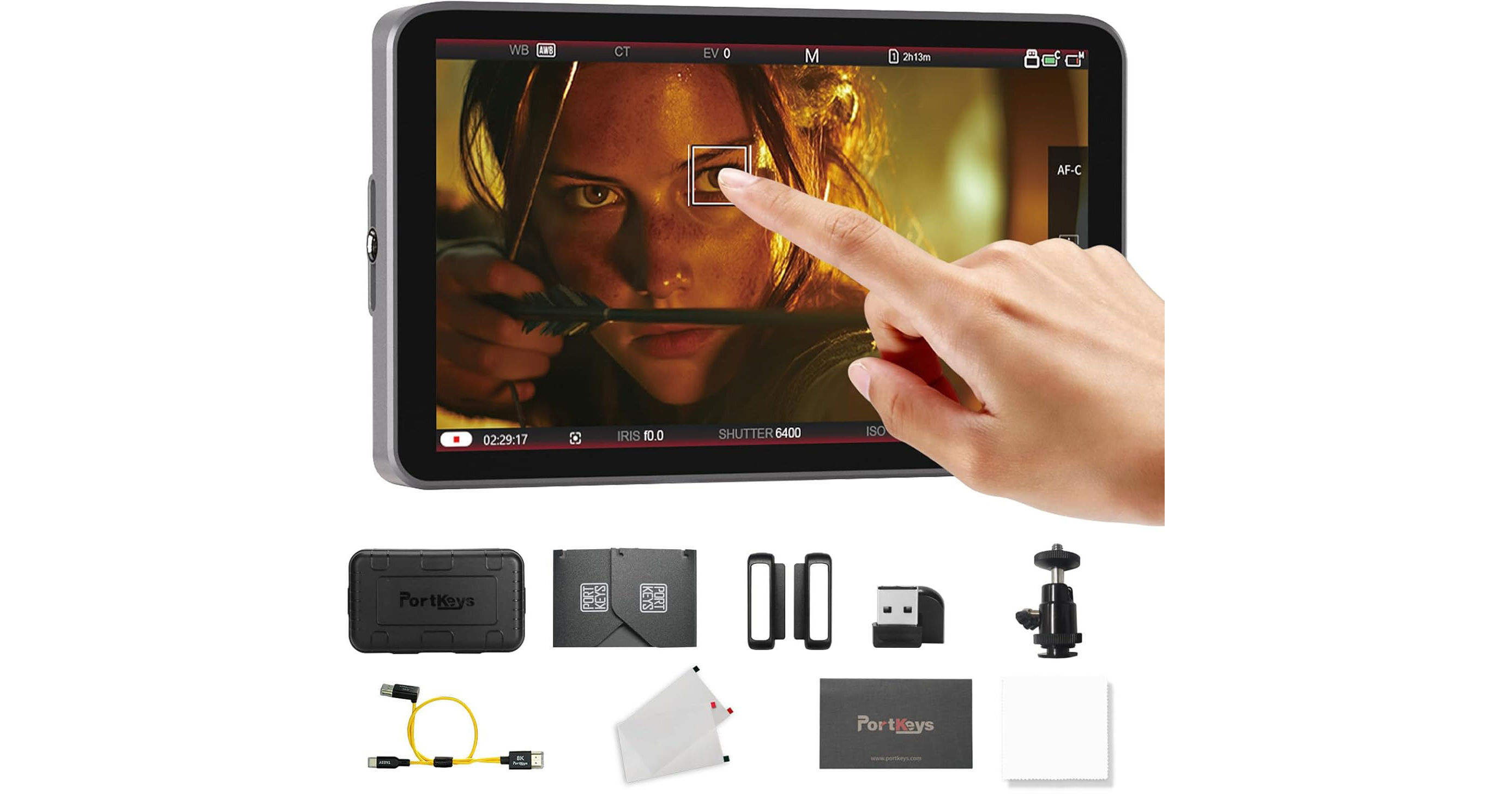
PORTKEYS LH7C 7" High-Brightness Touchscreen Monitor with Sunshade
Key Features
- 7" HDMI 1920 x 1080 Touchscreen Display
- Wired Control for Sony/Canon/Panasonic
- Up to DCI 4K24 Input Support
- 1000 cd/m² Brightness
Add pro monitoring tools and control to your mirrorless or DSLR camera rig with this LH7C 7" High-Brightness Touchscreen Monitor from PORTKEYS. The 7" on-camera touchscreen monitor features a 1920 x 1080 resolution, 1000 cd/m² brightness, and a 178° viewing angle. Wired camera control is facilitated via the included HDMI/USB-C cable and works in tandem with select Sony, Canon, and Panasonic camera models. A wide array of monitoring tools powered by MOVNORM OS offer a professional-grade experience. This version includes a sunshade for improved daylight viewing.
More DetailsIn Stock
$299.00
$50.00 coupon applied in cart
+
Protect Your Gear
Add a protection plan from $42.99
See Options
See any errors on this page?
Will B&H sell the TM03Y micro-HDMI cable needed to
Will B&H sell the TM03Y micro-HDMI cable needed to connect this monitor to a Sony A6700?
Yes, we do sell a micro-HDMI cable that will allow you to connect the PORTKEYS LH7C 7" High-Brightness Touchscreen Monitor with Sunshade to your Sony a6700 camera. A great cable choice is listed below:
ZILR Hyper-Thin High-Speed Micro-HDMI to HDMI Cable with Ethernet (17.7")
BH # ZI4KP60M17: https://bit.ly/4tNlIcl
Date published: 2026-05-04
Does it come with the combo hdmi/usbc cable?
Yes, the PORTKEYS LH7C 7" High-Brightness Touchscreen Monitor comes with a TA03Y USB-C/HDMI combo cable.
Date published: 2026-03-20
I run a gh7 on a dJI ronin 4 pro with a DJI SCR tr
I run a gh7 on a dJI ronin 4 pro with a DJI SCR transmitter/reciever and a DJI tracking module on the Ronin. How will this monitor integrate into that rig?
The PORTKEYS LH7C 7" High-Brightness Touchscreen Monitor with Sunshade can be mounted to any NATO rail or 1/4"-20 mounting point on the gimbal or any accessories you might own. As for cabling, you will run HDMI to the monitor from the camera, then out of the monitor to your transmitter.
Date published: 2026-04-24
