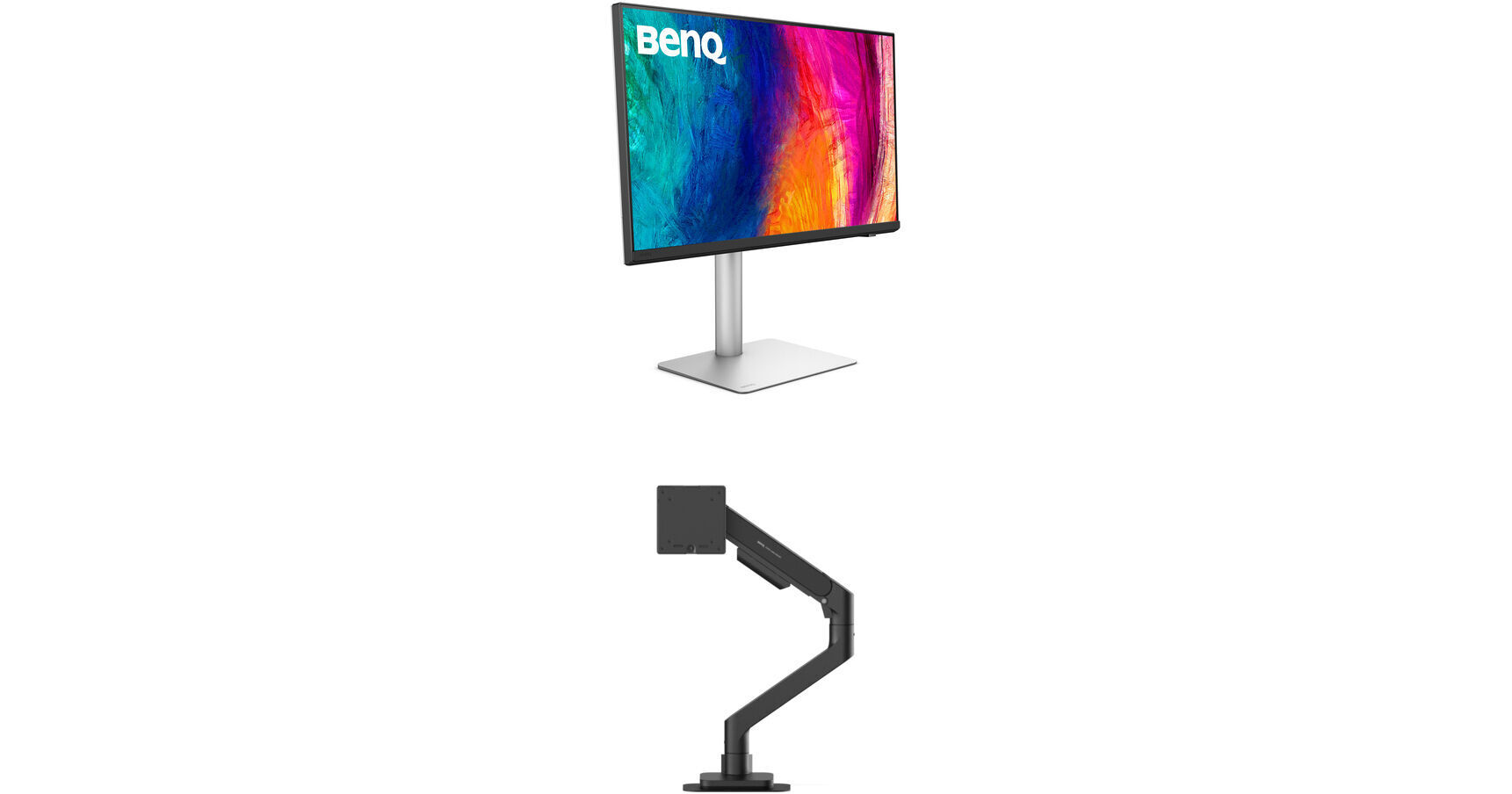
BenQ 27" PD2730S 5K Designer Monitor & Ergo Arm Kit (Black)

BH #BE2730SSH01K (B&H Kit)
Print
BenQ 27" PD2730S 5K Designer Monitor & Ergo Arm Kit (Black)
Key Features
  • 27" 16:9 IPS Panel
  • HDMI | DisplayPort | Thunderbolt 4 (90W)
  • 5K UHD 5120 x 2880 at 60 Hz
  • Single Ergo Arm
Enhance your productivity with this convenient 27" BenQ PD2730S 5K Designer Monitor and Ergo Arm Kit from B&H. The Single Ergo Arm mount provides exceptional flexibility when positioning the 27" 5K UHD 5120 x 2880 resolution display.
More Details
Kit Contains:

Enhance your productivity with this convenient 27" BenQ PD2730S 5K Designer Monitor and Ergo Arm Kit from B&H. The Single Ergo Arm mount provides exceptional flexibility when positioning the 27" 5K UHD 5120 x 2880 resolution display.

BenQ PD2730S 27" 5K HDR Designer Monitor

Power your professional workflow with the BenQ PD2730S 27" 5K HDR Designer Monitor. Featuring a sharp 5120 x 2880 resolution with exceptional color accuracy, this 5K display allows you to see fine details while editing photos and videos.

Connect this display to your Thunderbolt 4 compatible device to transfer video, data, and up to 90W over a single cable. DisplayPort 1.4 and HDMI 2.1 ports are also available. Use the integrated USB 3.2 Gen 2 hub to connect up to 10 Gb/s compatible devices through the monitor. Additionally, the wireless Hotkey Puck G3 controller allows you to quickly switch the display settings as needed for various projects. Use the customizable Display Pilot 2 software efficiently adjust your monitor's settings with your mouse. It may also be used to help organize your workflow with preset templates for multi-windows browsing, a MacBook synchronized focus mode, application shortcuts, and more.

Exceptional Color
Factory calibrated for Delta E ≤ 2 accuracy, the 27" IPS panel delivers cinematic visuals with 1.07 billion colors with 98% DCI-P3, 100% Rec. 709, and 100% sRGB coverage. HDR10 support, with a 2000:1 static contrast ratio and 400 nits brightness, enhances images with realistically bright highlights and deep shadows.
M-Book Mode
M-Book mode minimizes the visual differences between the display and a connected MacBook laptop, which enables easy color matching.
Software Calibration
With the Display ColorTalk software, you can adjust and match colors between multiple displays without needing a hardware calibrator.
Precise Color Matching
Those using a hardware calibrator can use the Palette Master Ultimate software to achieve the ideal look with visual menus and clear prompts.
Rich Connectivity
Connect up to 10 Gb/s compatible storage drives and other devices with the built in hub, which includes one USB-C and three USB-A downstream ports.
Daisy Chaining
A 15W Thunderbolt 3 out port allows you to daisy chain additional PD2730S monitor and other devices.
Integrated Speakers
Enjoy music and videos with the built-in 3W stereo speaker system.
Ergonomics
Rotate the screen 90° to view content in portrait mode. You can also adjust the height, tilt, and swivel for an optimal view. The 100 x 100mm VESA mounting pattern allows you to place the display onto a swivel arm or multi-monitor stand. Wide 178° viewing angles allow you to see the screen clearly from almost any position.
UPC: 840046050993
BenQ Single Ergo Arm (Black)

Mount a display to your desktop with the Single Ergo Arm from BenQ. Supporting displays up to 45" and with a maximum weight capacity of 44 lb, this mount is compatible with 75 x 75 or 100 x 100mm VESA patterns. Breeze through deployment with the included edge-of-desk clamp or the included grommet mount. Find your perfect viewing position with 50 to 20° of tilt adjustment and 90° of swivel and rotation adjustment. Plus, the arm extends up to 22.4" to provide a range of viewing distances. Keep wiring organized for a clean desk with integrated cable management.

The arm is compatible with most materials, however, for hollow tabletops, honeycomb boards, MDF, or glass surfaces, a reinforcement plate is required to ensure a stable installation.
Designed to support monitors weighing up to 44 lb and measuring 45" or smaller, with standard VESA mounting holes.
The premium spring mechanism keeps your screen securely in place unlike standard locking features
C-clamp or grommet mounting based on desk type with both ways are top mounting.
Pre-adjusted weight settings ensure stability during initial setup.
Integrated cable management to keep desk setup neat and organized.
It is suitable for tabletops between 0.7 to 2" without a reinforcement plate, or between 0.5 to 1.8" with a reinforcement plate.
The setup includes a durable reinforcement plate that distributes the arm's weight across your desk surface, protecting it from scratches, cracks, and deformation over time.
UPC: 840046052041
Kit Contains:

BenQ PD2730S 27" 5K HDR Designer Monitor

Key Specs
Display Size
27"
Panel Type
IPS-Type LCD
Native Resolution
5120 x 2880
Maximum Brightness
400 nits / cd/m2
HDR Support
Yes: HDR10
Color Support
1.07 Billion Colors
Color Gamut
100% sRGB
100% Rec. 709
98% DCI-P3
Finish
Anti-Glare
Touchscreen
No
A/V Inputs
DisplayPort 1.4 / HDMI 2.1
A/V Outputs
3.5 mm (Analog Audio)
USB I/O
USB-A 3.2 Gen 2 / USB-C 3.2 Gen 2 / Thunderbolt 4
Built-In Speakers
Yes: 2x 3 W
Display
Size
27"
Panel Type
IPS-Type LCD
Aspect Ratio
16:9
Native Resolution
5120 x 2880
Maximum Brightness
400 nits / cd/m2
HDR Support
Yes: HDR10
Contrast Ratio
2000:1
Refresh Rate
60 Hz
Variable Refresh Technology
No
Color Support
1.07 Billion Colors
Color Gamut
100% sRGB
100% Rec. 709
98% DCI-P3
Viewing Angle (H x V)
178 x 178°
Curved Display
No
Finish
Anti-Glare
Surface
Touchscreen
No
Connectivity
A/V Inputs
1x HDMI 2.1
1x DisplayPort 1.4
A/V Outputs
1x 1/8" / 3.5 mm (Headphone)
HDCP Support
Yes: Version 2.3
USB I/O
1x USB-C (Thunderbolt 4) with USB PD 90 W
1x USB-C (Thunderbolt 4)
2x USB-C 3.1/3.2 Gen 2
3x USB-A 3.0 / 3.1/3.2 Gen 1
1x USB-A 3.1/3.2 Gen 2
Multi-Input Support (PIP/PBP)
Yes: Picture-in-Picture (PIP), Picture-by-Picture (PBP)
Speaker
Built-In Speakers
Yes: 2x 3 W
Electrical
Input Power
100 to 240 VAC, 50 / 60 Hz
General
Adjustments
Rotation: 90°
Swivel: 60° (-30 to 30°)
Tilt: 25° (-5 to 20°)
Height: Up to 5.9" / 149.9 mm
VESA Mounting-Hole Pattern
100 x 100 mm
Lock Slot
No
Dimensions
24.2 x 22.7 x 9.5" / 614.7 x 576.6 x 241.3 mm
Weight
18.12 lb / 8.22 kg
Packaging Info
Package Weight
27.715 lb
Box Dimensions (LxWxH)
28.1 x 23.3 x 7.3"

BenQ PD2730S Reviews

officially now a fan of BenQ

By Chad
Rated 5 out of 5
Date: 2026-09-04

BenQ PD2730S — excellent monitor, wrong window for me. I spent a long stretch on a 31.5" 4K ViewSonic VP3268-4K. When I started looking at 27" 5K, I wasn’t chasing a trend. I wanted more pixels per inch, a matte panel I could trust for Rec.709, and software that didn’t feel like an afterthought. The PD2730S is that monitor. 27" 5120×2880 is 218 PPI. On a 5K panel at a sensible HiDPI scale (I landed on 2560×1440 for daily work), text and UI are clean in a way 4K-on-32" never is. You can open a 4K QuickTime at pixel 1:1 and still have UI around it. That’s the thing I couldn’t do on the 3268 without going full screen. Nano matte is the right finish for an edit room with real lights. No mirror, no “nano glass” haze argument. IPS Black contrast is a step up from garden IPS. The Hotkey Puck is not a gimmick. Rec.709 when it’s a master. Display P3 / M-Book when you’re matching a MacBook for an approval. ColorTalk and Display Pilot 2 are the reason this isn’t just another 5K panel in a nice box. BenQ is treating the Mac as a workstation, not a hobby. Build is solid. Ports are the grown-up set: Thunderbolt 4 (90W), HDMI 2.1, DisplayPort 1.4, hub. On a 2019 Mac Pro I ran 5K over Thunderbolt (BetterDisplay to lock the timing on Intel). HDMI from a Windows machine through a KVM also held 5K. Input switch from the puck is how a dual-machine desk should work. What didn’t fit for me. The panel isn’t the problem. The rectangle is. After years on 31.5", a single 27" feels like looking through a cropped window. I tried two 27"s. That’s too much neck and a seam I didn’t want. I liked both BenQ 27"s enough that packing them up was annoying. They’re still the wrong size for how I sit and how I lay out After Effects, Photoshop, and Resolve. I also live with QuickTime / Quick Look on HiDPI. Once you understand points vs pixels it makes sense. Until then, “100%” feels drunk compared to a native 4K 16:9. That’s macOS, not a BenQ defect — but it’s part of living on 5K. Wish list for BenQ – Keep this stack — puck, Rec.709, ColorTalk, nano matte, Thunderbolt — and put it on: - a flat 21:9 at 5120×2160 (or better), or - a 32" 6K (6016×3384) at the same 218 PPI. That’s the desk I actually have. The PD2730S is the color and density. It just isn’t the stage. Bottom line – If you want a 27" 5K for design, stills, and Rec.709 you can defend, buy this. It’s the most complete non-Apple 27" 5K I’ve used. If you’re coming off a 32" 4K and you need width more than you need 218 PPI in a smaller hole, this will impress you and still feel cramped. That’s on my habits, not on the monitor. Excellent piece of glass. Wrong window for my work. I hope BenQ ships the same brain in a wider body.

Single input mode not as bright as PBP mode

By Snow
Rated 3 out of 5
Date: 2026-03-20

These are great monitors. I have two of these. I have one on single input mode and one on PBP mode. See picture attached, the left is single input, the right is PBP. The PBP mode is much brighter than the single input mode. I wish the single input mode is as bright as the PBP mode because it is not pleasant to look at two screens with different brightness. I hope this can be fixed via firmware or software update. Quality of the monitor is 5 star, but due to the inconsistency in brightness in different modes, I give this 3 star for now to bring BenQ’s attention.

See any errors on this page?

What is the Adobe RGB color gamut spec rating on ...

What is the Adobe RGB color gamut spec rating on the BenQ PD2730S?
Asked by: Richard
The BenQ PD2730S 27" 5K HDR Designer Monitor offers impressive color coverage with 100% sRGB, 100% Rec. 709, and 98% DCI-P3. If you're specifically looking for a monitor that prioritizes Adobe RGB, we recommend exploring our BenQ SW series
Answered by: BenQ Customer Service
Date published: 2026-07-27

Is this a true 10 bit monitor or does it use FRC? ...

Is this a true 10 bit monitor or does it use FRC? Are the panels in this different from either the ASUS or Viewsonic 5K models?
Asked by: Lauren
The BenQ PD2730S 27" 5K HDR Designer Monitor (B&H # BEPD2730S) is a 8 Bit+FRC display. BenQ or Asus do not mention the panel used.
Answered by: Luis F
Date published: 2025-07-08

Glossy or Matt screen?

Glossy or Matt screen?
Asked by: Andy
The BenQ PD2730S 27" 5K HDR Designer Monitor features a matte, anti-gloss screen.
Answered by: Kenneth C
Date published: 2026-05-04

apple M1 for this monitor

apple M1 for this monitor
Asked by: Patrick
Yes, the PD2730S will support the Apple M1 device.
Answered by: BenQ Customer Service
Date published: 2025-12-02

Is the 5120x2880 resolution at 60Hz and 10-bit ...

Is the 5120x2880 resolution at 60Hz and 10-bit color supported on the HDMI, and the DP, and the Thunderbolt ports?
Asked by: dan
Yes, full 5K resolution at 60Hz and with 10-bit color is supported by all display connection types on the BenQ PD2730S 27" 5K HDR Designer Monitor.
Answered by: Kenneth C
Date published: 2026-09-02
  • y_2026, m_9, d_11, h_10CST
  • bvseo_bulk, prod_bvqa, vn_bulk_3.0.48
  • cp_1, bvpage1
  • co_hasquestionsanswers, tq_5
  • loc_en_US, sid_1986534, prod, sort_[SortEntry(order=HAS_STAFF_ANSWERS, direction=DESCENDING)]
  • clientName_bhphotovideo
Whatever You Need, We've Got It