Video Chat with a Lighting Expert - Live

Elinchrom EL-Skyport Computer/RX Remote/Trigger Radio Slave System

BH #ELESTSCR • MFR #EL 19361
Print
Elinchrom EL-Skyport Computer/RX Remote/Trigger Radio Slave System
Key Features
  • Transmitter, 2-RX Dedicated Transceivers
  • USB RX Transceiver
  • EL-Skyport Software (Mac/Windows)
  • USB, Sync Cords, Battery
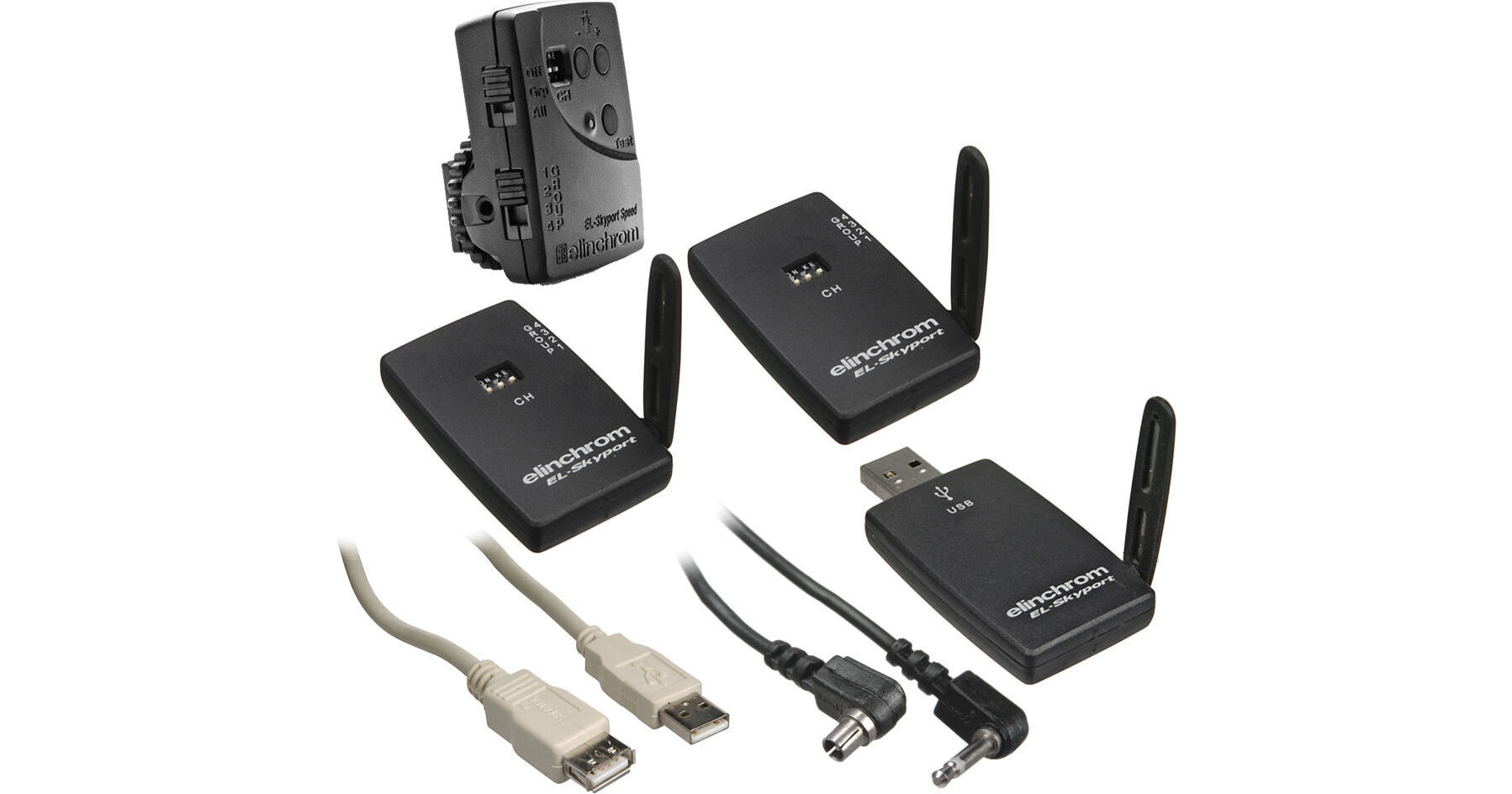
The Elinchrom EL-Skyport Computer Remote/Trigger Radio Slave System is an ultra-compact, complete, wireless radio slave system that is dedicated to the line of Elinchrom RX packs and heads only. This kit consists of: one SPEED transmitter, two RX transceivers, one USB RX transceiver, plus their respective accessories.

Each RX Transceiver connects directly into the remote socket of an RX flash unit and does not require a connection cable or additional battery power. It integrates with the rest of the EL-Skyport system. The transmitter itself can control the flash power, modelling lamp, and flash synchronisation. To control all the other RX functions, the EL-Skyport software (run from a computer) is required. The USB RX Transceiver fits into the USB socket of any Mac or Windows computer and works in conjunction with the free EL-Skyport Software. The USB RX Transceiver will send and receive information from both the Universal Receiver and the RX Receiver.

The EL-Skyport system has an operating range of 164' (50 m) indoors, and 394' (120 m) outdoors. Interference free operation is guaranteed with 40 bit security.

More Details
No Longer Available
No Store Display
Ask an Expert
800-606-6969

Elinchrom EL-Skyport RX Overview

The Elinchrom EL-Skyport Computer Remote/Trigger Radio Slave System is an ultra-compact, complete, wireless radio slave system that is dedicated to the line of Elinchrom RX packs and heads only. This kit consists of: one SPEED transmitter, two RX transceivers, one USB RX transceiver, plus their respective accessories.

Each RX Transceiver connects directly into the remote socket of an RX flash unit and does not require a connection cable or additional battery power. It integrates with the rest of the EL-Skyport system. The transmitter itself can control the flash power, modelling lamp, and flash synchronisation. To control all the other RX functions, the EL-Skyport software (run from a computer) is required. The USB RX Transceiver fits into the USB socket of any Mac or Windows computer and works in conjunction with the free EL-Skyport Software. The USB RX Transceiver will send and receive information from both the Universal Receiver and the RX Receiver.

The EL-Skyport system has an operating range of 164' (50 m) indoors, and 394' (120 m) outdoors. Interference free operation is guaranteed with 40 bit security.

Four Workgroups, Eight Channels Each
  • Four Workgroups: adjust and sync individual units or groups
  • Eight Channels: Work across each workgroup
  • The "All" switch on the transmitter controls all four workgroups.
  • Save on Batteries
  • No battery is necessary for the RX Transceivers as power comes from each RX flash unit.
  • No battery is necessary for the USB Transceiver, as power comes from the USB connection of your computer.
  • Dual Connection
    The transmitter features a hot shoe connection, plus a PC sync socket.
    Adjustable Range
    Movable antenna optimizes reception and working distance.
    Visible Status
    Status LED indicates charge and operating modes
    Test Button
    For manual flash trigger

    Elinchrom EL-Skyport RX Specs

    Operating Range
    Indoors: 164' (50 m)
    Outdoors: 394' (120 m)
    Channels
    3x 40-bit coded channels
    Maximum Flash Synchronization Speed
    1/1000 second
    Power Source
    RX Receiver: Drawn from flash or pack unit
    Transmitter: CR2430 3v Lithium Battery
    USB RX Transceiver: from USB connection
    Dimensions
    RX Receiver: 1.5 x 2 x 0.5" (3.8 x 5.1 x 1.3 cm)
    Transmitter: 2 x 1.57 x 1" (5 x 4 x 2.5 cm) USB Transceiver: 1.5 x 2 x 0.5" (3.8 x 5.1 x 1.3 cm)
    Weight
    Not Specified by Manufacturer

    Elinchrom EL-Skyport RX Reviews

    See any errors on this page?
    Whatever You Need, We've Got It