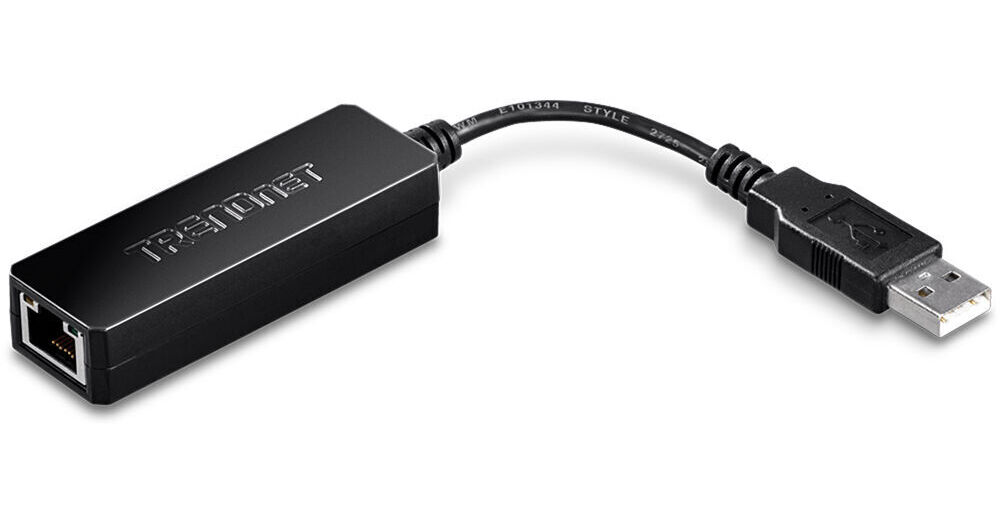
The TU2-ET100 USB 2.0 to 10/100 Mb/s Fast Ethernet Adapter from TRENDnet is a high-speed USB network adapter that allows you to connect to a 10/100 Mb/s network via a desktop or notebook PC's USB port. It is compliant with the USB 2.0 standard and backwards compatible with USB 1.0 and 1.1. Use this convenient adapter to connect your PC to the Internet or a network without needing a network card or integrated Ethernet port.
This device is compliant with IEEE 802.3 and 802.3u standards. It also supports Suspend and Hibernate modes to remotely wake up through link-up or magic packet. LED lights provide a visual indicator of line status. The adapter offers plug-and-play installation and is compatible with most versions of Windows and Mac operating systems.
Ask Our Experts800-606-6969
Hello, Log InAccount & Orders
In Stock
Protect Your Gear
Add a protection plan from $3.99
See Options
TRENDnet TU2-ET100 Overview
USB to Ethernet Adapter
Use this adapter to connect to an Ethernet network connection or the internet with nothing more than a USB connection on a desktop or laptop PC.
LEDs
LEDs indicate the status of all lines.
Plug-and-Play Installation
Simply attach this adapter to your Ethernet connection and USB port and you're ready to start working.
OS Compatibility
Compatible with most versions of Windows and Mac operating systems.
UPC: 710931302103
TRENDnet TU2-ET100 Specs
Key Specs
| Networking I/O | |
| System Connection | |
| OS Compatibility |
| Networking I/O | |
| System Connection | |
| OS Compatibility | |
| Material of Construction |
Packaging Info
| Package Weight | |
| Box Dimensions (LxWxH) |
TRENDnet TU2-ET100 Reviews
Roku Streambar owner please read
By Matthew
Rated 5 out of 5
Date: 2021-04-12
This ethernet adapter works with Roku Streambar and you can just add hard wire connection and it works right away after hooked up. No setting required. Besides Roku, it works with most Android devices (with USB C PD passthrough hub) and Windows. It's basic, but it's pretty good due to perfect compatibility
nice
By Elazar
Rated 3 out of 5
Date: 2020-01-31
this is good
See any errors on this page?
question
My wi-fi is very slow when I'm away from the modem, even using a wi-fi repeater, that's why I want to try this adapter since my samsung Ativ does not have ethernet input, and I wonder Which cable is more suitable to use for a distance of 33ft or something like that, will it work better with ethernet cable and the adapter closer to the repeater? or a a USB extension and the adapter closer to the tablet? which cable is better for a long distance? is the same?? Thank you.
USB has a max distance of 16' with out an active repeater. You would want to have a longer Ethernet cable and a short USB adapter and cable distance.
Date published: 2019-08-26
question
my built in Ethernet controller card on my lap top I think isn't working so I want to know if this will work in it's place ?
I used mine with a Windows 7 laptop with no problems. Driver installation was painless and it worked right away. According to TRNEDnet, there are also drivers for OSX 10.4 through 10.9 as well as Windows XP, Vista, and Windows 8. One minor point to keep in mind is that if your laptop is older and the USB port is not USB 2, and only the older, slower USB 1.0 or 1.1, the adapter will only work at 10 Mb/s since USB 1.x is only 12 Mb/s. On a more technical point, IF by chance you get your onboard controller working again, you may want to remove this. Trying to run two NICs (Network Interface Controllers) at the same time leads to routing problems. Think of it this way, if you tell your dog to go fetch a stick and you leave both the front and back doors opened, he may leave through the wrong door (internet gateway), go nuts trying to do both, or simply freeze in his tracks because he can't make a choice. In Windows you can define static routes which are rules about which door (interface) to use when you tell it to get something from the network. Ironically, these are more difficult to setup on a mac. Bottom line, don't try to use two NICs at once unless you have a friend who knows networking very well and is willing to configure it for you. I'm sure this would work with a desktop computer also, but the laptop market is really who they are selling to.
Date published: 2018-08-27