Video Chat with a Photography Expert - Live
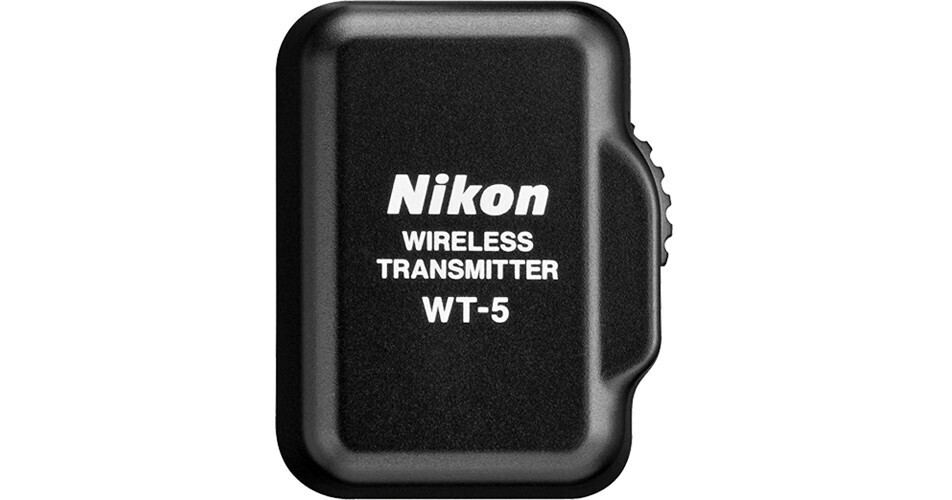
Nikon WT-5A Wireless Transmitter

BH #NIWT5A • MFR #27046
Print
Nikon WT-5A Wireless Transmitter
Key Features
  • Designed for Use with D4 & D4S DSLRs
  • Wireless Transmission & Communication
  • Range: 590'
  • Remote Camera Control via Web Browser
Expand the capabilities of your D4/D4S DSLR by adding the Nikon WT-5A Wireless Transmitter for wireless control and image transmission directly from your camera. With a range of up to 590', users will be able to reliable transfer images from their camera to an FTP server or computer. Users will also be able to access images via a web browser on their mobile device while with HTTP Mode. This setting even permits changing of camera settings, starting Live View shooting, starting/stopping video, and more. There is a PC Mode for controlled the camera from Camera Control Pro 2 software. Shooters can set up a single master camera to release up to 10 remote cameras this way. Additionally, while designed for the D4/D4S, this unit is compatible with the D5 as well. And, by using the UT-1 Communication Unit, it can be used on a variety of other cameras, including the D810, D750, D7200, and more.
More Details
Special Order
Expected availability: 2-4 Weeks
No Store Display
Free Standard Shipping
Ask an Expert
800-606-6969
See any errors on this page?

1. Will the "Nikon WT-5A" wireless transmitter ...

1. Will the "Nikon WT-5A" wireless transmitter work with D5? and, 2. Is the "Camranger 2" a better option for wirelessly transmitting images from D5 to pc/tablet/ipad?
Asked by: Maxim
Yes this product can work with the Nikon D5, since they both use the 10 pin connection. This product comparable to the CamRanger system in that it can wireless transfer images via mobile device or computer.
Answered by: Kirk R
Date published: 2021-02-19

question

Does this WT-5 work on the D810? Is it enabling solely (without the UT1) the WIFI function of the D810 for transfering files wirelessly?
Asked by: Anonymous
Yes, the Nikon WT-5A is compatible with the Nikon D810, however, to transfer image files wirelessly, you will need to also use the UT-1 Communication Unit: http://bhpho.to/1kV5zNL
Answered by: Heather S.
Date published: 2018-08-28

question

Does this adapter come with Nikon Camera Control Pro 2 software? If not, how does one connect the camera to their PC/MAC?
Asked by: Anonymous
The WT-5A Wireless Transmitter does not come with Nikon Camera Control Pro 2 software. This adapter connects camera to computer by using the wireless transmitter utility, which must be installed on the computer that is being used to communicate with the camera, to an existing wireless network.
Answered by: Heather S.
Date published: 2019-01-18

question

Can WT-5A be used on a D3S? And D800?
Asked by: Anonymous
To use the WT-5A with the D800, you would also need the Nikon UT-1 (B&H # NIUT1). Unfortunately, this transmitter cannot be used with the Nikon D3S. For the D3S, you could use the Nikon WT-4A (B&H # NIWT4A).
Answered by: Christina S.
Date published: 2018-08-28

question

Your overview states designed for use in USA, Canada and Brazil. Will it work in Australia ?Allan
Asked by: Anonymous
Nikon markets this unit in Australia, so providing the router is a standard router with WIFI it should work.
Answered by: Pete S.
Date published: 2018-08-28

Does the WT-5A work with the new Nikon D6 body?

Does the WT-5A work with the new Nikon D6 body?
Asked by: B
I'm sorry, no. You will have to use the WT-6.
Answered by: Rob
Date published: 2020-05-12

question

on the D4s there is no menu setting for MTP PTP usb mode selection that i can find,it is required to pair camera with a laptopI cannot go further with the initial setup for both wt5 and d4s and computer?
Asked by: wendell t.
Same problem for me.
Answered by: Adam S.
Date published: 2018-08-28

question

With a fast laptop at say 10' distance, can someone measure and let me know how long it takes to transfer a single raw file? What about the time to transfer say 5 raw images shot in quick succession? Thanks
Asked by: T. O.
for my experience, I felt it's not so reliable. Sometimes the signal dropped, and sometimes the session ends without a reason. It is a bit more reliable to connect through wifi router than ad hoc mode. The speed for raw files is not so optimal if you want to see it in almost real time. It would take about 2 to 5 mins for 5 raw files
Answered by: Frank L.
Date published: 2018-08-28
  • y_2026, m_7, d_9, h_10CST
  • bvseo_bulk, prod_bvqa, vn_bulk_3.0.47
  • cp_1, bvpage1
  • co_hasquestionsanswers, tq_9
  • loc_en_US, sid_841476, prod, sort_[SortEntry(order=HAS_STAFF_ANSWERS, direction=DESCENDING)]
  • clientName_bhphotovideo
Whatever You Need, We've Got It
