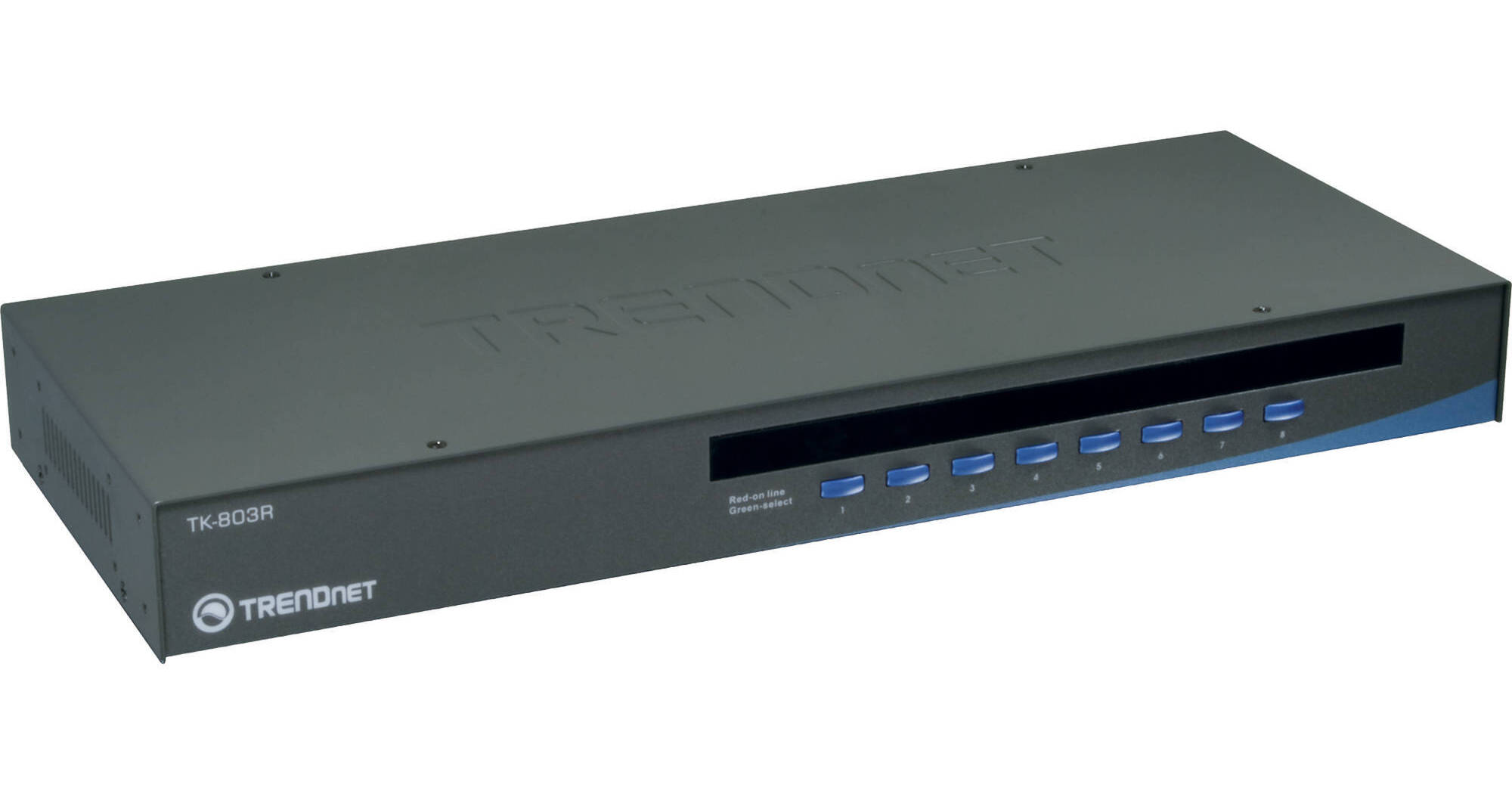
The Trendnet 8-Port USB/PS/2 Rack Mount KVM Switch makes it possible to manage multiple computers with a single set of keyboard, monitor and mouse. This rack mount device supports USB and PS/2 interface on the console and USB only on the PC side. Popular hardware platforms like PC, Linux and Mac are supported. You can switch from PCs using a hot key or push button. Additionally, you can hot plug PCs on the fly to avoid downtime. Connection cables are sold separately.
Ask Our Experts800-606-6969
Hello, Log InAccount & Orders
Key Features
- 8-Port KVM Switch
- Supports USB and PS/2 Connections
- Device Monitoring
- Adjustable Auto Scan & Audible Feedback
The Trendnet 8-Port USB/PS/2 Rack Mount KVM Switch makes it possible to manage multiple computers with a single set of keyboard, monitor and mouse. This rack mount device supports USB and PS/2 interface on the console and USB only on the PC side. Popular hardware platforms like PC, Linux and Mac are supported. You can switch from PCs using a hot key or push button. Additionally, you can hot plug PCs on the fly to avoid downtime. Connection cables are sold separately.
More DetailsSpecial Order
Expected availability: 7-10 Business Days
Protect Your Gear
Add a protection plan from $13.99
See Options
TRENDnet TK-803R Overview
8-port USB KVM switch
Supports both USB and PS/2 Interface for console port
Supports Microsoft IntelliMouse, IntelliMouse Explorer, Logitech NetMouse, Optical Mouse, and more
Supports Windows 98SE/ME/ 2000/XP/2003 Server/Vista/Windows 7, Linux, Mac OS and more
Supports up to 2048 x 1536 VGA resolution
Firmware upgradeable via PC port
Auto-Scan for monitored PCs with adjustable scan interval from 10-99 seconds
Keyboard status restored when switching between PCs
LED displays for easy status monitoring
Beeping sound for port switching confirmation (enable/disable)
Hot key or push button switching
Plug-and-Play and hot pluggable
Standard 19" (1U) rack mount design
UPC: 710931304305
TRENDnet TK-803R Specs
Key Specs
| # of Systems Supported | |
| Console I/O | |
| KVM I/O | |
| Supported Resolutions |
| # of Systems Supported | |
| Console I/O | |
| KVM I/O | |
| OS Compatibility | |
| Supported Resolutions | |
| Scan Interval Range | |
| USB Keyboard/Mouse Emulation | |
| Operating Conditions | |
| Storage Conditions | |
| Certifications | |
| Rack Mountable | |
| Dimensions | |
| Weight |
Packaging Info
| Package Weight | |
| Box Dimensions (LxWxH) |
TRENDnet TK-803R Reviews
Good features and value
By Michael
Rated 4 out of 5
Date: 2024-01-22
I have eight desktops running various flavors of Linux. I replaced my PS2/VGA switch when I was unable to find other than a very basic PS2 mouse these days. The PS2 ports allowed me to keep my keyboard while a wireless mouse (Logitech M510) works in the USB mouse port. My only disappointment is that the VGA signal seems a bit less crisp on my 1920x1200 monitor than with the old switch. This shows during text logging on boot up after kernel mode setting where a red leading edge appears on characters at the beginning of a line. It is not noticeable once the graphic screen appears.
See any errors on this page?
is this v2.0r?
is this v2.0r?
This should be the V2 as V1 was discontinued...We do not sell discontinued products.
Date published: 2021-02-07
question
what cables are needed?
Scratch that last answer! I was thinking of something else. Anyway, you need to buy one or more of these cables to attach your computers: http://www.bhphotovideo.com/c/product/914207-REG/trendnet_tk_cu06_usb_vga_kvm_cable_6.html
Date published: 2018-08-28
