PTZ Cameras & Solutions
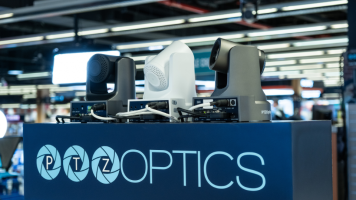
If you’re capturing a live event like a religious service, the best way to engage online viewers is by providing them with an even more dynamic view of the action than they could get in person. This is rarely achieved by throwing an iPhone on a tripod in the back of the room. Instead, we’ll show you how to use PTZ (pan tilt zoom) cameras to stream professional, high-quality versions of your events and services out to the general public. We’re breaking down the equipment, software, streaming services, and more.
Equipment Needs
On the most basic
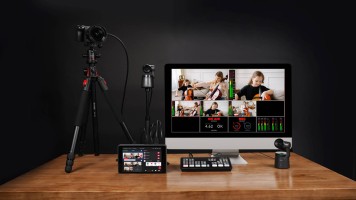
In an increasingly digital world, it’s often no longer feasible for an entire technical team to be on site for a production. But as more infrastructure moves to the cloud, physical camera hardware still often stands in the way by requiring in-person setup and fine tuning. That’s where PTZ cameras come in. With their ability to be remotely panned, tilted, and zoomed, they open up a world of possibilities for remote production. So what are the best ways to utilize them? Let’s dive in!

Whether you're outfitting a tiny conference room or a massive ballroom, PTZ cameras can help you pan, tilt, and zoom your way to the best angles and most effective ways to communicate your message during a video conference. With PTZ camera setups varying wildly in size, price, and configuration, we're breaking down possible workflows for different kinds of scenarios.
1. Home Office
If you're just outfitting a setup for yourself, a single

Struggling with a fixed camera that can't capture every angle? Tired of shaky zooms or disruptive camera adjustments during your production sessions? PTZ cameras (pan-tilt-zoom) are the solution. Whether you're streaming a place of worship, teaching a virtual class, or broadcasting a medical demo, PTZ cameras are the game changers. They're flexible, user-friendly, and can make your production seamless and very concise. But with tons of options out there, where do you start? Let's break it down with a guide that's as relatable as it is pro, so

PTZ (pan-tilt-zoom) cameras are commonplace in broadcasting, video production, live events, video conferencing, lectures, and more. They offer versatility and flexibility across a wide range of applications. With this versatility and flexibility comes the ability to be creative in capturing content. You’re certainly not limited to the applications listed below. They are just some examples of how you can be creative with PTZ cameras.
Cooking and Food Influencers
Cooking- and food-based video content are quite popular across social media

The proliferation of PTZ (pan-tilt-zoom) cameras being used for sports coverage and broadcasting should not come as a surprise. They offer seamless operation and flexible installation options thanks to their relatively small size and remote-control capabilities from a central location. The benefit of using a PTZ camera over a standard fixed camera for sports coverage (and live events in general) is

When looking to modernize and scale your PTZ camera installation, or if you’re setting up events or venues on small to large networks, connecting and controlling your PTZ cameras can become difficult to install, control, and scale if you’re using common SDI, HDMI, USB, or even HDBaseT PTZ camera connectivity.
What Is NDI?
“Network Device Interface” (NDI) is a widely used bidirectional IP video transport protocol created by NewTek (now Vizrt) for

When embarking on a quest to outfit your environment with a PTZ camera workflow, the countless choices of cameras and related gear can be daunting. If you’re unfamiliar with the different methods to remotely control and connect the cameras to different pieces of equipment, it helps to understand all the protocols and connection types involved in PTZ camera workflows.
There are three main connectivity buckets for PTZ cameras that you will come across in

When looking to share messaging with a faith-based congregation, houses of worship have grown their reach thanks to the ease of live streaming and multi-camera setups. With so many choices in cameras and gear to fit your streaming needs, it may be daunting to start setting up your video space. PTZ cameras are a great addition to a limited space because they are small and discreet, don’t need an in-person

0 Views ·Posted
Ready to take your livestream to the next level? Join Doug as he walks through a professional, broadcast-style multicamera setup featuring the PTZOptics Move 4K.
0:00 - Intro
0:19 - Cameras in Our Setup
1:28 - Signal Flow
2:10 - Network Switch & Joystick
2:59 - Multi-View Screen
3:10 - Ingesting Video
3:36 - Benefits of This Setup
4:02 - Matching Different Cameras
5:41 - How to Stream the Stream
7:01 - NDI
8:08 - The Possibilities
Sponsored by

The bread and butter of PTZ camera usage will always be situations where a second take isn’t an option—sports, musical performances, public presentations, religious ceremonies. These are productions where getting great footage the first time around isn’t just ideal, it’s imperative. And one of the easiest ways to step those productions up is by using more than one camera. By having multiple angles to cut between, you’re giving yourself both variety and safety. But more cameras also mean more potential headaches, with extra cable runs, the

0 Views ·Posted
What is a PTZ camera? Not sure if a PTZ camera is right for your set up? In the first part of this two-part guide of PTZ cameras, Doug, with the help of the PTZOptics Move 4K, goes over the basics of what a PTZ camera is, how to control it, and different use cases.
0:00 - Intro
0:52 - What are PTZ cameras?
2:15 - PTZ control options
5:01 - Power options
5:49 - Different uses for PTZ cameras
6:51 - Overview

Utilizing video cameras beyond surveillance in the healthcare industry is growing rapidly, and PTZ cameras have been a large part of that advancement. The automated nature of the cameras and their ease-of-integration, remote control, and custom programming allow healthcare facility operators to enhance the lives of the patients they care for.
Telemedicine with Remote Doctor
Performance Features
To find the

You’ve probably seen PTZ cameras in the background of your favorite sports broadcasts and reality shows, but there’s a chance you might not know exactly what they are or why they’re used. Think of pan-tilt-zoom cameras, commonly known as PTZ cameras, as a cross between a security camera and a camcorder. Like security cameras, they can be accessed and controlled from a computer or smartphone either on
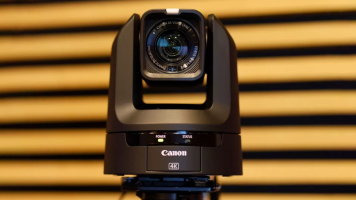
For multi-camera environments—such as house of worship, conference centers, product demos, remote education environments, or even multi-camera video podcasts—PTZ (pan-tilt-zoom) cameras are a great choice as they are easy to control remotely with small crews. One of the easiest ways to get your cameras up and live streaming quickly is with the Blackmagic Design