
The goal of this article is to provide you with an introduction to motion capture, its uses and requirements. As with any journey, it begins with the first few steps.
Motion Capture (MOCAP)
MOCAP is the process of recording high-resolution movement of objects or people and capturing it into a computer system. It has numerous applications, including military, sports, medical, and, of course, for entertainment. While you could trace the roots of motion capture all the way back to the seminal motion capture experiments like Muybridge’s exposures of a horse in motion—which influenced the idea of motion pictures—but it is far more than just capturing images. Motion capture is a method to track movements, not only of the whole actor, but their body parts, arms, legs, shoulders, facial movements, and translate those movements into data a computer can use to recreate the movement with a 2D or 3D generated figure.

Not only does MOCAP result in extremely natural movements, but it can also capture the subtle nuances of human motion that computers don’t generate on their own and bring it to your CGI character. MOCAP can even be extended to capture facial expressions (sometimes referred to as performance capture).
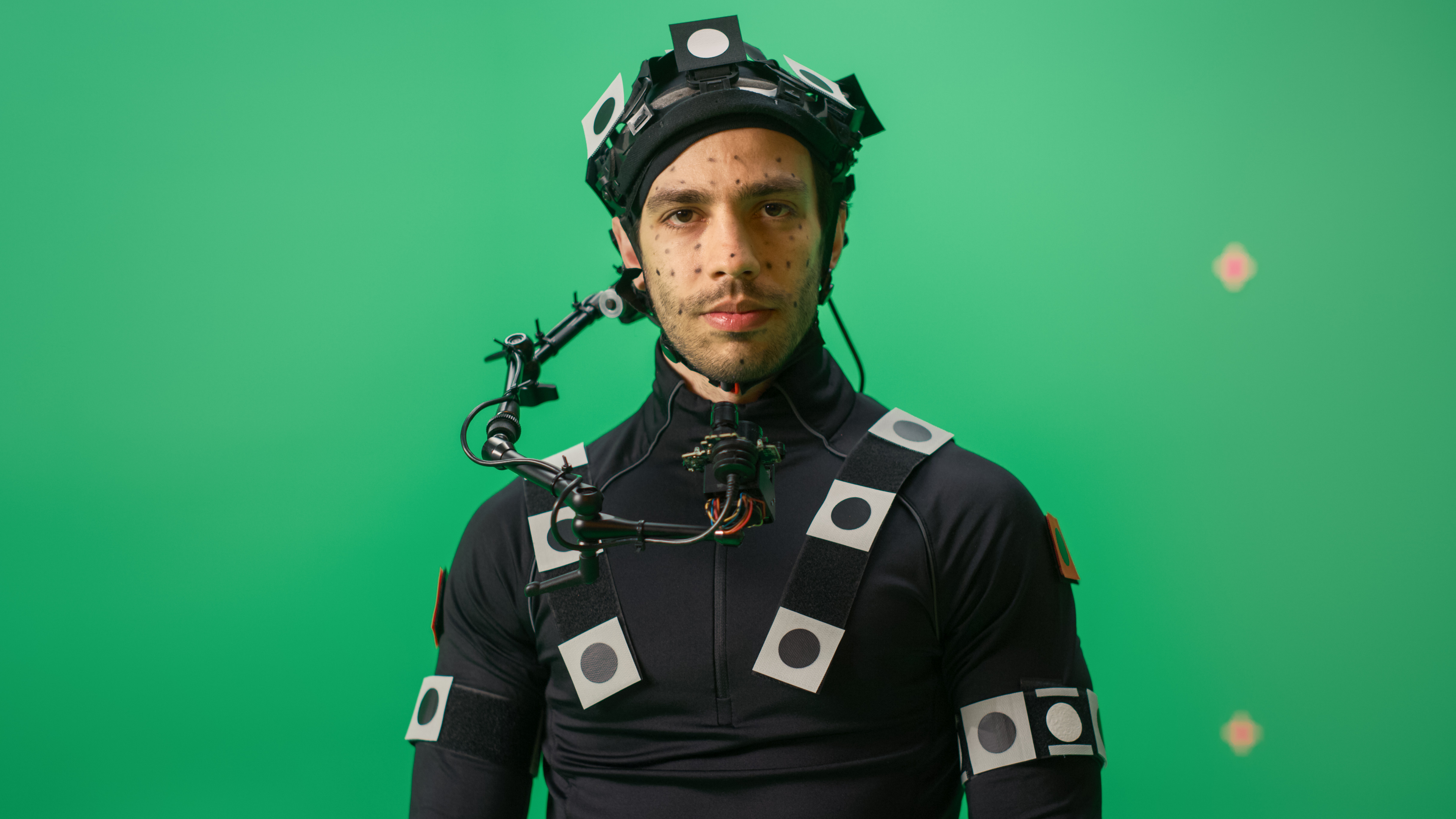
Camera movements can also be tracked so that a virtual camera in the scene will pan, tilt, or dolly around the stage as originally controlled by a camera operator while the actor is performing.
Key Benefits of Motion Capture
Motion capture allows you to create realistic yet fantastical creatures that don’t exist in the real world and have them move with natural motion without requiring complex keyframing and rendering time. Simply create the 3D figure (OK, creating a realistic 3D character isn’t all that simple) and set up their articulating joints. Film the scene with your actor performing the movement and connect your 3D character to your actors’ movements using MOCAP software.

Tweak as required. This would allow you to create a believable 10’ tall powerful creature with realistic movement and physical interactions such as secondary motion as well as a feeling of mass. Or you could resort to putting green body paint on an actor that is less physically imposing than the creature you want them to play on screen, but that just won’t have the same effect. Additionally, now you can cast the actor that you want for their performance and not have to cast only for body type.
Where Is MOCAP Being Used?
MOCAP's most well-known uses are in movies, creating completely CGI characters such as Gollum from the Peter Jackson’s Lord of the Rings, The Mummy (1999), King Kong (2005)—where the actor playing Kong had sensors on his face so the CGI Kong could replicate his facial expressions and give a human performance, and the Davy Jones character from the Pirates of the Caribbean films, as well as many others.
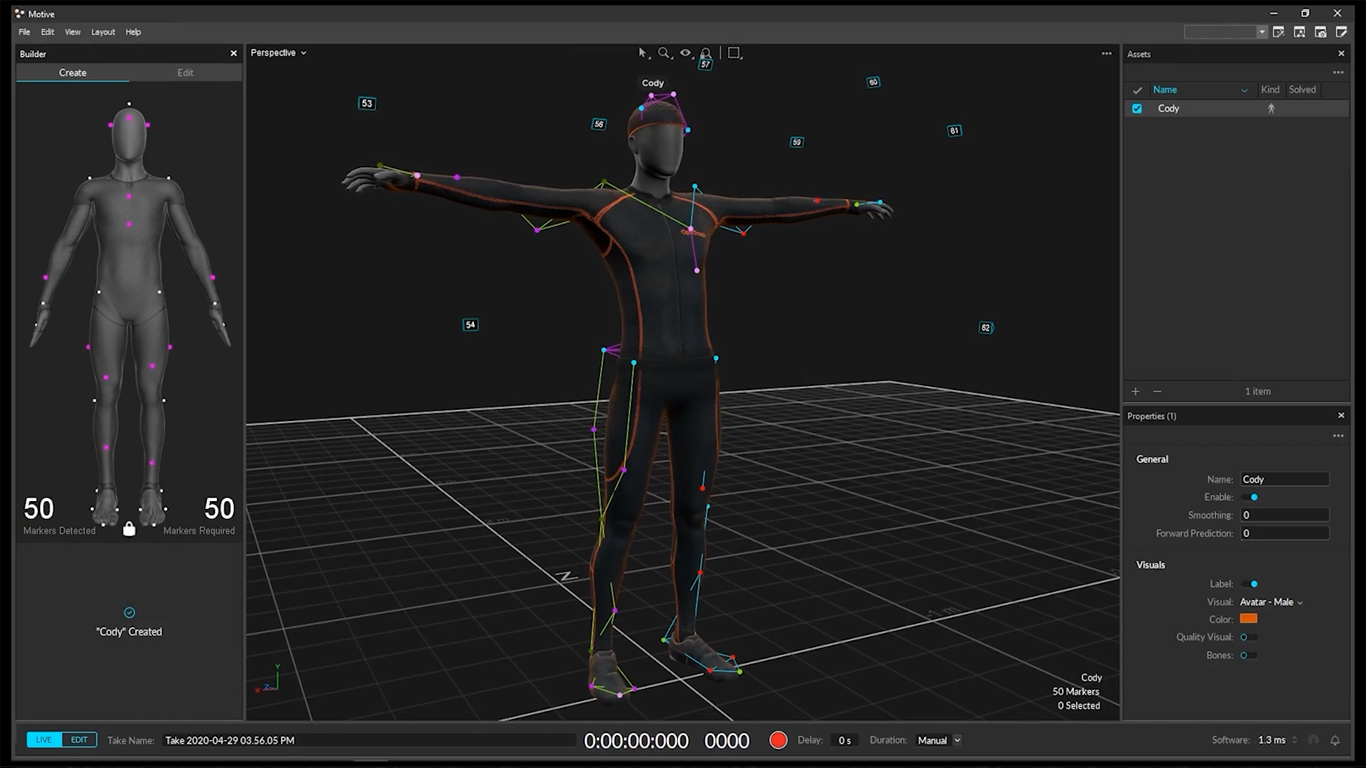
One of the key benefits of using MOCAP in broadcast applications is the real-time nature of the process. Create the characters ahead of time and then replace your actor with the CGI character/creature, as the CGI character follows all the movements of your actor in real time, the CGI character can react to what is going on around them.
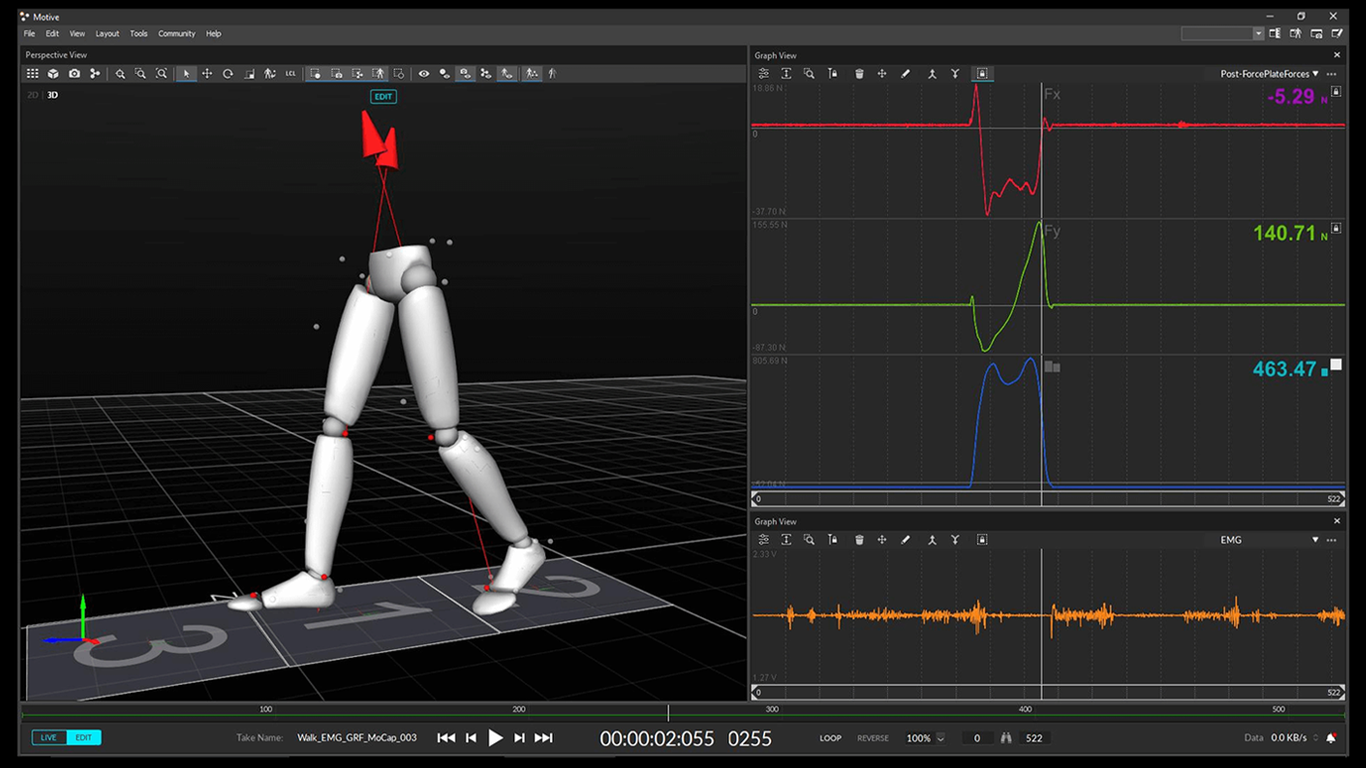
Video games use MOCAP to create the interstitial scenes that play, as well as to define character movement within the game itself. Sure, you make the character move during game play, but it was the motion captured data that creates how the character moves.
System Differences
There are optical and non-optical MOCAP systems. While optical systems use markers/trackers on clothes that reflect into your cameras, providing position and body movement data, the non-optical systems srely on sensors to generate specific data about how the body is moving.
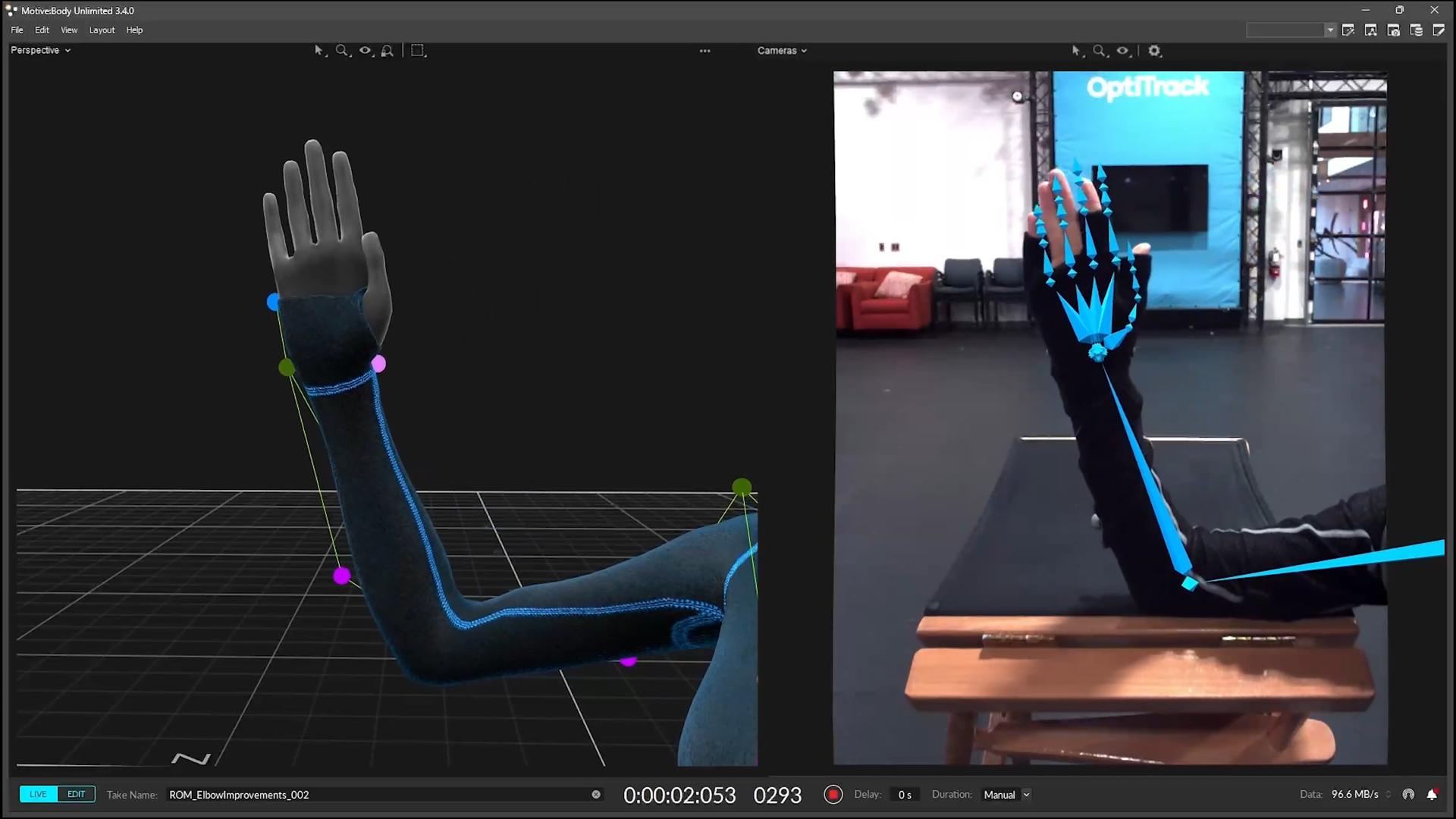
The non-optical systems do not provide positional information about the subject relative to its surroundings; this info is usually provided by using a camera. Magnetic sensor systems, however, can provide both position and orientation information, precluding the use of cameras, though the information is not as accurate as some of the other systems. Each system has its own pluses and minuses, with no single system being best for all situations.
Components of a MOCAP Setup
Camera
Setting up a Motion Capture system requires a few components You need a camera, actually several cameras, running simultaneously to create the 3D information needed. The OptiTrack PrimeX 120 Motion Capture Camera is just one of the cameras on the market that can capture the data for use in MOCAP systems.

Trackers
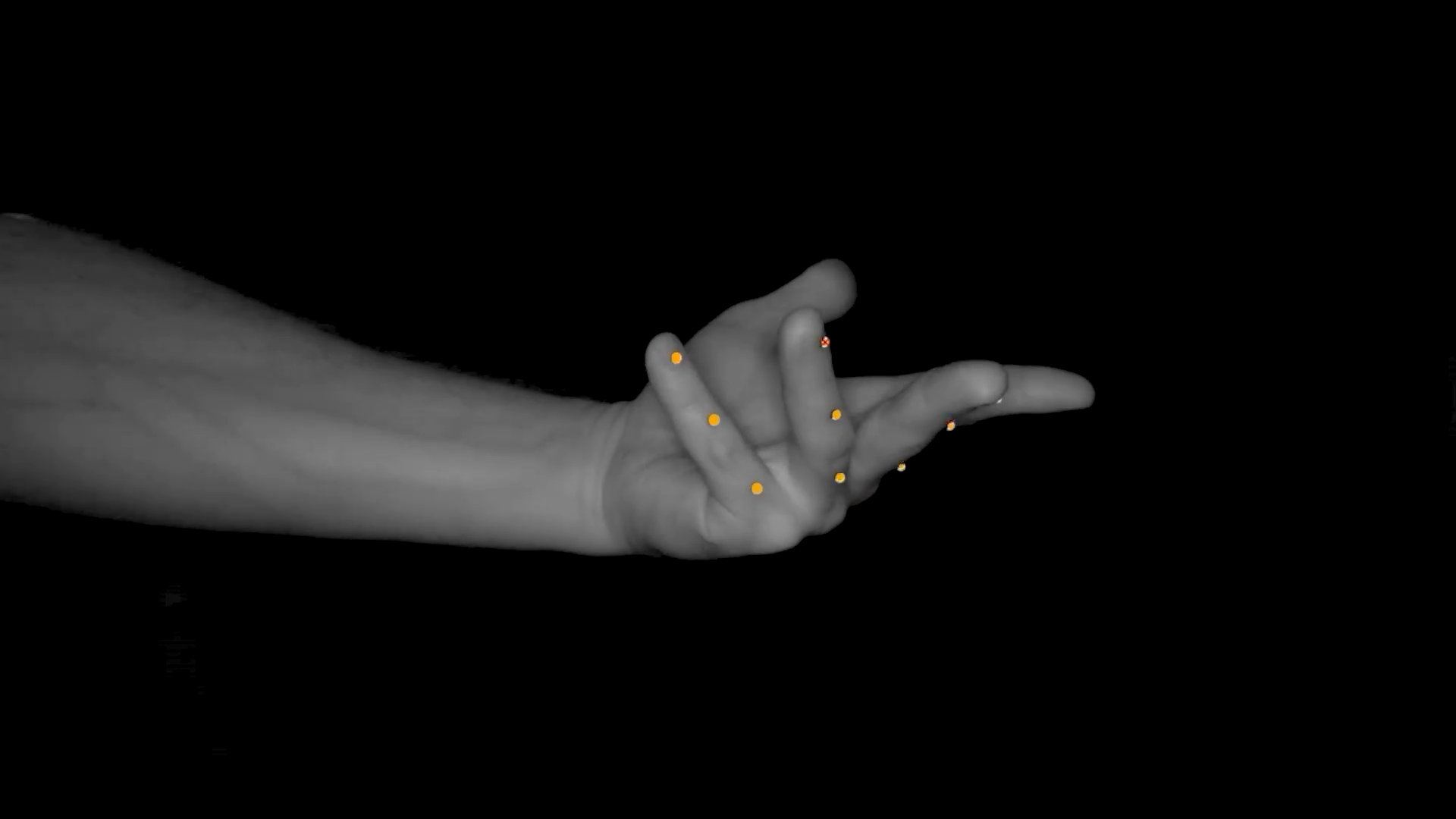
Trackers are used in optical based systems, the trackers mount on your talent’s clothes or an object’s surface and consist of two types: passive and active. Passive markers are used to identify and track your subject, responding to emissions from the camera, which are reflected to the camera. Active markers on the other hand are invisible infrared LEDs that send unique pulses to the camera. In tracking applications, a mixture of both types of trackers and their respective cameras can be most beneficial.

Sensors
Sensors mount on your subject, and work with non-optical systems. Similar in purpose to the trackers in optical systems, sensors use a variety of methods to provide orientational, and in some cases positional, data. The orientational info can precisely describe exactly how the body moves and the actions of the body’s joints and limbs.
Clothing
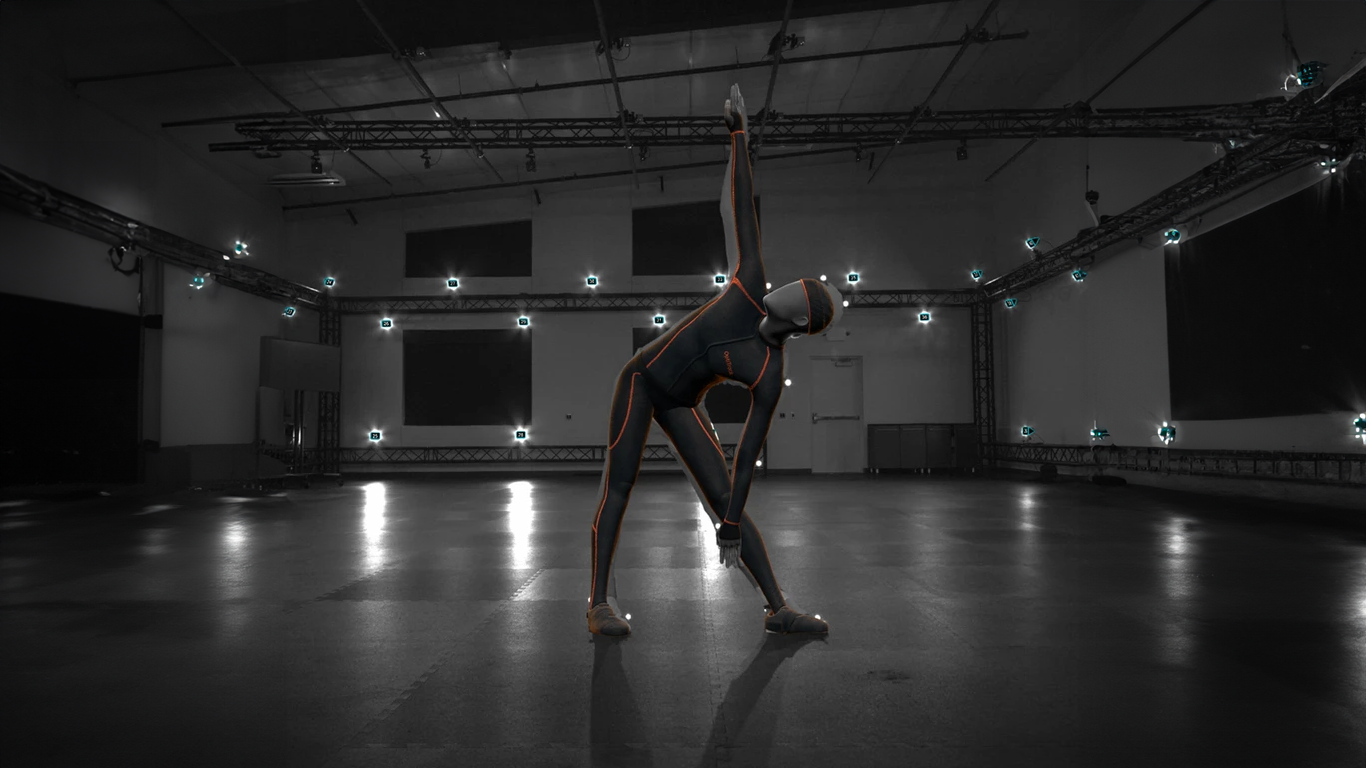
Available outfits and slippers allow your actors to move freely during the capture session. Tight fitting body suits eliminate any wear and tear on your actor’s clothes, provide excellent attachment points for trackers and sensors, which prevent loose clothing from obscuring the tracker. Slippers are available that go over your actor’s shoes for attaching trackers securely. You will need mounts to attach the trackers and sensors to your talent and props.
Software
Finally, how do you take advantage of all this data you have collected? It will have to be stored, and sorted, and you will need to choose from available software packages. Luckily there does seem to be an ever-increasing number of packages available for you to choose from. With software available from OptiTrack, Motion Analysis, Assimilate, REtracker, and others, your journey into MOCAP is just beginning. Click on this MOCAP link to check out our offerings for Motion Capture, from cameras, to clothing, trackers, sensors, and more.

Hopefully this article has piqued your interest to learn more about MOCAP, which is a valuable tool for Virtual Production as well as in many fields outside of entertainment and storytelling. If you’d like to learn more virtual production, check out our other guides and articles on the B&H Explora page!

