Professional Video Multiviewers

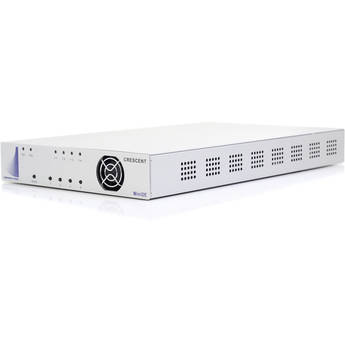
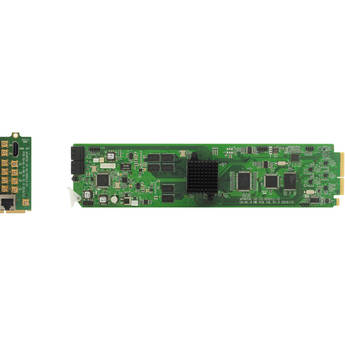
Apantac OG-Mi-9-MB openGear Card & OG-Mi-9-RMC Rear Module Kit
Magenta Research CORIOview MWP-MTO Multi-Window Processor (Made to Order)
- Up to 8-Window Processor/4K Output
- 1 x Output and up to 2 x Input Modules
- Up to 1080p60 In/Up to UHD 4K30 Out
- Preset Horizontal & Vertical Layouts
Gefen UHD 4K 600 MHz 1x4 Video Wall Controller with Audio De-Embedder
- 1x4 Video Wall Controller
- Up to UHD 4K Input, Full HD 1080p Output
- 1 x HDMI Input, 4 x HDMI Outputs
- RCA Analog Stereo Audio Outputs
Kramer Cascadable 4-Output Video Wall Driver
- Create Video Wall with up to 4 Displays
- EDID Support
- Supports HDCP 2.2 Input, 1.4 on Outputs
- Compact MegaTOOLS Fanless Enclosure
American DJ VX400 Video Controller
- 4 x Gigabit Ethernet Ports
- Supports HDMI 1.3
- 1 x 3G-SDI, 2 x HDMI 1 x Fiber Inputs
- Low Latency
NovaStar VX600 Pro All-in-One Multiview Controller
- Supports up to DCI 4K60 Video Input
- Up to 10,240 x 8192 Pixel Display
- HDMI 2.0, 3G-SDI, USB-A, Two HDMI 1.3 In
- HDMI 2.0 &1.3, 3G-SDI, Six GbE Out
Gra-Vue MIO MVS-4HD Mini Box Quad HD/SD-SDI Multi-Viewer
BirdDog VideoWall Software with 9 x PLAY 4K NDI Players Kit
- Displays NDI/NDI|HX on Multiple Screens
- Resolutions up to UHD 4K60
- Gigabit Ethernet, API Support
- NDI 5 Support
Gra-Vue MIO MVS-4HDMI Mini HDMI Input Multi-Viewer with DVI Output
- Real-Time Video and Audio Monitoring
- 4x HDMI Inputs
- 1x DVI Output
- Output up to 1080p
Apantac 9x1 Multiviewer Compact Case with 3G/HD/SD SDI Video Inputs and SDI Output
Network Technologies SPLITMUX HDMI Quad-Screen Desktop Multiviewer
- Real-Time HDMI/DVI Quad Multiviewer
- 4 x HDMI Inputs, 1 x HDMI Output
- Supports 2K Cinema Output Resolution
- Quad, PiP, Full-Screen & Custom Modes
Network Technologies SPLITMUX HDMI Quad-Screen Rackmount Multiviewer
- Real-Time HDMI/DVI Quad Multiviewer
- 4 x HDMI Inputs, 1 x HDMI Output
- Supports 2K Cinema Output Resolution
- Quad, PiP, Full-Screen & Custom Modes
Apantac OG-Mi-9+-MB openGear Card & OG-Mi-9+-RMC Rear Module Kit
DATAPATH Hx4 HDMI Display Wall Controller with HDCP Support
- Create/Deploy Signage Walls of All Sizes
- 1 x HDMI 1.4 4K30 Input
- 4 x HDMI 1.3 HD Monitor Outputs
- HDCP Support
Fabulux LED NovaStar VX1000 Pro LED Panel Controller
Apantac 9x2 Multiviewer Compact Case with 3G/HD/SD SDI Video Inputs and Simultaneous HDMI & SDI Outputs
Smart-AVI EZW-UH4-S 2 x 2 Ultra HD Video Wall Processor
- Controls up to Four Screens
- Supports Resolutions up to UHD 4K60
- 2 x HDMI Inputs, 2 x HDMI Loop Outputs
- RS-232 & Web UI Control
RGBlink Q16pro Gen2 1U 4K Multilayer Video Wall Splicing Processor
- Modular Video Wall Splicing Processor
- 2K Output
- HDMI 1.3 4-Port Input and Output Modules
- Deinterlacing Function
BZBGEAR UHD 4K 1x9 HDMI Video Wall Processor
- 1 x HDMI Input, 9 x HDMI Outputs
- DisplayPort, USB-C, VGA, Composite Input
- Supports up to UHD 4K60 Resolutions
- 3x3 Video Wall Support
Kramer PIP-4 Composite Video Picture-in-Picture Inserter
- Multi-Standard PAL & NTSC
- No Format Conversion
- Built-In ProcAmp
- IR Remote Control
Turtle AV 4x4 4K60 Video Wall, Matrix & Multiviewer
- 4 x HDMI 2.0 Inputs
- Seamless Switching & Multichannel Audio
- CEC Control, API Support
- Resolutions up to 4K60, 4:4:4, 18 Gb/s
Network Technologies SPLITMUX HDMI Quad-Screen Multiviewer with Built-In KVM Switch
- Quad, PiP, Full-Screen & Custom Modes
- Supports Resolutions up to 2048 x 1080
- 16/20/24-Bit Uncompressed PCM Audio
- HDCP 1.2 Compliant
DATAPATH Fx4 Display Controller with Four DisplayPort Outputs
- Create/Deploy Signage Walls of All Sizes
- Chain/Control Single to Numerous Units
- Wall Designer Mac/Win Software Included
- 2 HDMI, 1 DisplayPort Inputs (DCI 4K60)
Apantac OG-Mi-9#-MB openGear Card & OG-Mi-9#-RM Rear Module Kit
Apantac OG-Mi-9#-MB openGear Card & OG-Mi-9#-RMC Rear Module Kit
Learning About HDMI Video Multiviewers
Video multiviewers allow you to monitor multiple video signals on a single screen. Multiviewers are ideal for professional settings when managing several videos or feeds at one time.
The Best Applications for Multiviewers
Multiviewers are used frequently in broadcast and production control rooms because they display multiple camera angles, and allow you to quickly select the main live feed. They're also great on film sets as they allow directors to see multiple camera angles recording simultaneously from a single scene. Multiviewers are also helpful for security systems, as you can monitor different surveillance feeds simultaneously.
Features
HDMI Multiviewer features to consider include the number and type of inputs, and whether you need to work with digital or analog systems.
Number of Inputs
One of the first features you need to consider when purchasing multiviewers is the number of inputs. Depending on how many signals you need to monitor on a single panel, you can find multiviewers with over 30 inputs. A larger screen is optimal when using a large amount of inputs.
Type of Inputs
Another important consideration is the type of input that your multiviewer supports. 4K-compatible multiviewers help you connect the highest-quality video feeds to your display. If you're using a range of different feeds with various qualities, it's essential to find one that can support all of your inputs. Mixed high-resolution units can support both analog and digital feeds, along with HD, SD, and other video types. Many multiviewers have numerous output options, including USB, DV-I, HDMI, and more.
Digital, Analog, and More
HDMI multiplexers allow you to combine analog, digital, and a range of other video input systems. Once these signals combine, a multiplexer sends them at a uniform speed to your display panel. If you're using a range of different video input signal types, then a multiplexer is an essential addition to your multiviewer.
Other Types of Multiviewers
To display large, electronic signage in stadiums or other public areas that have commercial monitors and displays, use display controllers to show large images on massive screens while maintaining high resolution and stable frame rates.
If you want to show a single, dynamic image across screens that are set up side by side, use video wall processors. These ensure that the image travels across multiple monitors seamlessly.
A production or broadcast control room might opt for a video wall with multiple screens instead of one large panel. In this case, video wall controllers can help you manage the screen display. You can set the video wall to display one continuous image, or set different screens to display multiple camera angles and feeds simultaneously.
Regardless of the project, you can find a varied selection of video multiviewers and other video processing and distribution equipment at B&H Photo and Video.