1/8" to XLR Cables

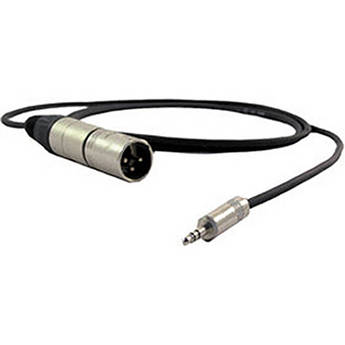
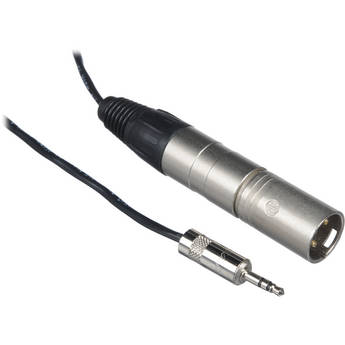
Pro Co Sound IPatch-15 (15')
Pro Co Sound IPatch-10 (10')
Sescom SES-IPOD-XLRM50 3.5mm Stereo to Dual XLR Male Mono Audio Cable (50')
TecNec XLRJ-MMP XLR Female to Mono Mini 1/8" Male Mic/Audio Cable - 150'
Mogami Gold 3.5mm TRS Male to Dual XLR Female Y-Cable (3')
- Connect 2 Sources to 1 Mixer or Speaker
- Gold-Plated 3.5mm TRS Male Connector
- Two XLR Female Connectors
Mogami Gold 3.5mm TRS Male to Dual XLR Female Y-Cable (6')
- Connect 2 Sources to 1 Mixer or Speaker
- Gold-Plated 3.5mm TRS Male Connector
- Two XLR Female Connectors
Mogami Gold 3.5mm TRS Male to Dual XLR Female Y-Cable (10')
- Connect 2 Sources to 1 Mixer or Speaker
- Gold-Plated 3.5mm TRS Male Connector
- Two XLR Female Connectors
Mogami Gold 3.5mm TRS Male to Dual XLR Male Y-Cable (15')
- Connects Portable Devices to XLR Inputs
- 3.5mm TRS Stereo Mini Connector
- 2 x XLR Male Mono Connectors
- Gold-Plated Connectors
Mogami Gold 3.5mm TRS Male to Dual XLR Female Y-Cable (15')
Mogami Gold 3.5mm TRS Male to Dual XLR Female Y-Cable (20')
- Connect 2 Sources to 1 Mixer or Speaker
- Gold-Plated 3.5mm TRS Male Connector
- Two XLR Female Connectors
Mini (3.5mm) Jack to XLR Cables: All You Need to Know
Mini jack to XLR cables provide a bridge between consumer audio devices and professional audio devices. Before selecting one of these cables, you should first understand the specific standards and the equipment that uses them.
What Are Mini Audio Cables?
Mini audio cables, referred to as 3.5mm cables, are one of the most common standards for audio connections in consumer technology. These 3.5mm cables are hardwired into headphones, and used to connect with electronics, such as smart devices, media players, portable game consoles, and PCs. Use mini audio cables to carry stereo audio, microphone audio, or both. Some mini audio cables may only carry mono audio—these only have one black ring, rather than two or three.
What Are XLR Audio Cables?
Manage audio in professional environments with the balanced audio signal that XLR audio cables provide. This balance reduces external noise and allows for longer cable lengths. Generally speaking, there's one 3-pin XLR cable per audio channel, with two required for stereo. For microphones, speakers, or audio recording setups, use XLR cables. It's important to distinguish microphone XLR cables from speaker XLR cables. Even though they use the same connector, they're different. Using the wrong cables can cause interference and other audio issues.
Length and Type
When choosing your XLR to 3.5mm adapters, you'll notice a variety of types and lengths to choose from.
Length
A longer cable degrades the signal, which diminishes the sound quality. When choosing a cable length, you'll need to consider the distance between the equipment, but keep any additional length to a minimum. Shorter is better when it comes to maintaining the quality of your signal.
Type
Type refers to the male/female designation of the cable. For instance, an ‘XLR female to Mini male’ cable refers to a cable where you insert an XLR cable on the female end, and it has a male mini plug on the other.
How Do Mini to XLR Cables Work?
Use mini to XLR cables to convert a mini audio input to an XLR audio input. For example, use this to connect a tablet to a live sound mixer. To maintain a stereo audio signal when doing this, use a breakout cable with two XLR connectors. Otherwise, your audio signal will convert to mono.
Find the right length and type of mini jack to XLR cables for your needs at B&H Photo and Video.