Mice & Touchpads

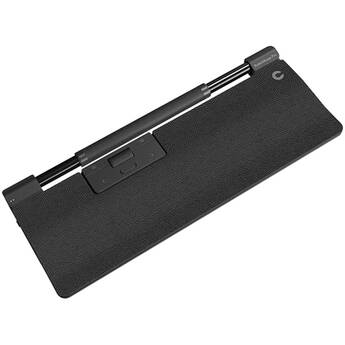
Contour Design RollerMouse Pro Wireless with Regular Wrist Rest (Vegan Leather)
- Bluetooth & RF Wireless Connection
- 600 to 2800 dpi
- Six Programmable Buttons
- Integrated Regular Wrist Rest
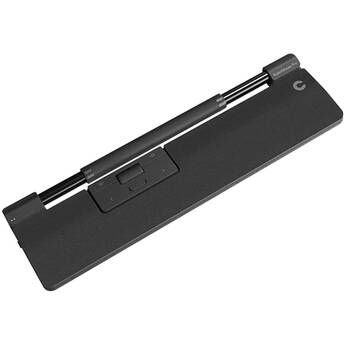
Contour Design RollerMouse Pro Wireless with Slim Wrist Rest (Vegan Leather)
- Bluetooth & RF Wireless Connection
- 600 to 2800 dpi
- Six Programmable Buttons
- Integrated Slim Wrist Rest
Mousetrapper Delta Regular Control Bar Mouse
- Wired USB Connection
- 4000 dpi Optical Sensor
- 6 Programmable Buttons
- Integrated Wrist Rest
Mousetrapper Delta Extended Control Bar Mouse
- Wired USB Connection
- 4000 dpi Optical Sensor
- 6 Programmable Buttons
- Integrated Wrist Rest
3Dconnexion SpaceMouse Enterprise Kit 2
- Include SpaceMouse Enterprise
- Includes CadMouse Pro Wireless
- Includes CadMouse Pad
- Includes 3Dconnexion Universal Receiver
Touchpads, Wireless Mice, USB-C Mice, and More
Mice or tracking pads are important parts of computer setups. Depending on computer use, most people need advanced options, such as USB-C mice, to carry out various tasks. These tasks relate to graphics design, gaming, business, and more. For all computer tasks, choosing the right mouse gives you a comfortable experience over extended periods.
Options for Mice and Touchpads
Computer mice are necessary for casual computer browsing and most other tasks. Dedicated gaming mice are ideal for playing video games on computers. Some gamers use controllers, and these devices create a console gaming experience. Most laptops come equipped with trackpads by default, but you can also get external ones for use with any computer. Trackballs use rotating balls for more comfortable scrolling.
Using Different Interfaces for Mice and Touchpads
You can connect your computer mouse and touchpad in a number of different ways. A USB-C mouse features a fast connection, quick response time, and increased durability. A USB wireless mouse eliminates the need for cords and cables, giving you more freedom as you scroll. To get the best of both worlds, USB-C wireless mice are also available. Instead of connecting via a wireless USB dongle, you can use a Bluetooth mouse to connect directly to your computer's built-in Bluetooth receiver. PS-2 is another type of connection that you can use for your mouse, and it's similar to normal USB connections.
Choosing the Right Tracking Type
Both laser and optical tracking types use light to detect movement in the mouse. For best results, you'll need mouse pads to provide a clear tracking surface for these mice. However, with trackballs, you won't need a mouse pad. Sensors within the trackball trace movement, and the case itself doesn't move. You can also use mice with Bluetrack technology on virtually any surface, whether wood, plastic, or granite countertop. If you want to use your mouse on glass or mirror surfaces, mice with Darkfield tracking technology are ideal and most suitable.
Check out B&H Photo and Video for a wide selection of mice and trackpads, including ergonomic Bluetooth mice, trackballs, USB-C mice, and much more.